ACT6000 User Guide – January 2021 Page 26 of 52
7.3.LINE TESTS Pre-configured Telephone DELT (End-to-End) Sequence
By using the “Advanced Software 1/II”, ACT-11 options and two ACT6000s configured as
POTS telephone devices connected to CO Exchanges, it is possible to perform a complete
POTS link qualification by Signaling and Transmissive tests (according to M.1040 mask).
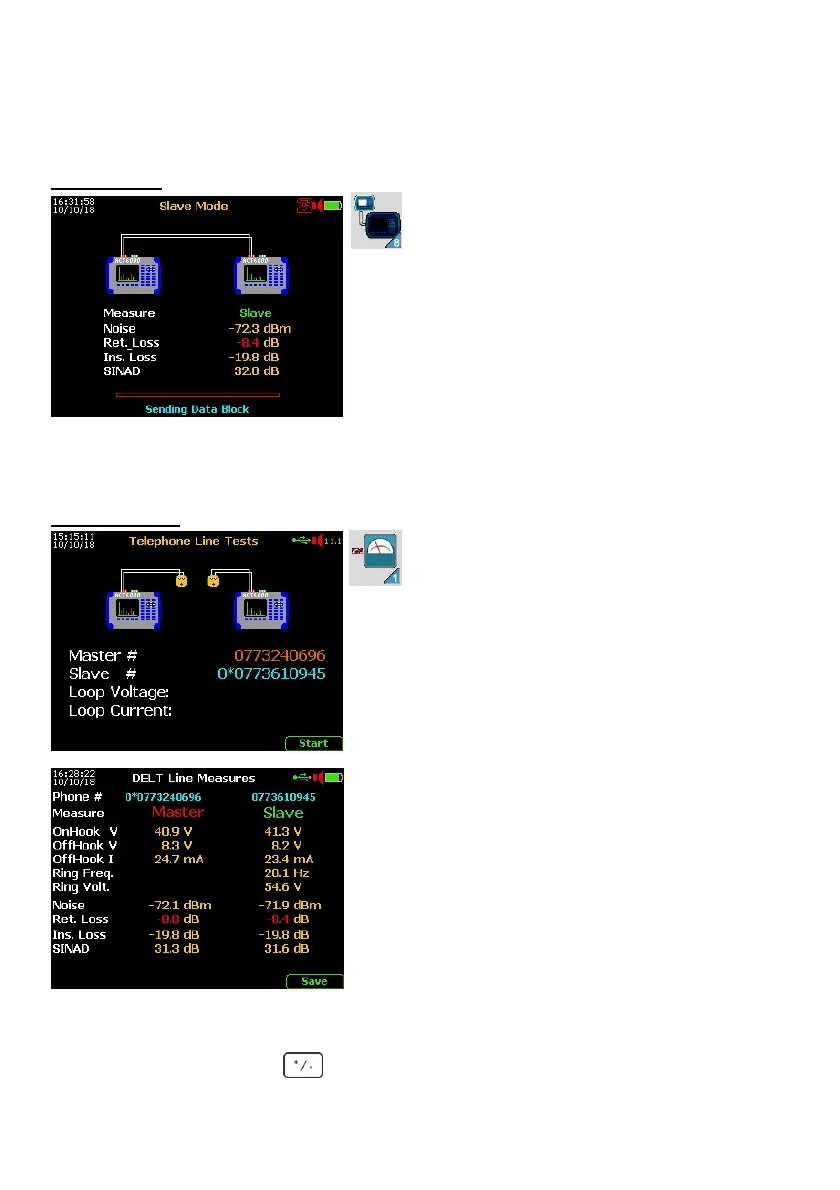
Slave setup
From the Main Menu select and enter
“8. SlaveMode” then select and enter
“2. TELEPHONE TESTS”.
Connect the powered line (Tip & Ring) to the a - b
points of the RTX connector.
Verify the “On-Hook” voltage from the CO Exchange
(normally 40 - 50 Vdc, however it can be between 20
to 72 Vdc). Where line voltage is not present, or it is
not correct, verify the connection to the line under
test or check the line for another potential problem.
The Slave is now ready to receive data requests from
the Master unit. When the measurement sequence is completed, the Slave automatically
sends all its results to the Master unit. Once the data transfer is completed, the Slave
automatically returns to stand-by mode ready for other tests.
MASTER setup
From the Main Menu select and enter
“1. LINE TESTS” then select and enter
“2. TELEPHONE TESTS”.
Using the Keypad enter the telephone number of the
caller (Master) then press “Enter”. Press “Enter”
again, then using the key select “Slave #”, press
“Enter” again. Enter the telephone number① of the
Slave unit and then press “Enter”.
Connect the powered line (Tip & Ring) to the a - b
points of the RTX connector.
Start the test by using the F5 key “Start”.
Once the test has completed the data will be
transferred from the Slave unit to the Master, all test
results are then displayed on the Master.
To save the test results press F5 “Save” and by
using the keypad enter the file name. Press “Enter”
and then press F5 “Save” again.
Failed tests are shown in red, according to the
appropriate POTS standard.
If it is necessary to repeat the test, press “Escape” to go back to the Master Setup menu
and then press F5 “Start” to restart the test.
Note①: if necessary typing it is possible to insert a short pause for prefix number.



 To Next Page