ACT6000 User Guide – January 2021 Page 25 of 52
MASTER: Push the F5 key to start the call vs. SLAVE;
SLAVE: an audible beep confirms the right channel connection, now push the F5 key to
enable the reception of the commands data from the Master.
Wait the end of the automatic test sequence and the complete measurements transfer from
SLAVE to the MASTER unit.
Once the measurements transfer is finished,
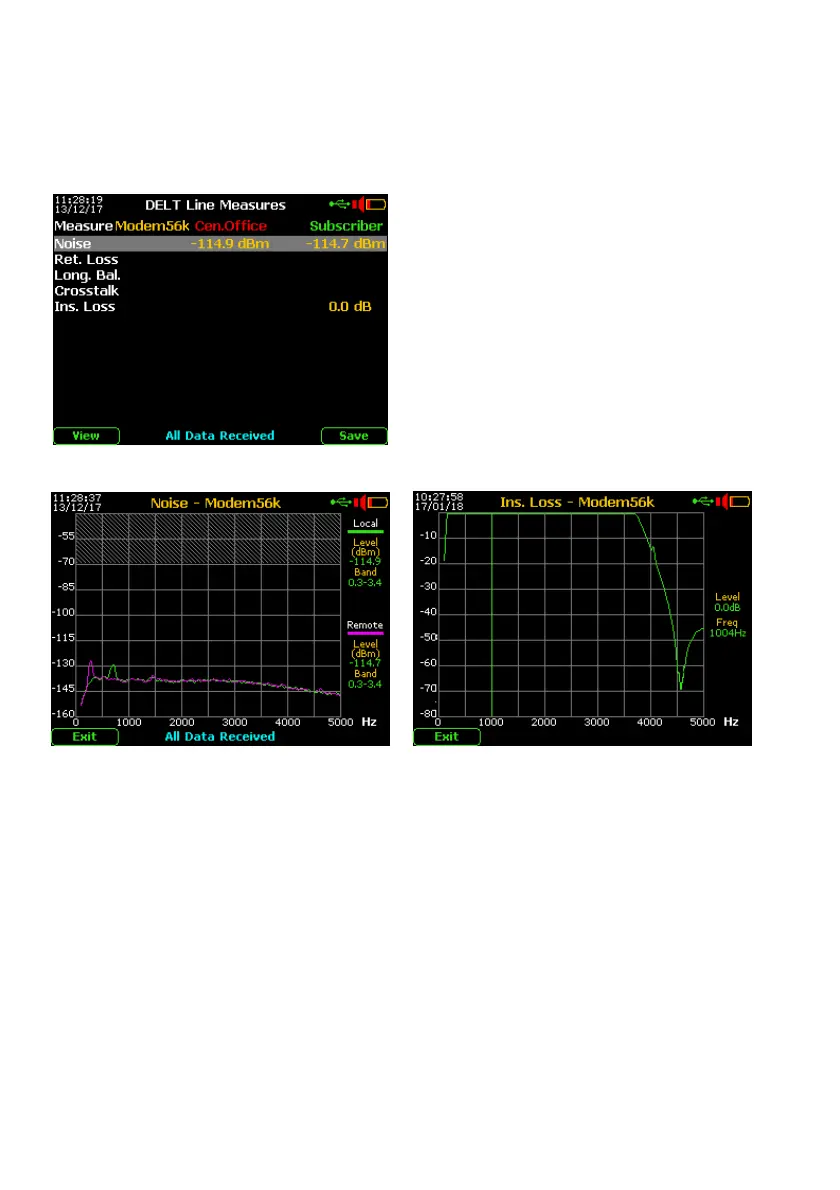
the MASTER display will show the following
results:
If desired, push the F5 “Save” two times on the
internal memory.
The display will show:
- the RMS Noise value of both Receiving
channels
- the Insertion-loss @ 1 kHz related to the
transmission cannel connected to the
MASTER unit.
then push the F1 “View” key for spectral readout:
Spectral Noise (with typical threshold limit Insertion-loss (without threshold limits)
@ -70dBm)



 To Next Page