ACT6000 User Guide – January 2021 Page 42 of 52
12.3. Spectrum & Network Analyzer (for High Band)
From the Main Menu select and enter the Signal Analysis item, then select and enter on
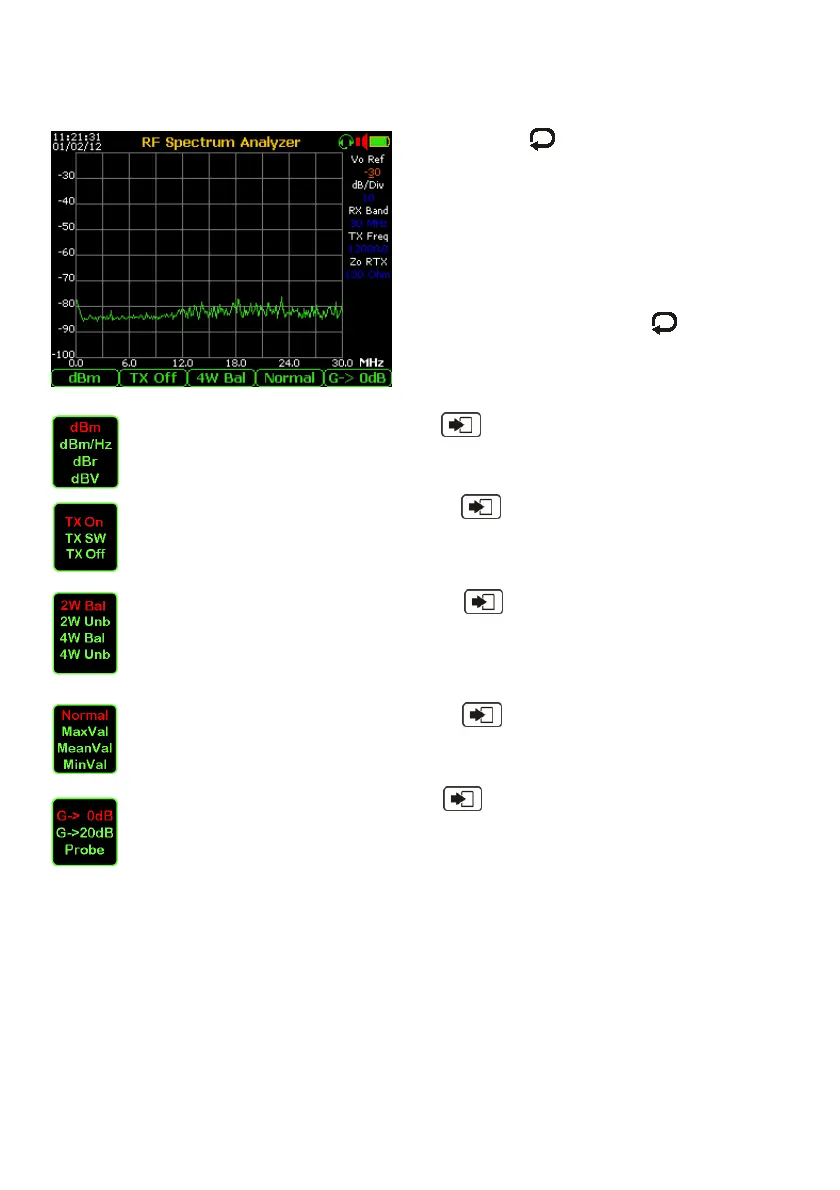
3. HIGH BAND TESTS and select 2. SPECTRUM ANALYZER, will appear this menu:
By pushing the key and arrows select
the RX and / or the TX parameters: Vo Ref (to
set the grid range), dB/Div (to set the vertical
resolution), RX Band (to select 0 to 12 or 0 to
18 or 0 to 35 MHz band, TX Freq to set in kHz
the fixed frequency of the generator, Zo RTx
(to set the Input (RX) impedance (100 Ohm or
50 Ohm or HighZ impedance) if selected 4W
Bal or 4W Umb mode.
After the selection, pushing the it is possible
to modify the parameters by using the
arrows.
Other setting:
Repeated pushing of the F1 key and “Enter” the following level reading
mode: dBm, dBm/Hz, dBr and dBV can be selected.
By repeated pushing of the F2 key and “Enter” it is possible to set the
generator: TX On (at a fixed programmable frequency), TX SW (sweep signal
tracking with RX, TX Off to switch off the generator, an useful thing to measure
low signals (e.g. noise level).
By repeated pushing of the F2 key and “Enter” it is possible to set the
measurement mode: 2 W Bal (2 wires Balanced - mix TX/RX to measure the
Return Loss) or 2W Unb (2 wires Unbalanced) when TX ON or TX SW is
selected, or 4W Bal (4 wires Balanced) or 4W Unb (4 wires Unbalanced) to
to measure the Near Cross-Talk “Next”, or Insertion Loss of a loop line.
By repeated pushing of the F4 key and “Enter” it is possible select the
measurement mode: Normal or highlighting in red text the Maximum or Mean or
Minimum input level.
By repeated pushing of the F5 key and “Enter” it is possible to set the gain
of the receiver (0 or 20 dB) to perform the measurements on High level or Low
level (e.g. noise) signals, or by external HighZ Probe to perform the PSD on
powered lines.



 To Next Page