ACT6000 User Guide – January 2021 Page 45 of 52
- Longitudinal Balance Attenuation with Network Analyzer
The spectral measurement of the Longitudinal Balance Attenuation in Base and Medium
Band can be performed in limited band by the Network Analyzer.
Set the Spectrum Analyzer as follows:
- dBm by F1
- TX SW by F2
- 2W +/+ by F3
- Normal by F4
- DC-Inp * by F5
and then:
- Vo Ref for the best trace display
- dB/Div to 10
- Fc (kHz) for the band centre
- kHz/Div for the band limit
- Out Lev: 0.0 and Zo RTX: (eg. 100 Ohm)
- Connect the line to a - b points of the RTX connector;
- Connect c point of the RTX connector to GND ref. (cable shield, cabinet shield etc..)
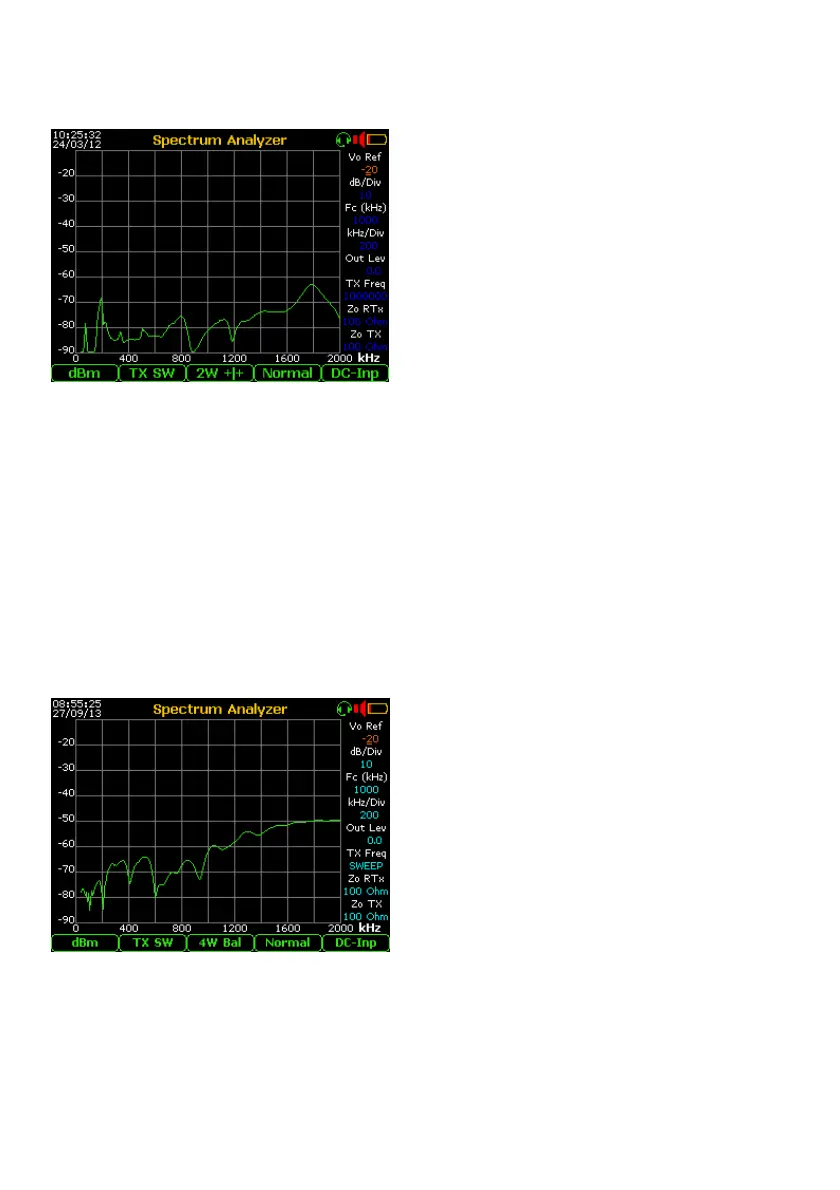
The setting made as in the example shown is used to measure the Longitudinal Balance
Loss of typical copper pairs for the transport of ADSL2+ stream, where the bandwidth is
from few kHz up to 2 MHz (approx).
Note *) this is the condition for maximum level accuracy, however if a DC Voltage (eg. line feed) is
found, the front-end will be decoupled automatically by two capacitors.
- Near End Crosstalk “NEXT” with Spectrum Analyzer
The spectral measurement of the NEXT in any band, can be performed in limited band by
the Spectrum Analyzer.
This measurement must be performed between two lines of the same cable to verify the
transmissive insulation. Set the instrument as follows:
- dBm by F1
- TX SW by F2
- 4F Bil by F3
- Normal by F4
- DC-Inp by F5
and then:
- Vo Ref for the best trace display
- dB/Div to 10
- Fc (kHz) for the Base / Medium Band
centre or RX Band (for one of the High
Bands)
- kHz/Div for the Base or Medium band
- Out Lev: 0.0 and Zo RTX: (eg. 100 Ohm)
- Connect one line to a - b points of the RTX connector;
- Connect the other (disturbing) line to a - b points of the TX connector.
The setting made as in the example shown is used to measure the NEXT on typical copper
pairs for the transport of ADSL2+ stream, where the bandwidth is from few kHz up to 2
MHz (approx).



 To Next Page