6 Commissioning
21
6.4.3 Connecting USB cable (optional)
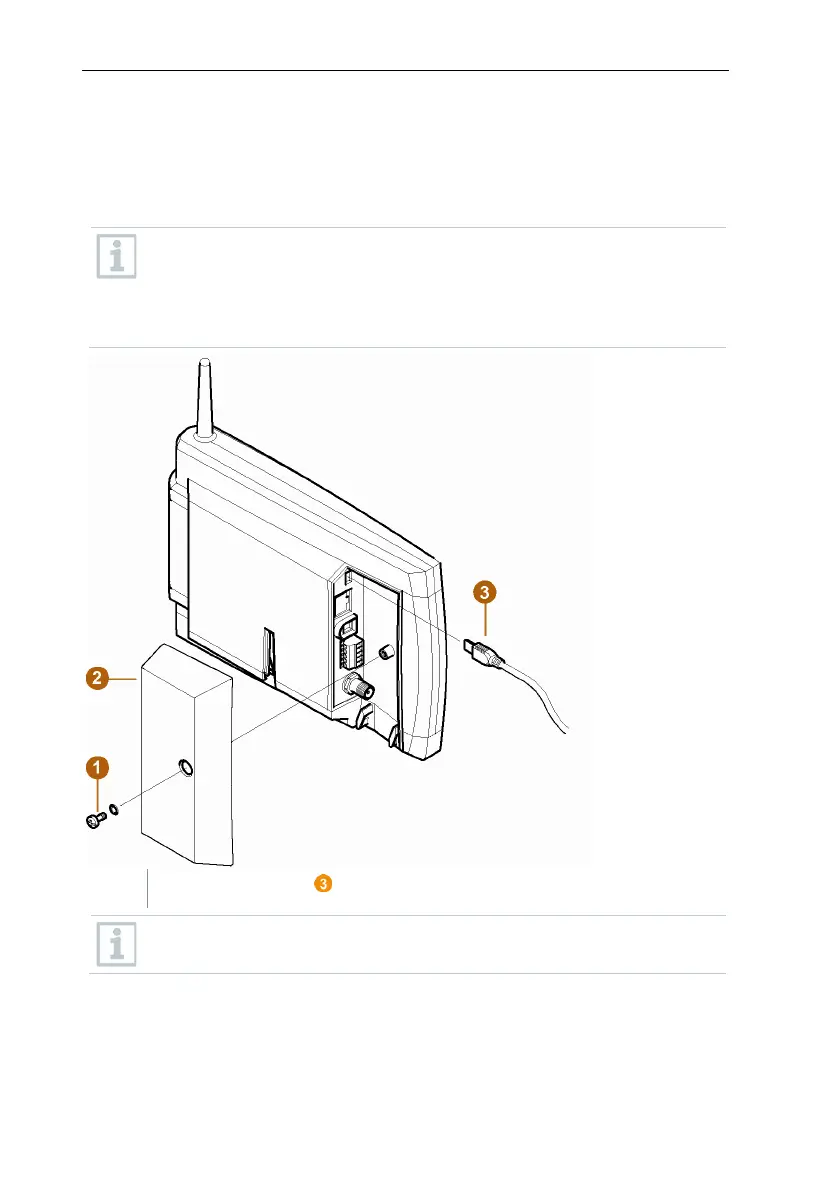
For the commissioning, you can connect the Saveris base via a USB cable to
the computer on which the testo Saveris Client is installed. For this, first connect
the USB cable to the Saveris base.
During continuous operation, operate the Saveris base via the network
cable, not via the USB cable.
The USB connection works unreliably in combination with virtual
systems, which is why we recommend connecting the Saveris base via
Ethernet.
Plug the USB cable into the Saveris base.
Do not screw on the cable cover of the Saveris base until after
commissioning and removal of the USB cable.


 To Next Page
 Loading...



