Chapter 5: Lists
105
7305ENG.DOC CH 5 Lists, English Julie Hewlett Revised: 07/29/98 12:04 PM Printed: 05/19/99 8:59 AM Page
105 of 30
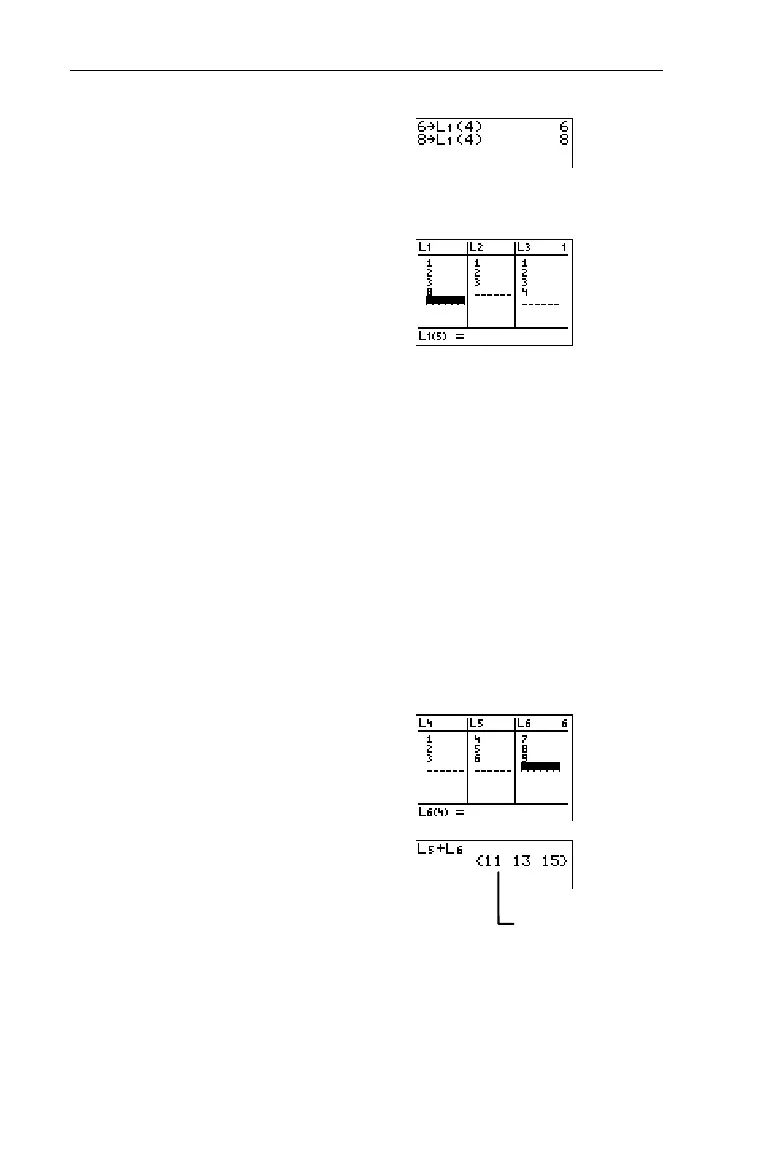
4. Change the 4th element,
6
,
to
8
.
-l
8
X
-v
1
D
4
Eb
5. Display results in the List
editor, if desired.
3
Using Math Functions with ListsUsing Math Functions with Lists
When a math function (see Chapter 2: Math Operations) is
applied to a list, it is calculated for every element in the list.
Therefore, the function must be valid for every element in the
list.
You cannot perform a mathematical function on two lists of
different sizes. For example,
{1,2,3}+{4,5,6,7}
results in an error.
Mathematical rules always apply; for example,
1P{0,1,2}
results
in an error because 1 cannot be divided by 0.
Perform mathematical functions with
L
5
and
L
6
on the Home
screen.
1. Define
L
5
={4,5,6}
and
L
6
={7,8,9}
.
3
2. Return to the Home screen,
and calculate
L
5
+
L
6
.
-l:
-v
5
\
-v
6
b
³
{4,5,6}+{7,8,9}=
{4+7, 5+8, 6+9}=
{11,13,15}


 To Next Page
 Loading...














