Chapter 12: Programming
227
7312ENG.DOC CH 12 Programming, English Julie Hewlett Revised: 07/29/98 12:17 PM Printed: 05/19/99 9:02
AM Page 227 of 32
• 2
DRAW
(excludes
8:Pen)
• 1
MATH
(excludes
6:Solver)
• (
MEMORY
(excludes
2:SetFactors)
Exiting the Program Editor
Pressing &, ', *, - Ÿ, - l, or 3 exits
the Program editor and displays the applicable screen. The
calculator automatically saves all command lines in memory
whenever you exit the Program editor.
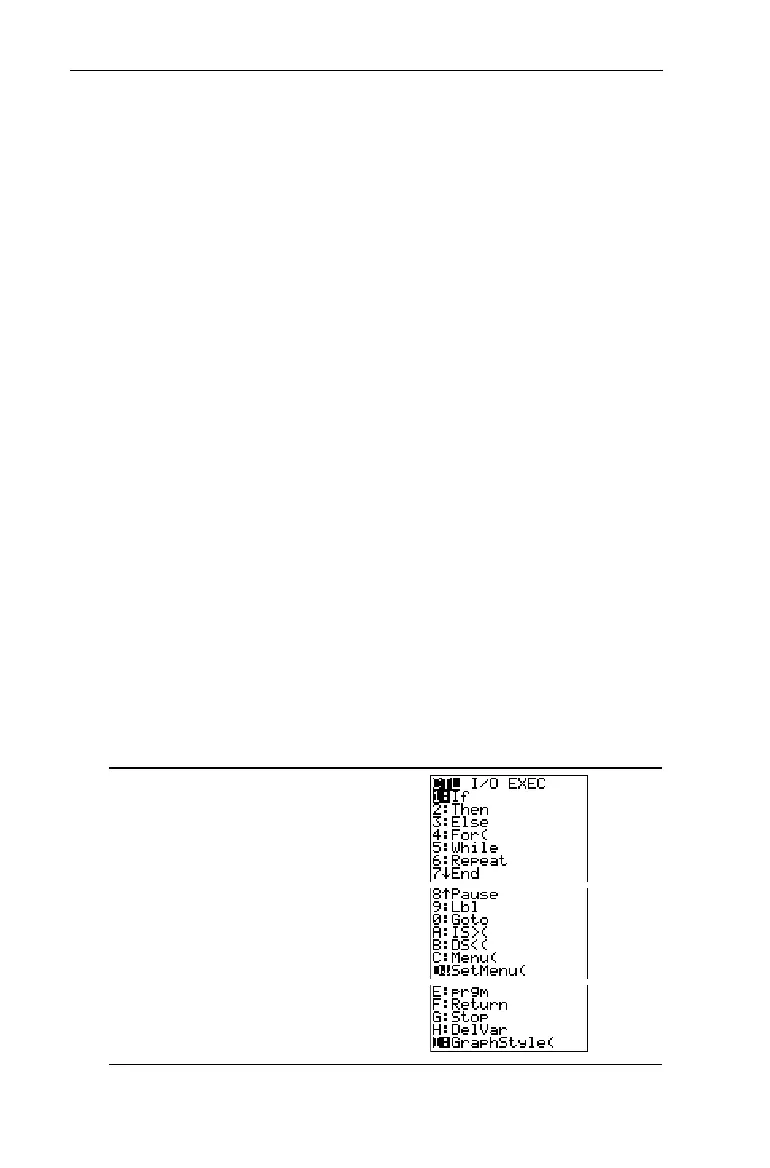
The 8
CTL Menu
You can only access the 8
CTL
(control) menu by pressing
8 from the Program editor. These programming
commands help control the flow of an executing program.
They make it easy to repeat or skip a group of commands
(block) during program execution.
If
,
For(
,
While
,
Repeat, IS>(,
and
DS<(
check a defined condition to
determine which command to execute next. Conditions
frequently use relational or Boolean tests (Chapter 2: Math
Operations). When you select an item from the menu, the
name is pasted to the cursor location on a command line in the
program. To return to the Program editor without selecting an
item, press :.
8 (from the Program
editor only)


 To Next Page
 Loading...














