60
Chapter 3: Fractions
7303ENG.DOC Ch 3 Fractions, English Julie Hewlett Revised: 07/29/98 12:00 PM Printed: 05/19/99 8:59 AM
Page 60 of 10
Fraction Modes
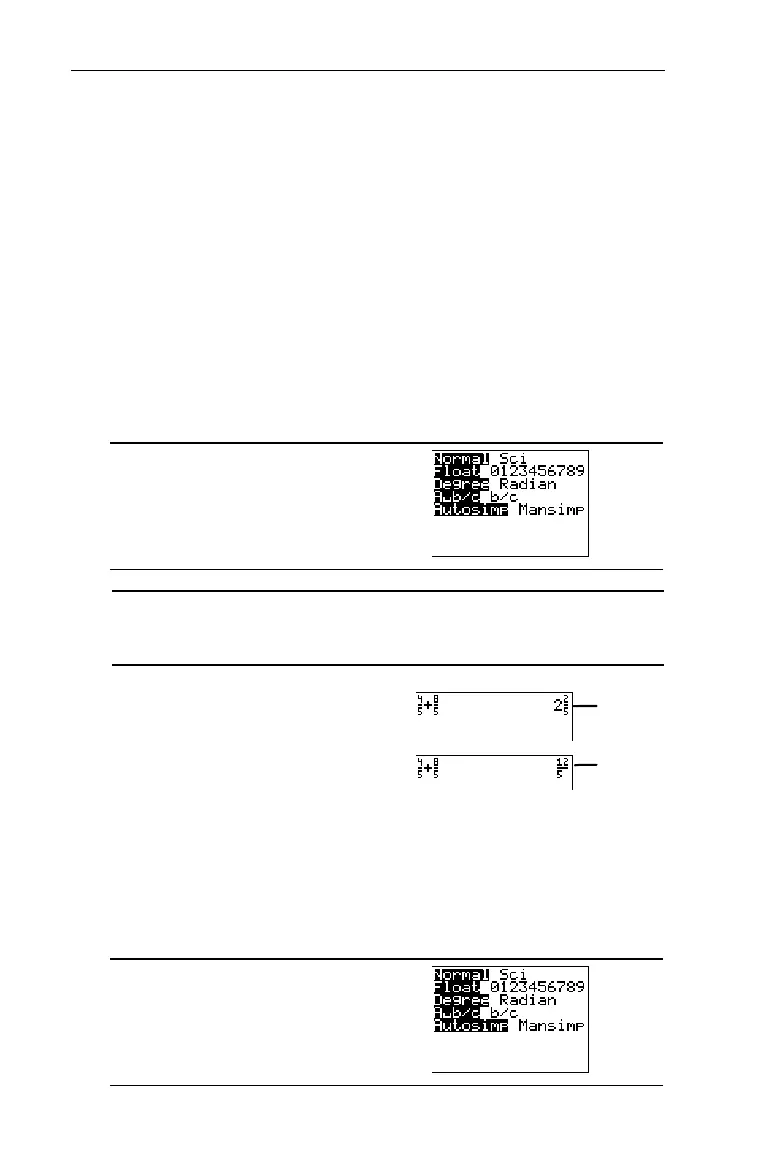
Two fraction modes exist on the calculator: Display Format
mode and Simplification mode.
Display Format Mode SettingsDisplay Format Mode Settings
The Display Format mode settings,
A§bàc
and
bàc
, determine
whether or not a fractional result is displayed as a mixed
number or a simple fraction. To select a mode setting, press
., highlight the setting with the cursor keys, and then
press b.
.
A§b/c
Displays result as a mixed number, if applicable.
b/c
Displays result as a simple fraction.
Add
4
/
5
+
8
/
5
.
4
=
5
"\
8
=
5
b
Simplification Mode SettingsSimplification Mode Settings
The Simplification mode settings,
Autosimp
and
Mansimp
,
determine whether or not a fractional result is simplified
automatically.
.
³
In
b/c
mode
In
A§b/c
mode



 To Next Page
 Loading...













