152
Chapter 8: Tables
7308ENG.DOC CH 8 Tables, English Julie Hewlett Revised: 07/29/98 12:08 PM Printed: 05/19/99 9:01 AM
Page 152 of 14
Defining and Selecting Functions
in the Y= Editor &
To create a table of values for a function, you first must define
the function in the Y= editor. Press & to display the Y= editor;
then define up to four functions,
Y
1
,
Y
2
,
Y
3
, and
Y
4
, in terms of
the independent variable,
X
.
For every selected function in the Y= editor, the calculator
automatically creates a column of
Y
n
values. Because the
Y= editor holds up to four functions, the TIN73 can create up
to four
Y
n
columns in a table, one for each function.
When you first enter a function, it is selected automatically. To
select or deselect a function, highlight the
=
with the cursor,
and then press b.
For more details on entering functions, see Chapter 9:
Function Graphing.
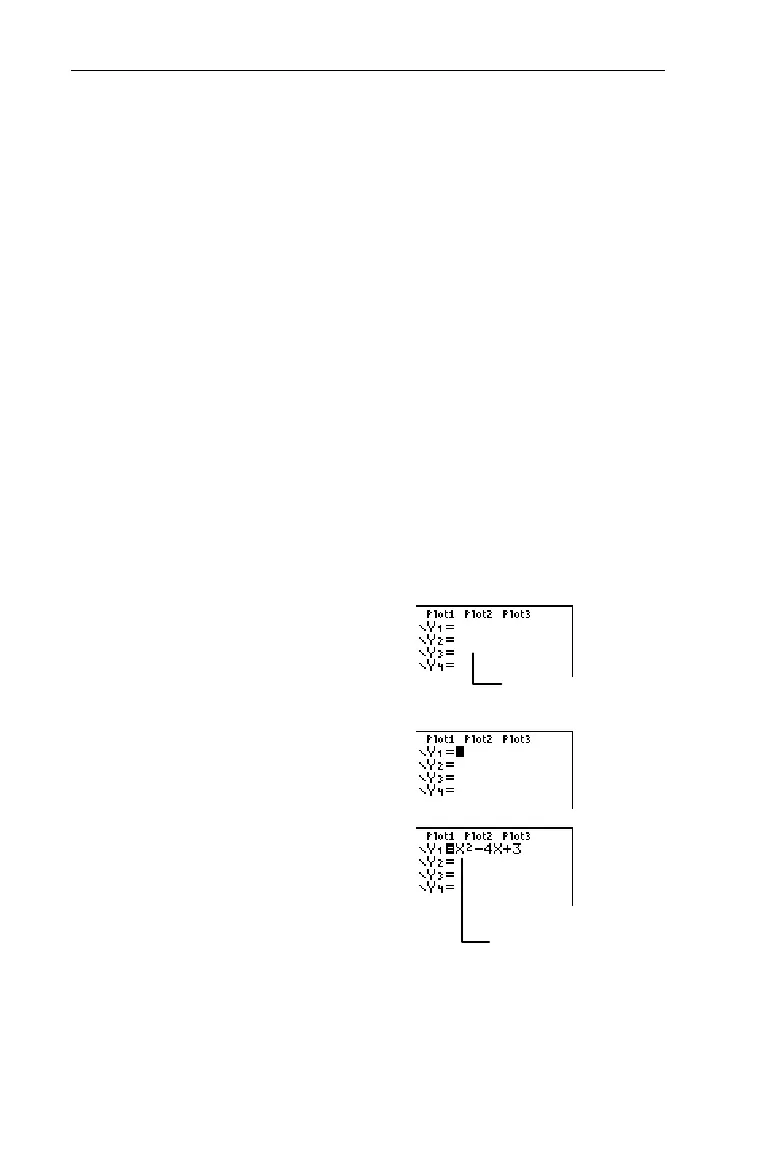
Define Y
1
=X
2
N4X+3.
1. Display the Y= editor.
&
2. Move the cursor to
Y
1,
and
clear if necessary.
#:
3. Enter
Y
1
= X
2
N4X+3
.
I6T
4
I\
3
³
Your screen may vary.
When you first enter a
function, it is selected
automatically.



 To Next Page
 Loading...













