Chapter 1: Operating the TIN73
21
7301ENG.DOC CH1 Operating the TI-73, English Julie Hewlett Revised: 07/29/98 11:55 AM Printed: 05/19/99
8:58 AM Page 21 of 24
1. Enter the numeric value. It can be an expression that
results in a numeric value.
2. Press X. " is copied to the cursor location.
3. Select the type of variable to which you want to store the
value. Use the Text editor (- t) to enter a letter
variable, the
VARS
(- }) menu to enter a system
variable, or the - v
Ls
menu to enter a list name.
4. Press b. If you entered an expression, it is evaluated.
The value is stored to the variable.
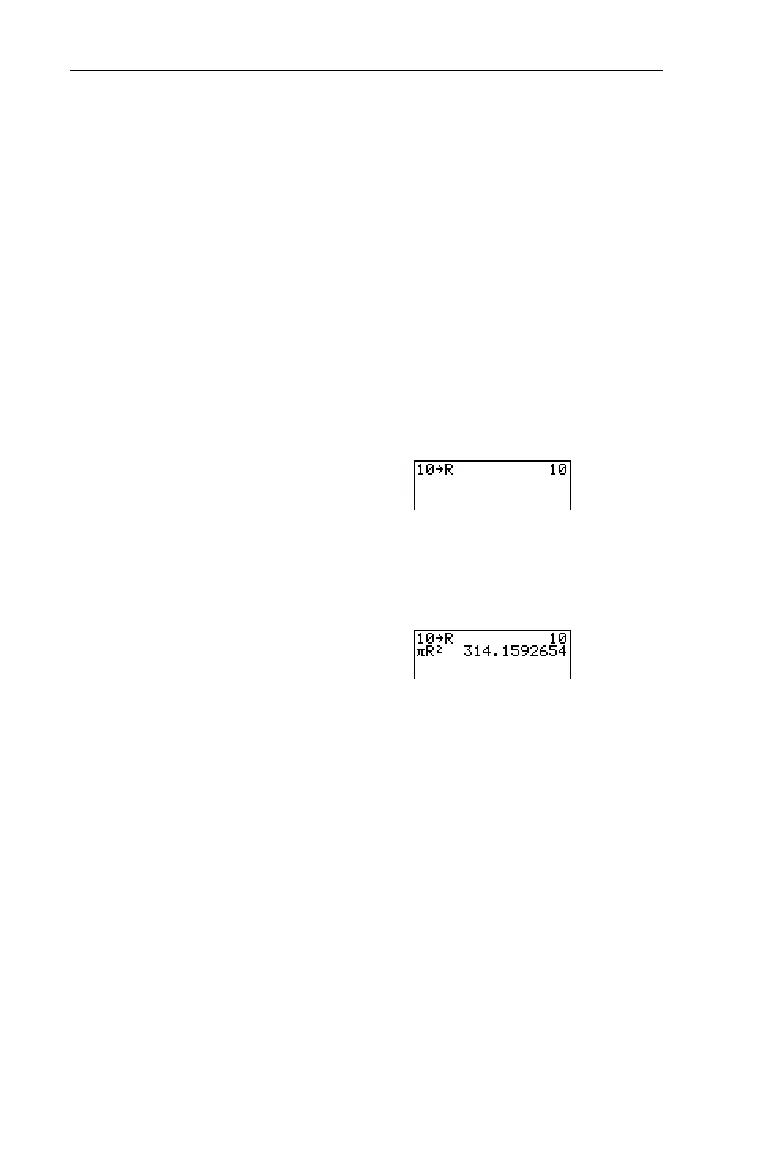
Store 10 to R, and then calculate pR
2
.
1. On the Home screen, store
10 to
R
.
-l:
10
X-t
R
b
Done
b
b
2. Calculate
pR
2
.
-„-t
R
b
Done
b
6b
Recalling Variable Values Recalling Variable Values
-
P
To recall a variables value to the current cursor location,
follow these steps. To leave
Rcl
, press :.
1. Press - P.
Rcl
and the edit cursor are displayed on
the bottom line of the screen.
2. Enter the name of the variable in any of four ways:
• Enter letters using the Text editor (- t).
• Press - v, and then select the name of the list
from the
Ls
menu.
³


 To Next Page
 Loading...














