Chapter 12: Programming
247
12PROG~1.DOC CH 12 Programming, English Julie Hewlett Revised: 02/07/01 11:31 AM Printed: 02/08/01 1:12
PM Page 247 of 32
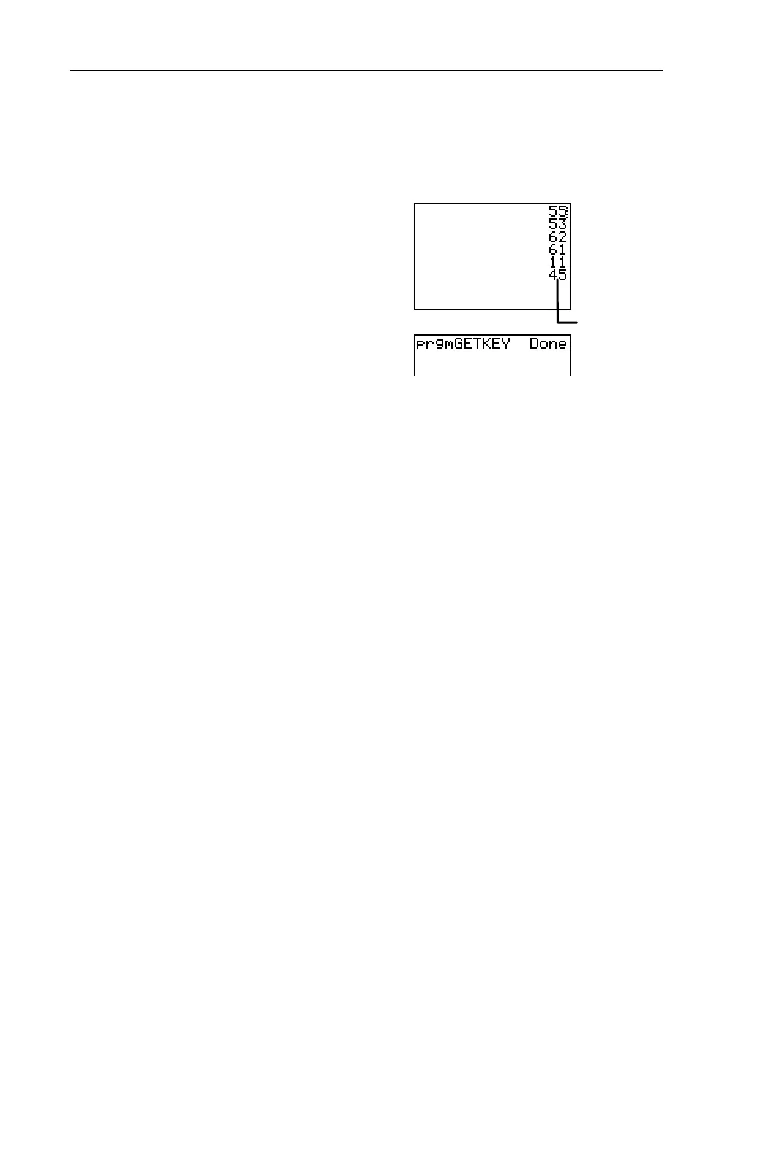
Write a program named
GETKEY
that displays the key code for
the last key pressed, represented as variable
K
. End the
program when
K
=45 (
:
).
PROGRAM:GETKEY
:Lbl A
:0
"
K
:While K=0
:getKey
"
K
:End
:Disp K
:If K
ƒ
45
:Goto A
ClrScreen and ClrTable 8 " 8 and 9
ClrScreen
(clear Home screen) clears the Home screen during
program execution.
:ClrScreen
ClrTable
(clear table) clears the values in the table during
program execution.
:ClrTable
GetCalc( 8 " 0
GetCalc(
gets the contents of
variable
from another TI
N
73 and
stores it to
variable
on the receiving 73.
variable
can be a real
number, list element, list name,
Y
n
variable, or picture.
:GetCalc(
variable
)
You can access
GetCalc(
from the
CATALOG
(
-
|
) to
execute it from the Home screen.
Get( and Send( 8 " A and B
Get(
gets data from the Calculator-Based Laboratory
è
(CBL 2™, CBL™), or Calculator-Based Ranger
è
(CBR
è
)
system and stores it to
variable
on the receiving TI
N
73.
variable
can be a real number, list element, list name,
Y
n
variable, or picture.
³
:
(45)
stops execution.



 To Next Page
 Loading...













