92
Chapter 5: Lists
7305ENG.DOC CH 5 Lists, English Julie Hewlett Revised: 07/29/98 12:04 PM Printed: 05/19/99 8:59 AM Page
92 of 30
The -
v
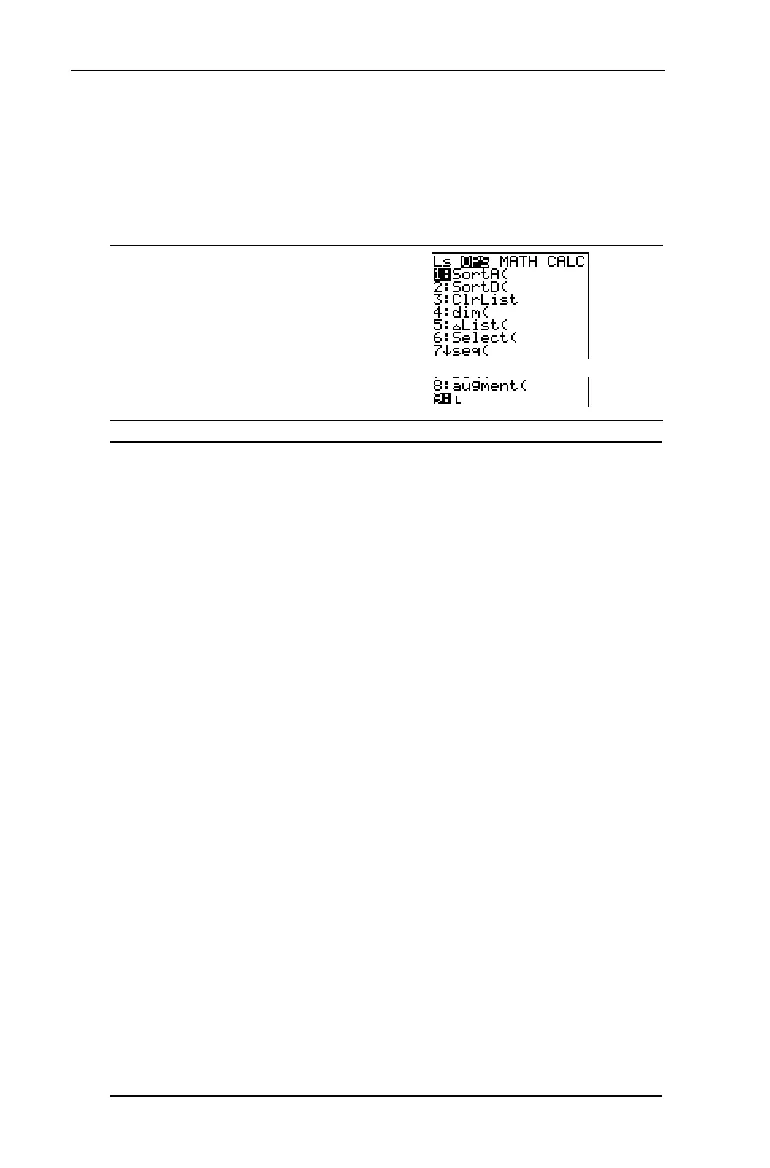
OPS Menu
Use the - v
OPS
(options) menu to change defined lists
from the Home screen.
-v
"
1:SortA(
(Ascending)
Sorts list elements from lowest to highest
in numerical order or in alphabetical order.
2:SortD(
(Descending)
Sorts list elements from highest to lowest
in numerical order or in reverse
alphabetical order.
3:ClrList
Clears all elements in specified list(s).
4:dim(
Recalls, sets, or changes the dimension
(number of elements) in a list.
5:@List(
Returns the differences between
consecutive elements in a list.
6:Select(
Selects one or more specific data points
from a Scatter or xyLine stat plot, and then
updates the list(s) in memory. (Requires
you to set up a statistical plot. See Chapter
6: Statistical Plots for more information.)
7:seq(
Returns a list that fulfills the requirements
of 5 arguments (expression, variable,
begin, end, and increment) which you
specify.
8:augment(
Combines two lists to make a new list.
9:
¨
List signifier; all text characters or numbers
following it are interpreted as a list name.


 To Next Page
 Loading...














