Programming 609
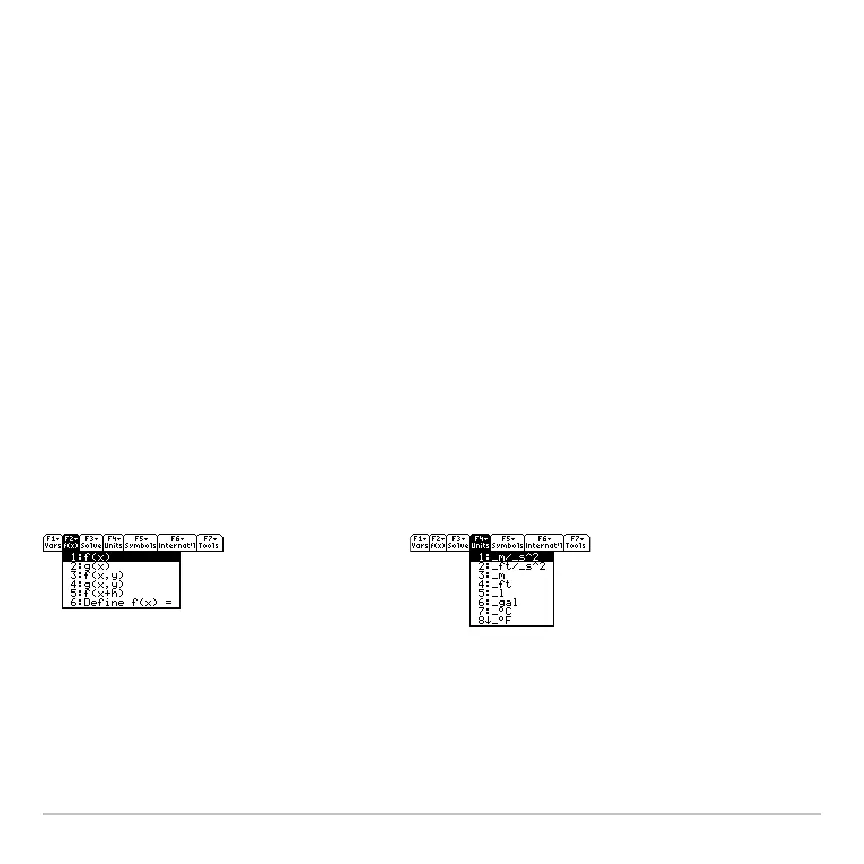
Ë :Title "Units"
Ë :Item "_m/_s^2":Item "_ft/_s^2":Item "_m":Item "_ft":Item "_l"
Ë :Item "_gal":Item "_\o\C":Item "_\o\F":Item "_kph":Item "_mph"
:Title "Symbols"
:Item "#":Item "\beta\":Item "?":Item "~":Item "&"
:Title "Internat'l"
:Item "\e`\":Item "\e'\":Item "\e^\":Item "\a`\"
:Item "\u`\":Item "\u^\":Item "\o^\":Item "\c,\":Item "\u..\"
:Title "Tools"
:Item "ClrHome":Item "NewProb":Item "CustmOff"
:EndCustm
:CustmOn
Note:
The following may be slightly different than the default custom menu on your
calculator.
Note: See how "_\o\C" and "_\o\F" display as ¡C and ¡F in the menu. Similarly, see the
international accented characters.
To modify the default custom menu, use
3:Restore custom default (as described below)
to get the commands for the default menu. Copy those commands, use the Program
Ê
Ë














 To Next Page