TK 56430-18-IP-EN
85
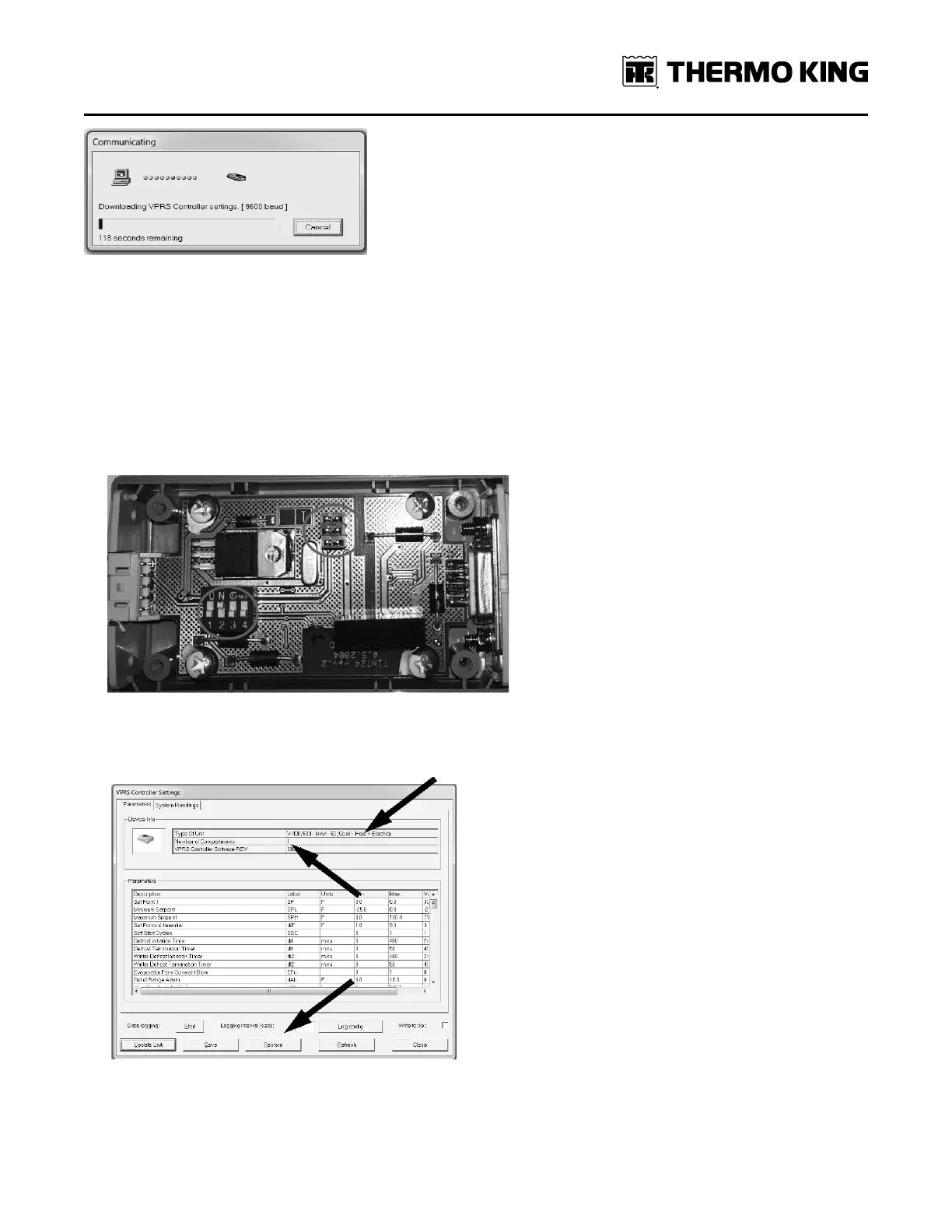
12. If the “searching for TK device” box appears and communication between WinTrac and the controller never starts,
there may be one of two issues.
• Unit is not powered correctly.
• 204-1126 DSR interconnect cable is not configured properly.
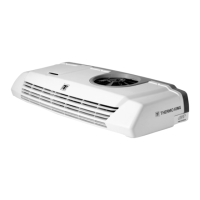
a. Open the box (connected to the 204-1126 DSR interconnect cable) by removing the 4 Phillips head screws.
b. Toggle the numbered switches inside the box to match the photo below. (1 = off, 2 = on, 3 = off, 4 = off).
c. Verify that the three jumpers are present and in the orientation shown (Figure 75, p. 85). Replace cover.
Figure 75. Cover removed from box showing switch positions and three jumper orientations.
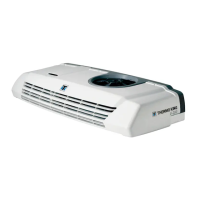
d. Once WinTrac has established communication with the controller, the settings box appears which shows the
configuration file and firmware version the controller currently has loaded on it.
13. To load a new configuration file, click the restore button at the bottom of the window (shown in photo above.) The
open file window will appear and select the desktop in the left side of the window and select the .csv file that was
downloaded and saved earlier from Info Central in the right window. Press the “Open” button.
SSeeccttiioonn 99 -- CCoonnffiigguurriinngg SSooffttwwaarree aanndd CCoonnttrroolllleerr PPrroocceedduurreess




 To Next Page