13
.....Quick setup configuration
5. Within the Transducer submenu:
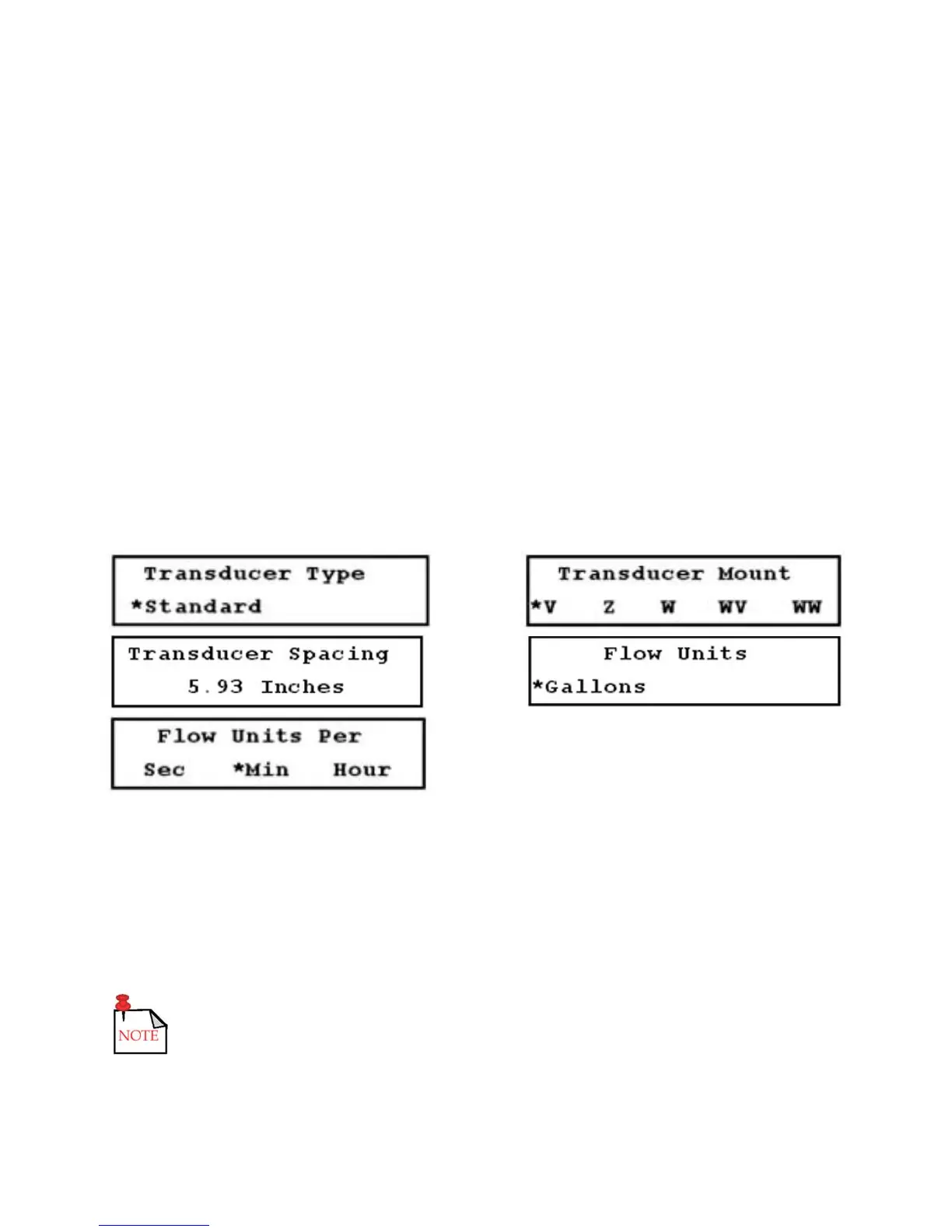
a. Access the Transducer Type setup menu (23). Currently, the only selection available is
STANDARD, which MUST be selected for all applications using clamp-on transducers, including
high temperature transducers (Figure 3.5-H, below).
b. Access the Transducer Mounting setup menu (24), and select the desired mounting method
(Figure 3.5-I, below).
6. Access the Transducer Spacing view-only menu (25). Note the required spacing between transducers
(Figure 3.5-J, below).
7. Access the Flow Units setup menu (30) within the FLOW submenu. Use this setup menu to select the
flow rate units. Volumetric units are displayed first, followed by the associated time per units.
a. Select one of the available volumetric units (Figure 3.5-K, below).
b. Press the DOWN ARROW and the time per unit options are displayed. Select the desired option
(Figure 3.5-L, below).
FIGURES 3.5-H THROUGH 3.5-L (LEFT TO RIGHT, TOP TO BOTTOM)
8. Install the transducers on the pipe using the spacing provided by the flowmeter, and connect the
transducer cables to the flowmeter.
9. Access a primary display (00 through 04) to complete the configuration process.
If the flowmeter and transducers are properly installed and a steady flow is present, the flow and signal
strength readings should be relatively stable.
If any of the above setup parameters are changed, the flowmeter stops measuring
flow until the new value is entered and a primary display is accessed to accept
the new value.











 To Next Page