22
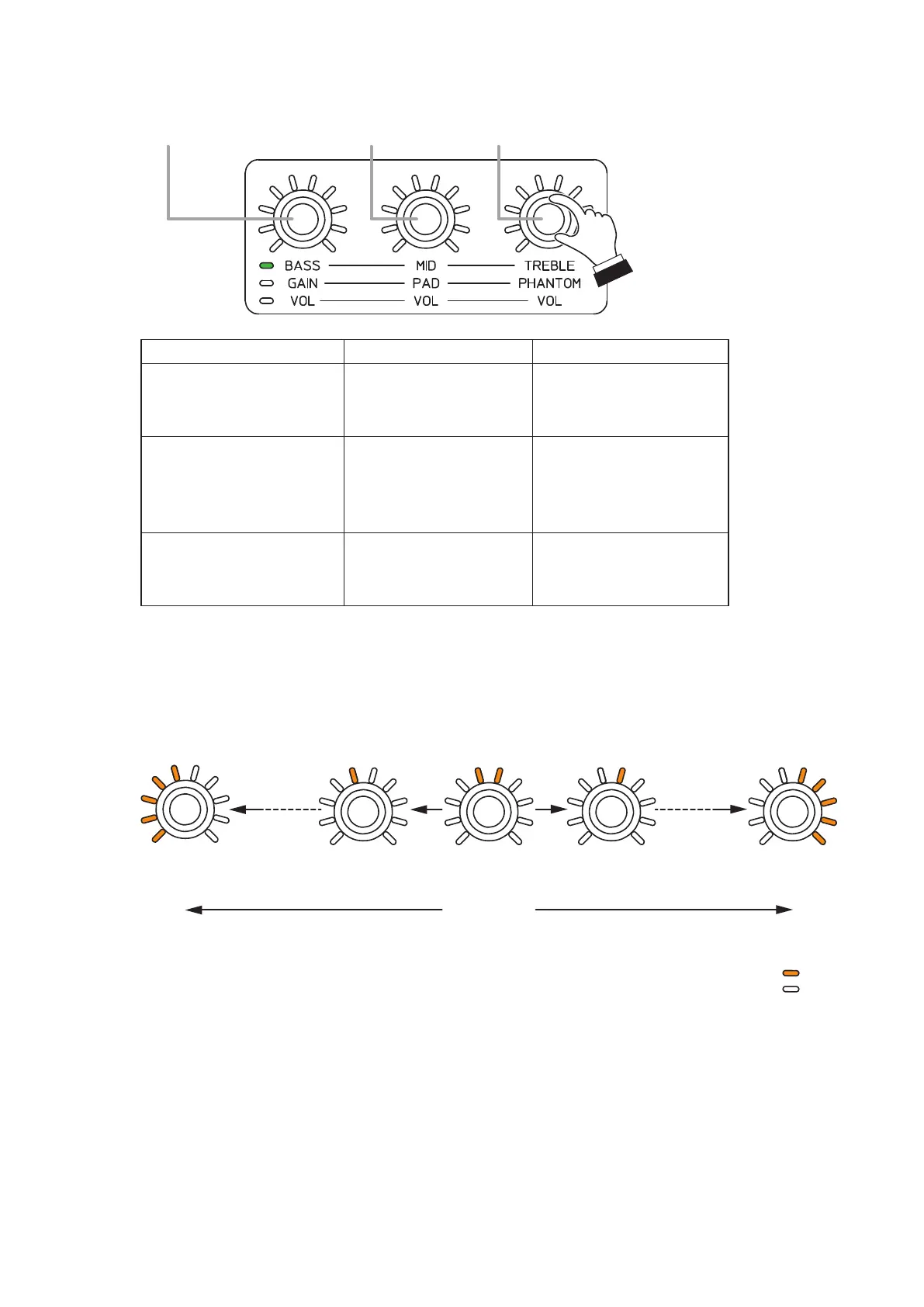
Step 2. Rotate each control knob for BASS, MID, and TREBLE to adjust sound tone.
Low-frequency
controlknob(BASS)
Middle-frequency
controlknob(MID)
High-frequency
controlknob(TREBLE)
Control knob Default value Setting range
Low-frequency control knob
(BASS)
Lowshelvinglter
–15to+15dBin1dBstepsCenter frequency: 80Hz
Gain: 0 dB
Middle-frequency control
knob (MID)
Parametricequalizer
–15to+15dBin1dBsteps
Center frequency: 800Hz
GAIN: 0 dB
Q: 1.8
High-frequencycontrolknob
(TREBLE)
Highshelvinglter
–15to+15dBin1dBstepsCenter frequency: 12kHz
GAIN: 0 dB
Note
Filter settings other than described above can be performed using the supplied M-864D PC Software.
For details, read the M-864D Software instruction.
Theguresbelowshowtherelationshipbetweenthesettingvalueindicatorsaroundthecontrolknob
and the gain. (Common to BASS, MID, and TREBLE)
–15 dB 0 dB
(Default value)
Cut
(Rotate the control knob counterclockwise.)
Boost
: Lit
(Rotate the control knob clockwise.)
–1 dB +1 dB +15 dB
: Unlit
13. LOW CUT FILTER SETTING
ThelowcutltercanbesettoMONOINPUTs1through8.
This setting can also be performed using the supplied M-864D PC Software.
For details, read the separate Software Instructions.



 To Next Page