20
11. TRIM CONTROL
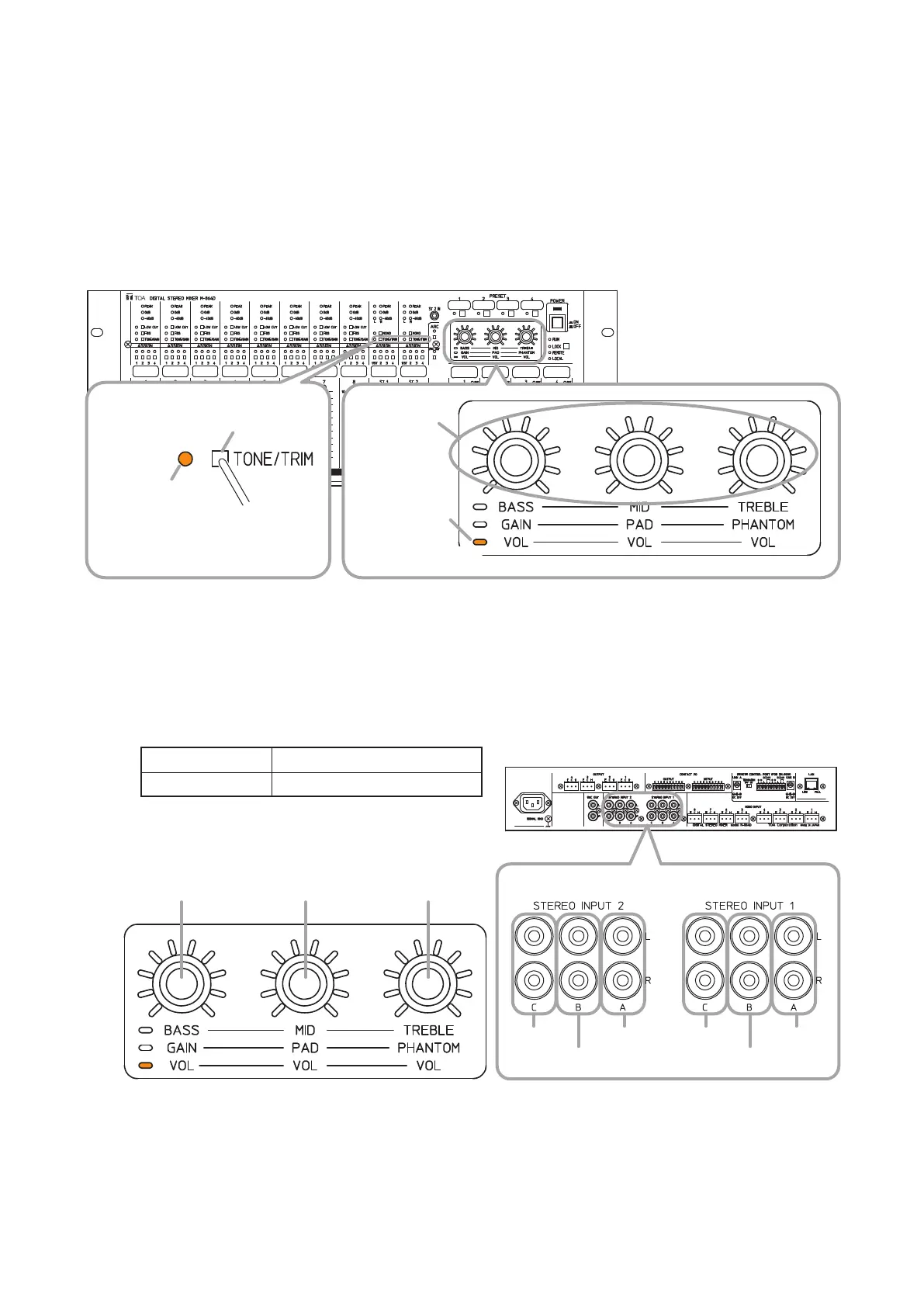
It is possible to adjust input levels of the Stereo Inputs 1 and 2.
If the input devices’ output levels are uneven among them, this function serves to align the input levels.
Each of A, B, and C inputs provided at the Stereo inputs 1 and 2 can be individually adjusted.
Step 1. Place the M-864D in Trim control mode.
PressseveraltimestheTone/TrimselectionswitchoftheStereoinputchannelforwhichinputlevelis
tobeadjusteduntiltheTone/Trimcontrolmodeindicatorlightsorange.
The Trim control mode indicator lights orange.
Tone/Trim
selection switch
M-864D
Tone/Trim control
mode indicator
Trim control
mode indicator
Control knobs
Press several times.
Lights orange.
1
2
Lights orange.
Note: Useane-tippedobjecttopressintheTone/Trimselectionswitch.
Step 2. Adjust the gains by rotating each control knob.
A(L/R)inputofthestereoinput:Rotatetheleftknob.
B(L/R)inputofthestereoinput:Rotatethecenterknob.
C(L/R)inputofthestereoinput:Rotatetherightknob.
ThegainofthechannelofwhichTone/Trimcontrolmodeindicatorislightingorangecanbeadjusted.
Default value –18dB
Adjustment range –∞,–54to0dBin1dBsteps
A inputC input
B input
Control knob of A
(L/R) input
Control knob of B
(L/R) input
Control knob of C
(L/R) input
A inputC input
B input
Stereo input 2 terminal Stereo input 1 terminal
M-864D Rear



 To Next Page