34
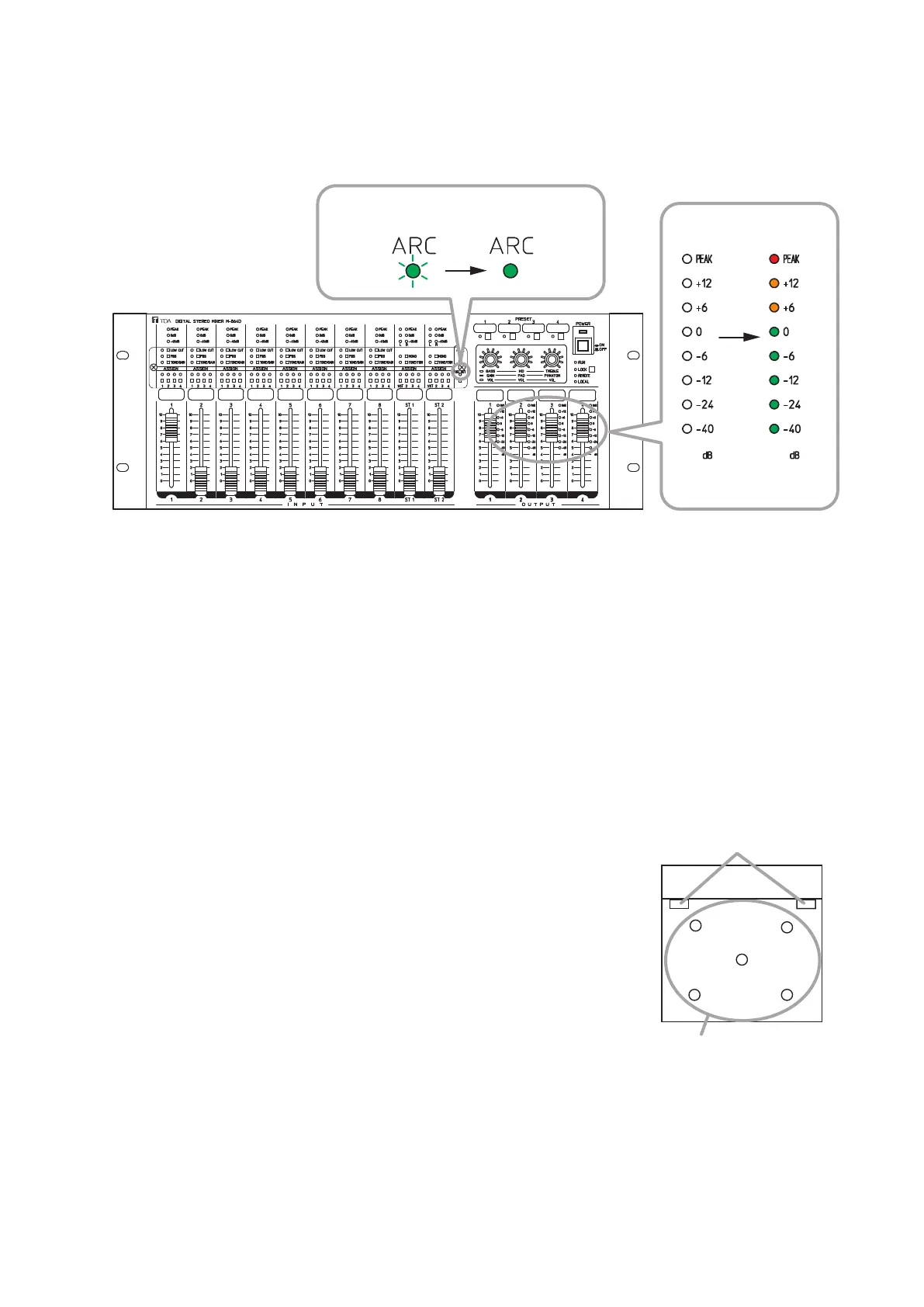
Measurementiscomplete,andtheARClterisset.
AlltheoutputlevelindicatorsoftheARClter-enabledchannellightfor1second.
Inthiscase,theARCoperationindicatorchangesfromashingtosteadyon(green).
TheARClterdataissaved,andremainseffectiveevenafterpoweriscycled.
M-864D
ARC operation indicator
Flashing
Lit green
Output level indicators
All lit for 1
second*
2
.
Unlit*
1
*
1
*
2
The indicator may light depending on the input level of the microphone.
All the output level indicators of the channels where the ARC filter has already been set light even
when these channels were not assigned at the time of ARC measurement.
Note
After measurement completion, move the microphone to your desired location.
18.4. Example of the ARC Function Use to Make Fine Acoustic Adjustment
Whenwishingtomakeneracousticadjustment,itispossibletosetthedifferentARClterstotheindividual
output channels.
[Setting example in a gymnasium where the M-864D’s output channels are assigned as follows]
Cable wiring example
• OUTPUT1and2channels: Speakersinstalledatbothsidesofthestage
• OUTPUT4channel: Ceilingspeakers
Set different ARC functions to the OUTPUT 1 and 2 channels and OUTPUT
4 channel.
Follow the procedures below to set the ARC function in this example.
Step 1. Set the ARC function to the OUTPUT 4 channel.
Step 2. Set the ARC function to both the OUTPUT 1 and 2 channels.
Different ARC lter settings are complete toOUTPUT 4 channel
and each output of the OUTPUT1 and OUTPU 2 channels.
OUTPUT 4 channel
OUTPUT 1 and OUTPUT 2
channels
Stage



 To Next Page