38
20. PRESET MEMORY SETTINGS
The various setting data stored in advance can be recalled by pressing the button.
The stored setting data is referred to as “Preset memory.”
20.1. Preset Memory Settings
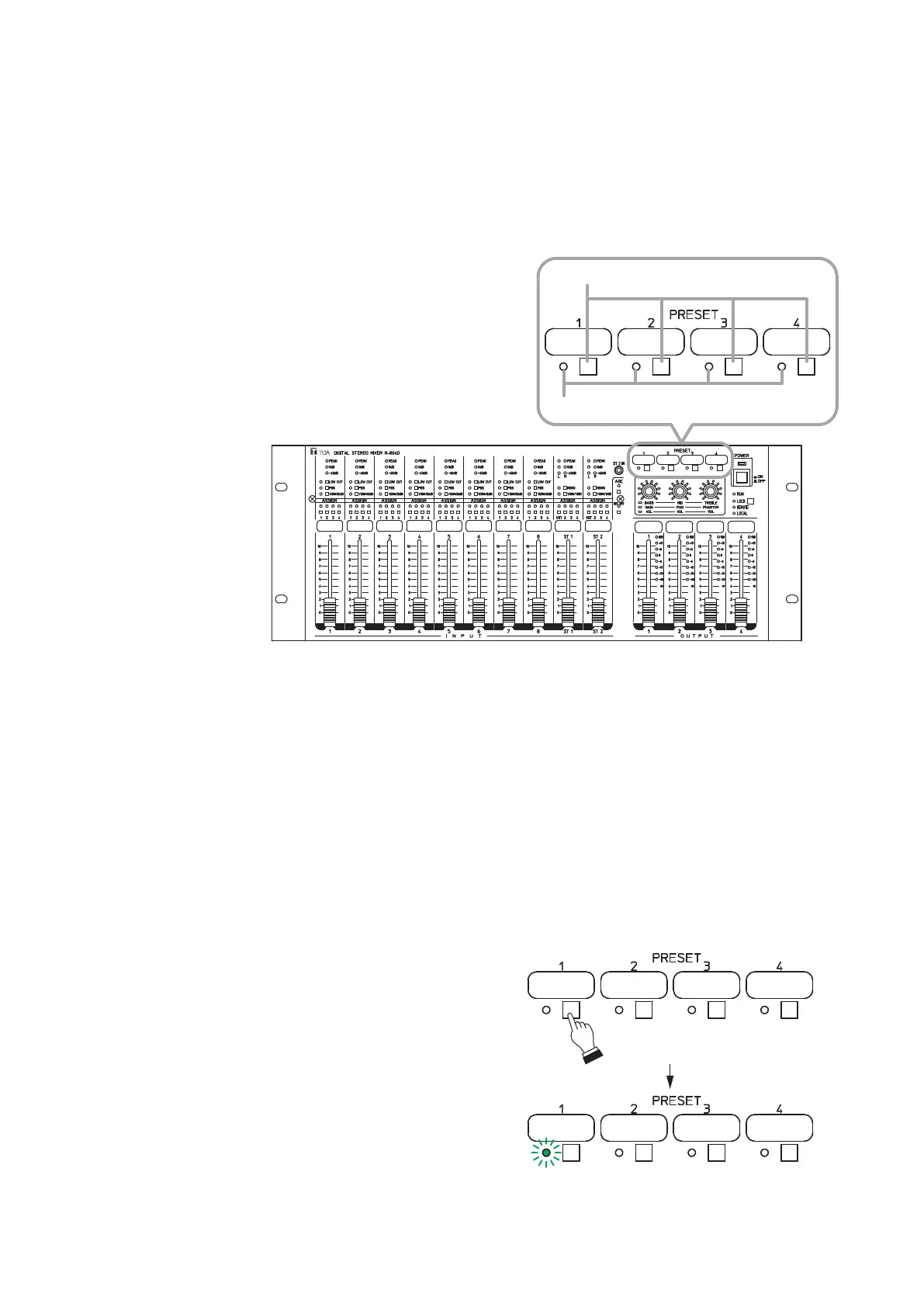
Four patterns* of Preset memories can be stored and recalled by the front panel mounted Preset memory key.
* Using the supplied M-864D PC Software allows up to 16
patterns to be stored and recalled through PC operation.
For details, read the separate Software instructions.
M-864D
Preset memory keys
Preset memory indicators
The number at which the preset memory indicator is lighting shows the currently recalled Preset memory.
Any indicator does not light in the following cases.
• PresetmemoryNos.5through16arebeingrecalled.
• TheM-864DisactivatinginResumefunction*Onstate.
* Automatically stores the operated contents after the activation, which can be active after rebooting the
M-864D.
Preset memory contents remain unchanged. Fader values are not stored.
20.2. Preset Memory Storing
Step 1. Perform necessary settings such as the Tone/
Gain/Trim adjustments and Assignment switch
settings.
Step 2. Hold down for 3 seconds or more the Preset
memory key corresponding to the Preset memory
number where to store the setting data.
Thegureatrightshowsanexampletostorethe
setting data in the Preset memory 1.
Step 3. CheckthatthePresetmemoryindicatorashes
once, then release the Preset memory key.
Hold down for 3 seconds or more.
Flashing once
2
3



 To Next Page