36
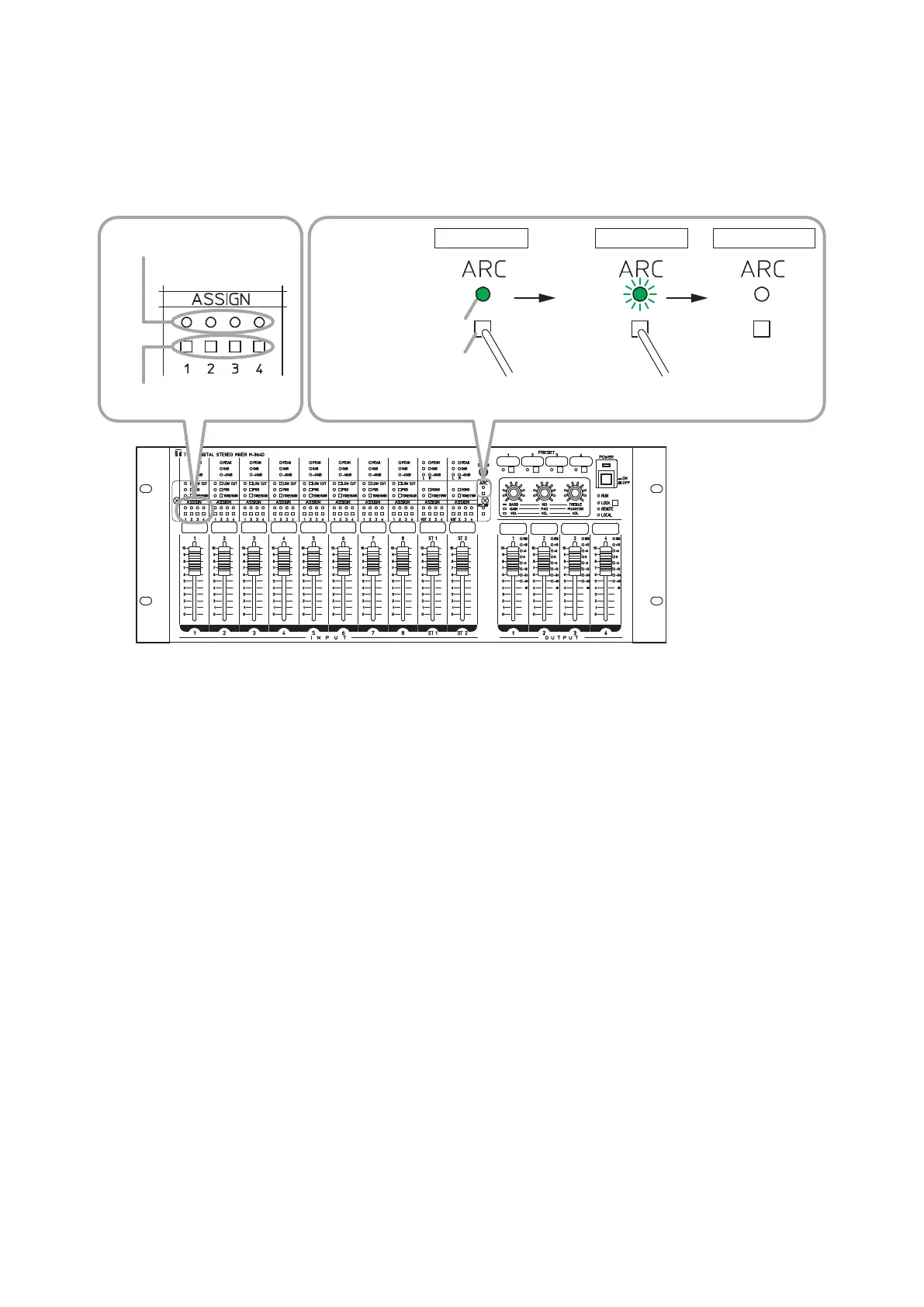
18.6. Disabling the ARC Function
ItispossibletoresettheassignedARClter.
Note
AlltheARCltersassignedtooutputchannelsareresetthroughtheoperationbelow
TheARCltercannotberesetforeachoutputchannel.
ARC operation indicator
Assignment switch
Hold down for 8 seconds.
0 – 3 seconds
M-864D
Lit
Flashing
3 – 8 seconds
Unlit
After 8 seconds
MONO INPUT 1
Assignment switch
Assignment indicator
1
2
Note: Useane-tippedobjecttopressintheAssignmentswitchandtheARCswitch.
Step 1. TurnoffalltheAssignmentswitches1–4ofMONOINPUT1(assignmentindicatorsgooff).
Step 2. HolddowntheARCswitchfor8seconds.
TheARCoperationindicatorashesrapidlyafter3seconds.
Continue to hold it down for 5 seconds.
The ARC operation indicator goes off and the ARC function is disabled.



 To Next Page