18
10.2. Setting Methods
10.2.1. Placing the M-864D in Gain control mode
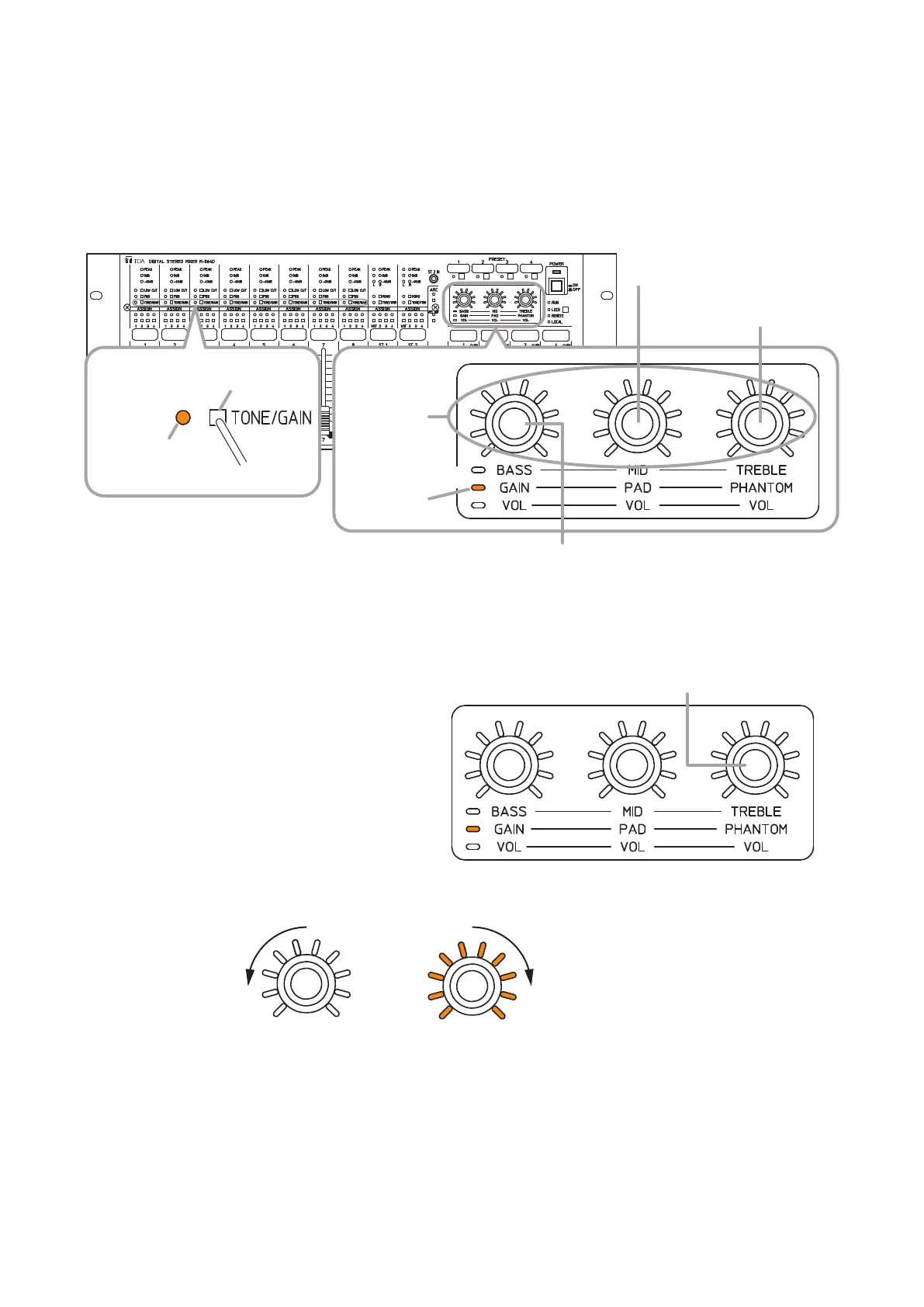
PresstheTone/GainselectionswitchofthedesiredmonauralinputchannelseveraltimesuntiltheTone/Gain
control mode indicator lights orange.
The Gain control mode indicator lights orange.
Gain control knob
PAD ON/OFF setting knob
Phantom power ON/OFF
setting knob
M-864D
Tone/Gain control
mode indicator
Press several times.
Tone/Gain
selection switch
Lights orange.
Gain control
mode indicator
Control knobs
Lights orange.
Note
Useane-tippedobjecttopressin
theTone/Gainselectionswitch.
Phantom power ON/OFF
setting knob
10.2.2. Phantom power ON/OFF setting
The phantom power ON or OFF can be set to
Monaural inputs 1 through 8.
Rotating the Phantom power ON/OFF setting
knob clockwise turns the phantom power ON, and
counterclockwise turns it OFF for the channel of
whichTone/Gaincontrolmodeindicatorislighting
orange.
Default setting: OFF
Phantompower:+24V,10mA
When the phantom power is ON, all the setting
value indicators around the control knob light, and
when OFF, they go off.
Note
Turn the phantom power ON only when connecting a microphone which requires phantom power.
With the phantom power ON, connecting the device not requiring phantom power may cause the M-864D and
this connected device to fail.
All indicators go off.
Rotate counterclockwise. Rotate clockwise.
Phantom power OFF
(Default setting)
All indicators light.
Phantom power ON



 To Next Page