40
21. SYSTEM LOCK SETTING
Incorrect operation can be prevented by prohibiting (locking) the M-864D’s front panel operation.
Use the supplied M-864D PC Software to set the System lock function.
21.1. Enabling the System Lock Function
Step 1. Set the functions to be locked using the supplied M-864D PC Software.
Note
All the functions below can be locked by default.
For details, read the separate Software instructions.
Functions that can be locked are as follows:
•LowcutswitchON/OFF •AssignmentswitchON/OFF
•Feedbacksuppressor(FBS)switchON/OFF •Presetmemorystoreandrecall
•Tonecontrolsetting •Frontpanelmountedinput/outputvolumefaders
•Gaincontrolsetting •ARCltersettings
•Trimcontrolsetting •Recordingoutputvolumecontrol
•MonauralsummingswitchON/OFF
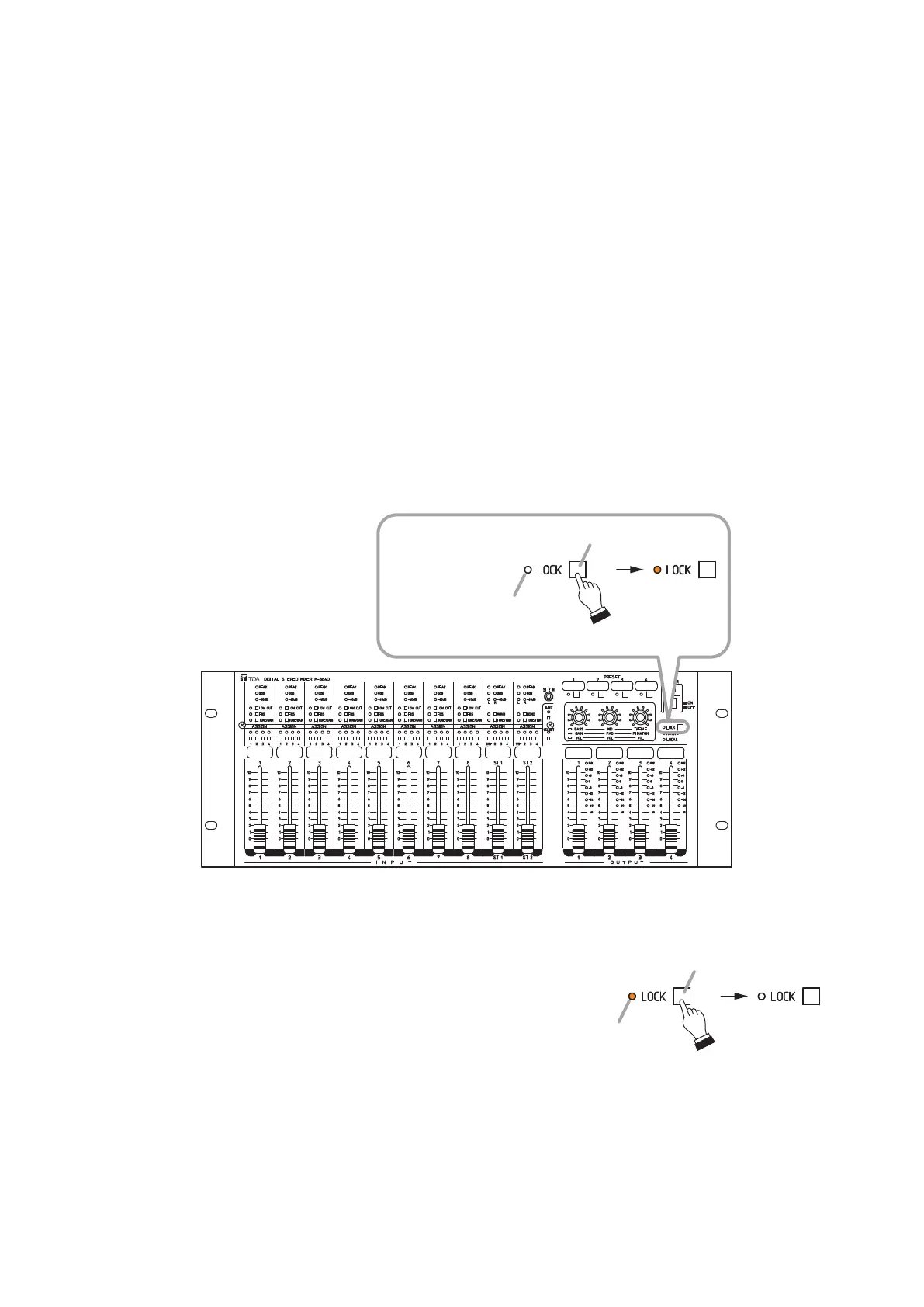
Step 2. HolddowntheSystemlockswitchfor5secondsormore,andreleaseitwhentheSystemlockindicator
lights orange.
M-864D
System lock key
System lock indicator
Hold down for 5 seconds or more.
Lit orange
21.2. Disabling the System Lock Function
HolddowntheSystemlockswitchfor5secondsormore,
and release it when the System lock indicator goes off.
Tip
The System lock indicator lights orange while the
System lock function is activated.
System lock key
System lock indicator
Hold down for 5 seconds or more.
Lit orange



 To Next Page