28
17. FBS FUNCTION SETTINGS
17.1. What is the Feedback Suppressor Function (FBS)?
FBS stands for Feed-Back Suppressor.
Thefeedbacksuppressorlterautomaticallyoperatesto
suppress acoustic feedback when the feedback occurs.
Level
Frequency
Feedback
frequency
Feedback suppressor filter
17.2. Enabling the FBS Function
Ifacousticfeedbackoccurswhen theFBSfunctionisenabled,thefeedback suppressorlterautomatically
operates to suppress the feedback.
TheFBSfunctionsettoeachchanneloftheMONOINPUTs1–8operatesindependently.
Note
The function can also be set using the supplied M-864D PC Software.
For details, read the separate Software instructions.
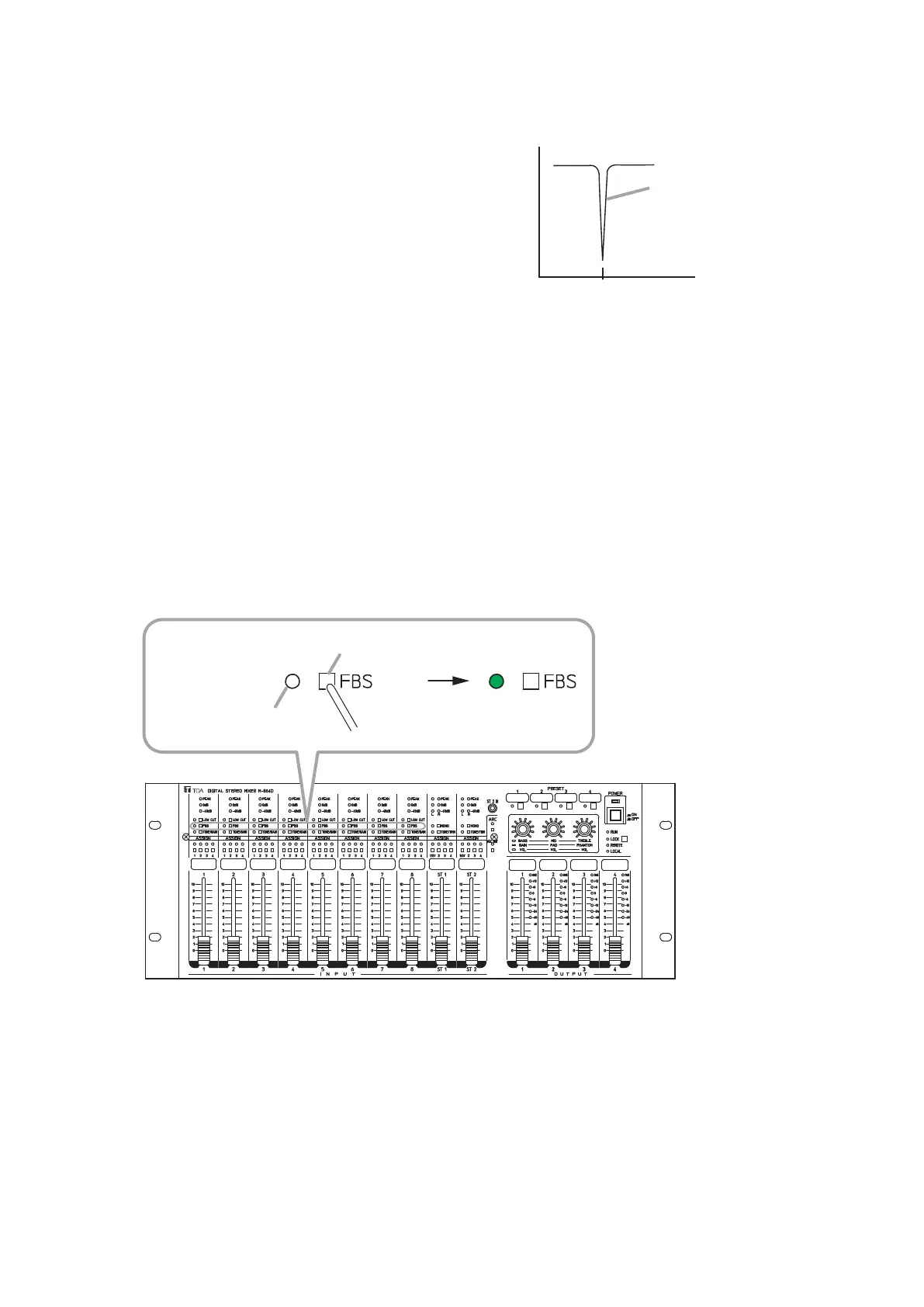
Step 1. Press the FBS switch when the Feedback suppressor indicator remains unlit.
Feedback suppressor
indicator
FBS switch
M-864D
Unlit Lit
1
2
Note
Useane-tippedobjecttopress
in the FBS switch.
Note
Feedback may not be suppressed as the case may be. In this case, decrease the input level by moving
down the input fader of the corresponding channel.
Step 2. Release the FBS switch when the Feedback suppressor indicator lights.
When the Feedback suppressor indicator lights, the FBS function is enabled.



 To Next Page