30
18.3. Enabling the ARC function
TheARCfunctionautomaticallycreatesanARClter,therebyreproducinghighlyclearoutputsound.
Perform the ARC measurement by making live microphone announcement in the environment under actual
use.
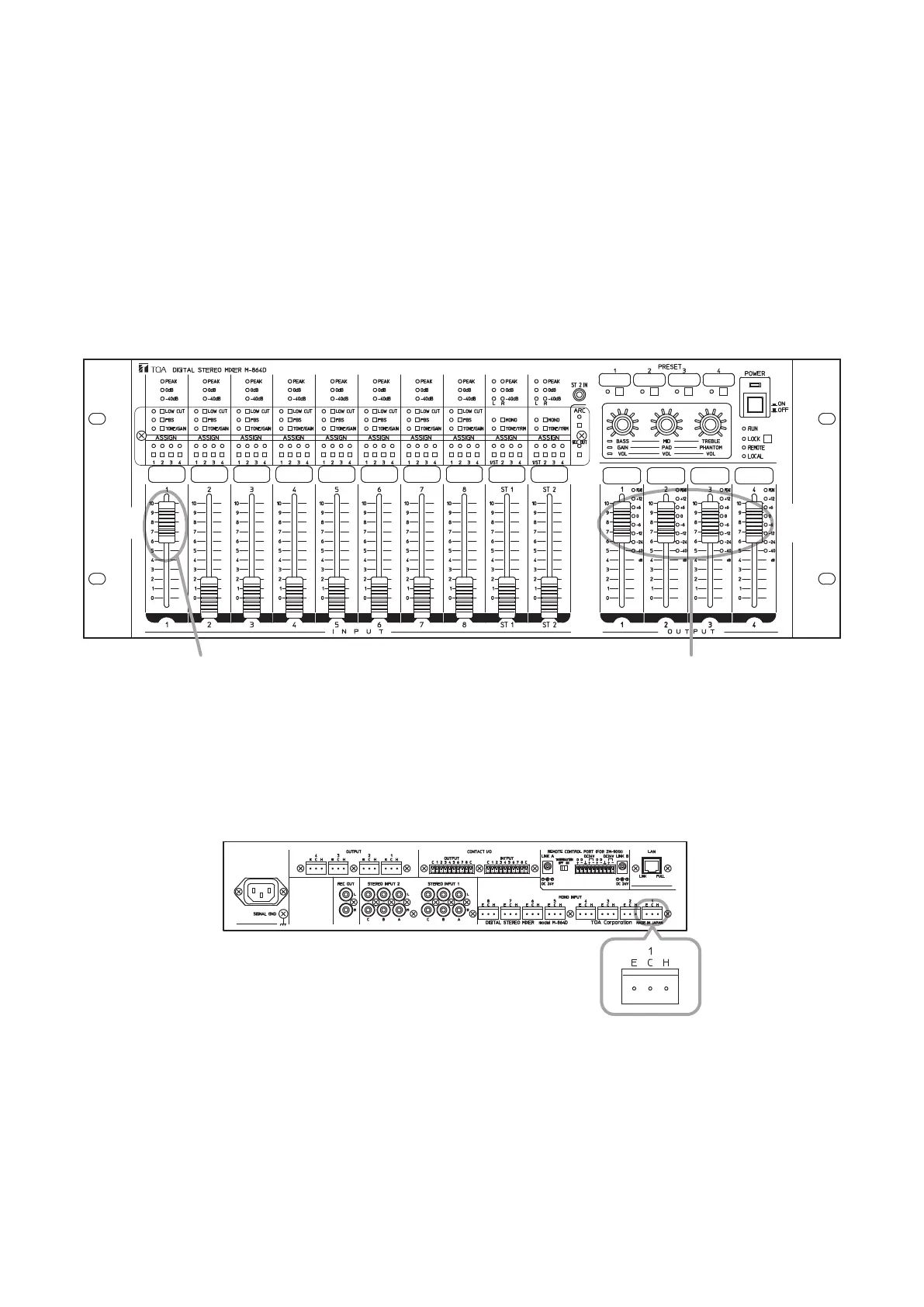
Step 1. Perform initial settings of the input and output levels.
1-1. Set all output faders at the “8” position.
1-2. Set the INPUT 1’s volume fader at the “8” position.
1-3. Setthevolumeknoboftheconnectedoutputampliertotheminimumposition.
INPUT 1’ s volume fader
M-864D
OUTPUTs 1 – 4’ s volume faders
1
-1
1
-2
Step 2. Connect a measuring microphone.
The microphone usually used with the M-864D can be used.
2-1. Connect the measuring microphone to the MONO INPUT 1 located on the rear panel.
Note
Be sure to connect the measuring microphone to the MONO
INPUT 1.
2-2. Set the input sensitivity.
Place the M-864D in Gain control mode, then perform settings to match the type of microphone to be
used. (See p. 17.)
Dynamic microphone: PAD OFF
Condensermicrophone(powersupplyisrequired): PHANTOM
Wireless tuner output (LINE level): PAD ON
M-864D (Rear panel terminal section)
MONO INPUT 1



 To Next Page