49
Lit
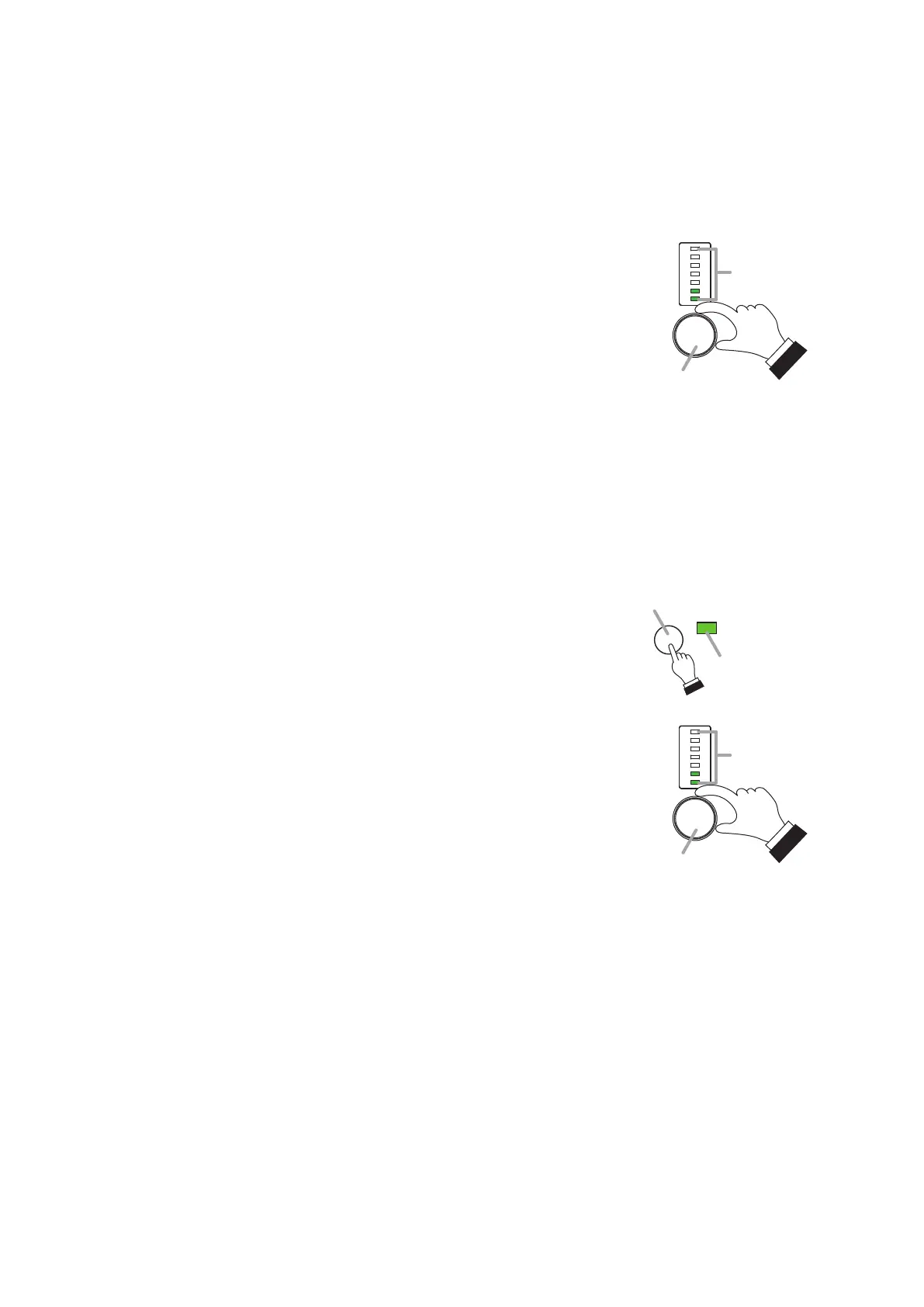
Function button
Operation indicator
24.2.2. Volume Control Operation
It is possible to increase or decrease the Crosspoint gain and the external volume levels of the Monaural inputs
1 through 8, Stereo inputs 1 and 2, Monaural output 1 through 4, and Recording output.
[Operating the ZM-9012]
The channel for which volume is to be controlled is assigned in advance.
Rotate the volume control while hearing the sound volume.
Turn the control knob clockwise to increase the volume and
counterclockwise to decrease it.
The volume set position indicator lights in 7 steps depending on the
volume level.
Tips
The volume set positions show different indications depending on the
assigned channel.
• WhentheMonauralinput/output,Stereoinput,orEXTVOLoftheREC
OUT is assigned:
–36dB(Onlythebottommostindicatorlights.)to+10dB(Allindicators
light.)
• WhentheCrosspointgainisassigned:
–36 dB(Only thebottommost indicator lights.) to0 dB(Allindicators
light.)
[Operating the ZM-9014]
Step 1. Press the Function button to select the channel for which the
volume level is to be set.
The selected channel is enabled.
Step 2. Rotate the volume control while hearing the sound volume.
Turn the control knob clockwise to increase the volume and
counterclockwise to decrease it.
The volume set position indicator lights in 7 steps depending on the
volume level.
Tips
The volume set positions show different indications depending on the
assigned channel.
• WhentheMonauralinput/output,Stereoinput,orEXTVOLoftheREC
OUT is assigned:
–36dB(Onlythebottommostindicatorlights.)to+10dB(Allindicators
light.)
• WhentheCrosspointgainisassigned:
–36 dB(Only thebottommost indicator lights.) to0 dB(Allindicators
light.)
Volume control
Volume level set
position indicator
Volume control
Volume level set
position indicator



 To Next Page