12
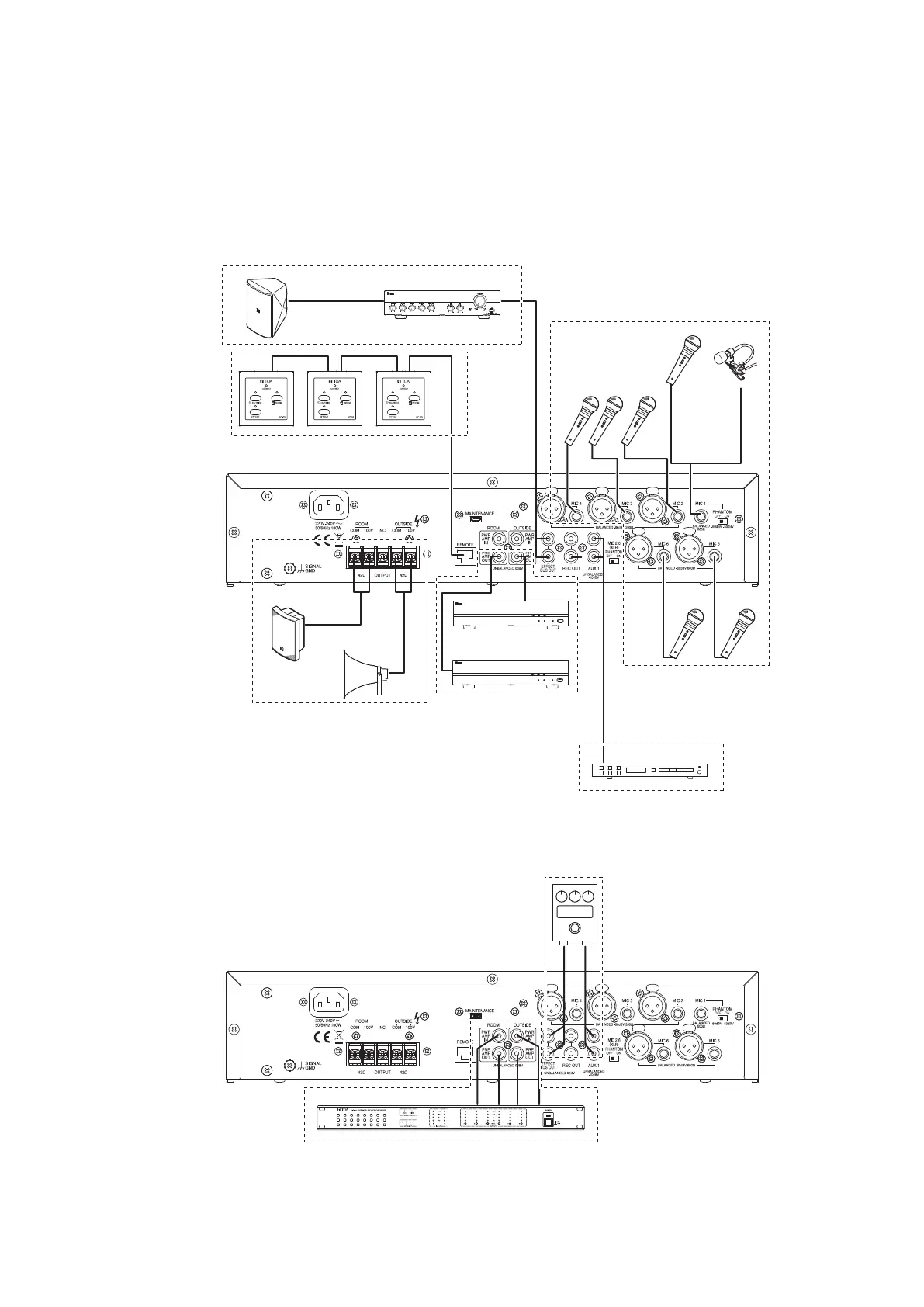
9. CONNECTIONS
Note
Always be sure that the power is switched OFF before connecting the unit. After connection is completed, be
sure to set all volume controls to their minimum level (fully rotated counterclockwise) before switching the power
ON again.
MX-6224D
or
Monitor Speaker connections (see p. 16)
Microphone connections
(see p. 13)
Remote Controller
connections
(see p. 18)
Speaker connections
(see p. 17)
External Auxiliary Equipment
connections (see p. 15)
External Effector connections
(see p. 15)
External Speaker Processor connections (see p. 16)
External Power Amp
connections (see p. 17)



 To Next Page