24
11.2. Using Sleep Mode
The sleep mode is a power-saving function that puts the amplier on standby to minimize power consumption.
It can also resume broadcasts more quickly than switching off the power.
After use, the amplier can be placed in Sleep (standby) mode with no need of switching off its AC main power.
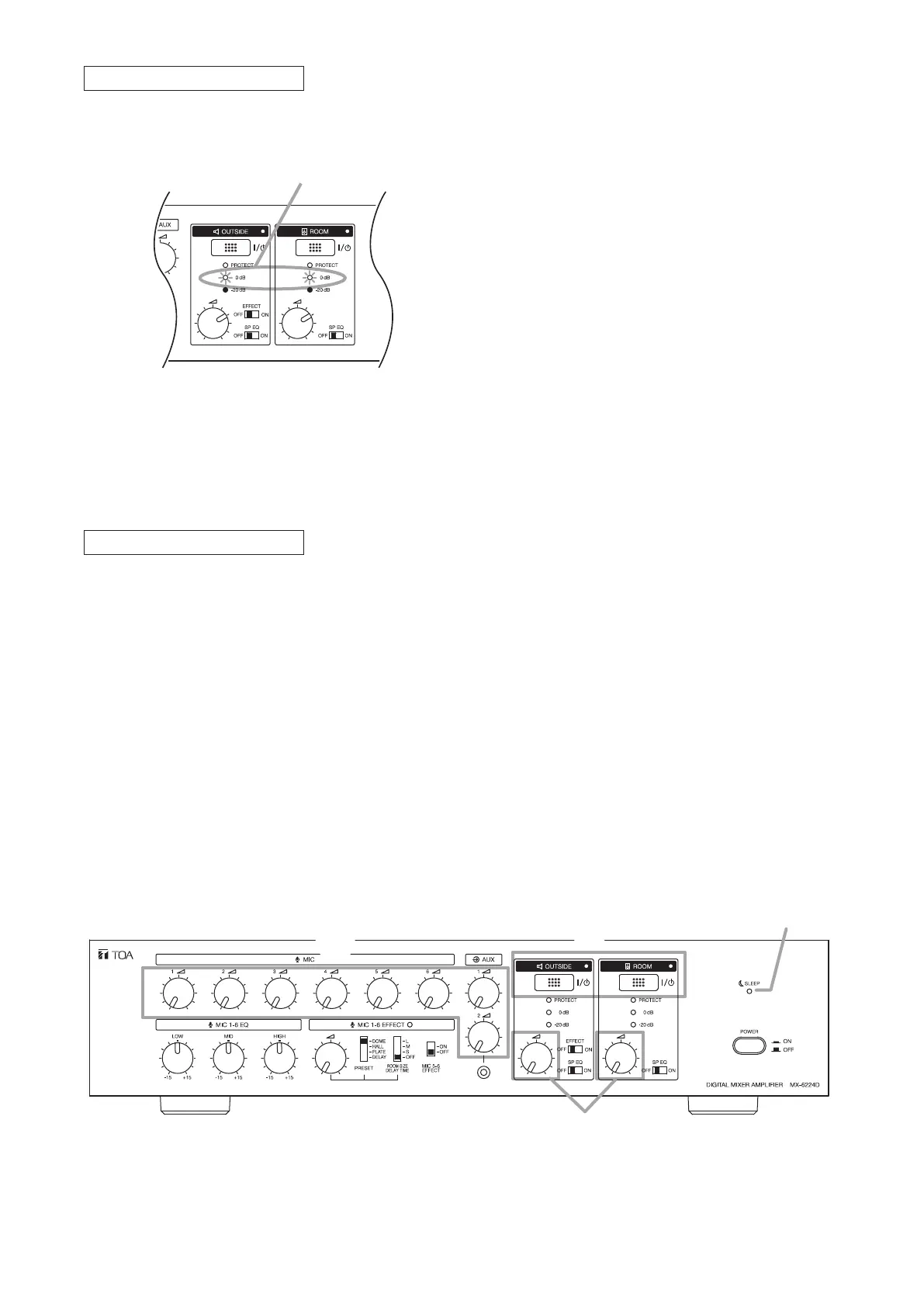
Sleep mode can be enabled when both the outside and room outputs are OFF.
11.2.1. Setting the MX-6224D amplifier to Sleep mode
1
2
MX-6224D
1
Sleep indicator
Adjust the Sound Volume.
Step 7. Rotate the unit’s volume control for the zone and the volume control of a microphone or external sound
source to be used counterclockwise to adjust the broadcast volume to an appropriate level.
Adjust the volume so that the Peak Level indicator does not continuously light.
Note
Start playing the external sound source before volume adjustment. If play is started after the volume is
set, a loud sound may be suddenly output.
Tip
For more information about operation of the external sound source, see the instruction manual enclosed
with that sound source.
Peak level indicators
Effector Function Settings
Step 8. When using the effector, press the Effect switch on any connected Remote Controller.
The Effect indicators on all Remote Controllers light, and the effector is enabled.
Notes
• Even if the effector has been switched on at the amplier, it cannot be used until the Effect switch on
any of the connected Remote Controllers is pressed.
• If the effector has not been switched on at the amplier, it cannot be used even if the Effect switch on
a Remote Controller is pressed.
Step 1. Fully rotate all volume controls counterclockwise.
Step 2. Set the OUTSIDE and ROOM Zone output switches to OFF.
The Sleep indicator lights, placing the unit in Sleep mode. To resume broadcasting, press the Zone
output switch for the desired broadcast zone(s), then adjust the sound volume with the volume control.



 To Next Page