18
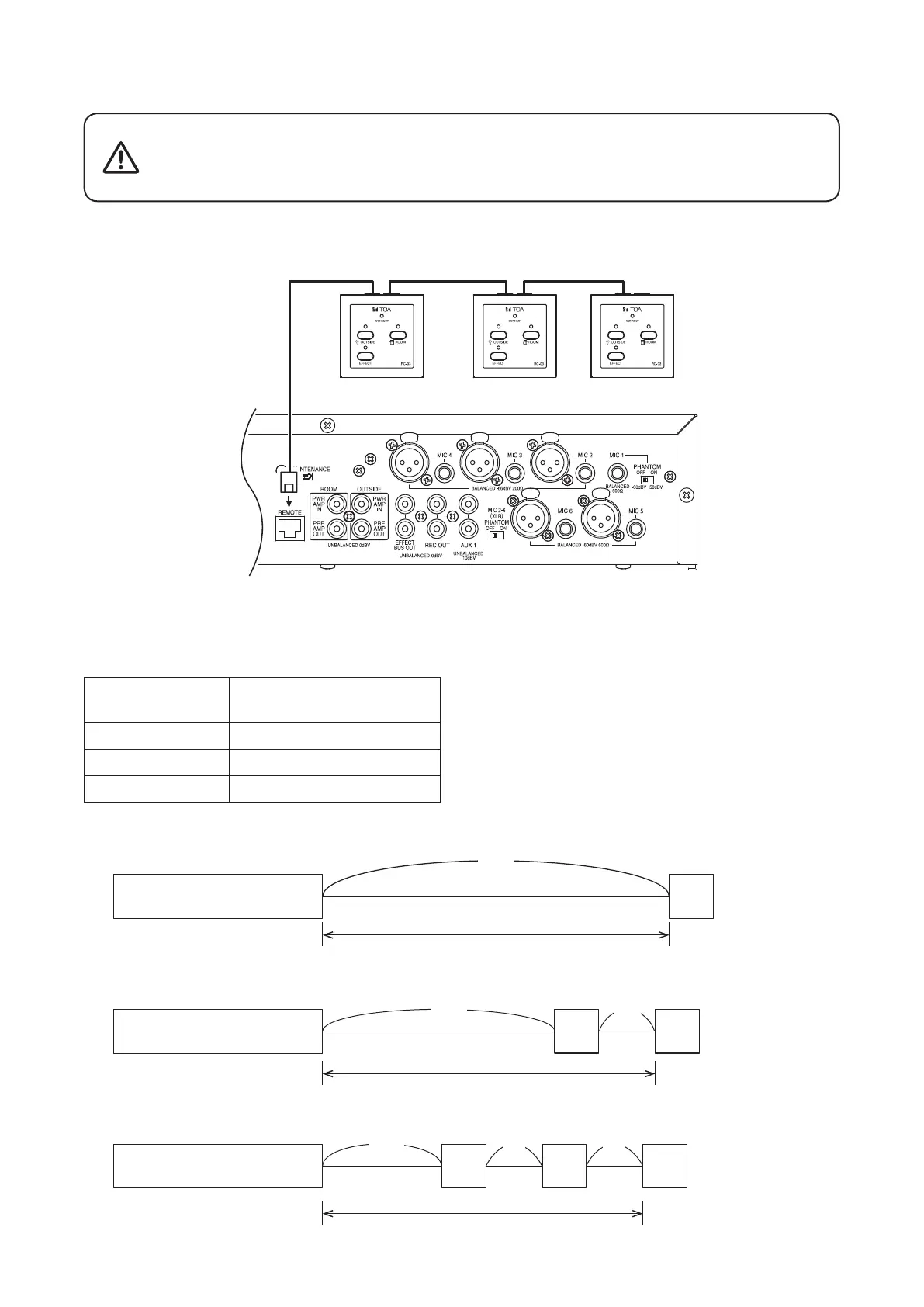
9.8. RC-03 Remote Controller Connections
RC-03RC-03
Remote controller
RC-03
Use STP or UTP Category 5 straight cable for LAN with RJ-45 connectors for connection.
Note
Do not use crossover cable.
The total permissible cable extension distance is as follows:
No. of Connected
RC-03 Units
Total Extension Distance*
1
1 200 m or less
2 Total of 115 m or less*
2
3 Total of 80 m or less*
2
MX-6224D
MX-6224D
MX-6224D RC-03
RC-03
(When one RC-03 unit is connected:)
(When two RC-03 units are connected:)
(When three RC-03 units are connected:)
(a) + (b) ≤ 115 m
(a)
≤ 200 m
(a) + (b) + (c)
≤ 80 m
(a)
(b)
(a)
(a)
(b) (c)
RC-03
RC-03 RC-03 RC-03
Under 24 Ω (one way)
Under 12 Ω (one way)
Under 8 Ω (one way)
*
1
When using a cable with the following specications:
• STP Category 5 straight cable
• AWG 24
• Cable resistance (one way): 93.8 Ω/km
*
2
This table refers to the total length of cable between
the unit and the RC-03, and between RC-03 units.
There are no restrictions on the distance between
devices.
Do not connect any other equipment than the RC-03 Remote Controller
to the MX-6224D’s Remote controller connection port.
If other equipment, such as a PC, hub or network device, is connected
to that port, the connected equipment could be damaged.
CAUTION
Up to three RC-03 controllers can be connected to the unit.
The RC-03 has two connection ports, which permit connection in daisy chain fashion. Both ports can be used.



 To Next Page