16
9.4. Monitor Speaker Connections
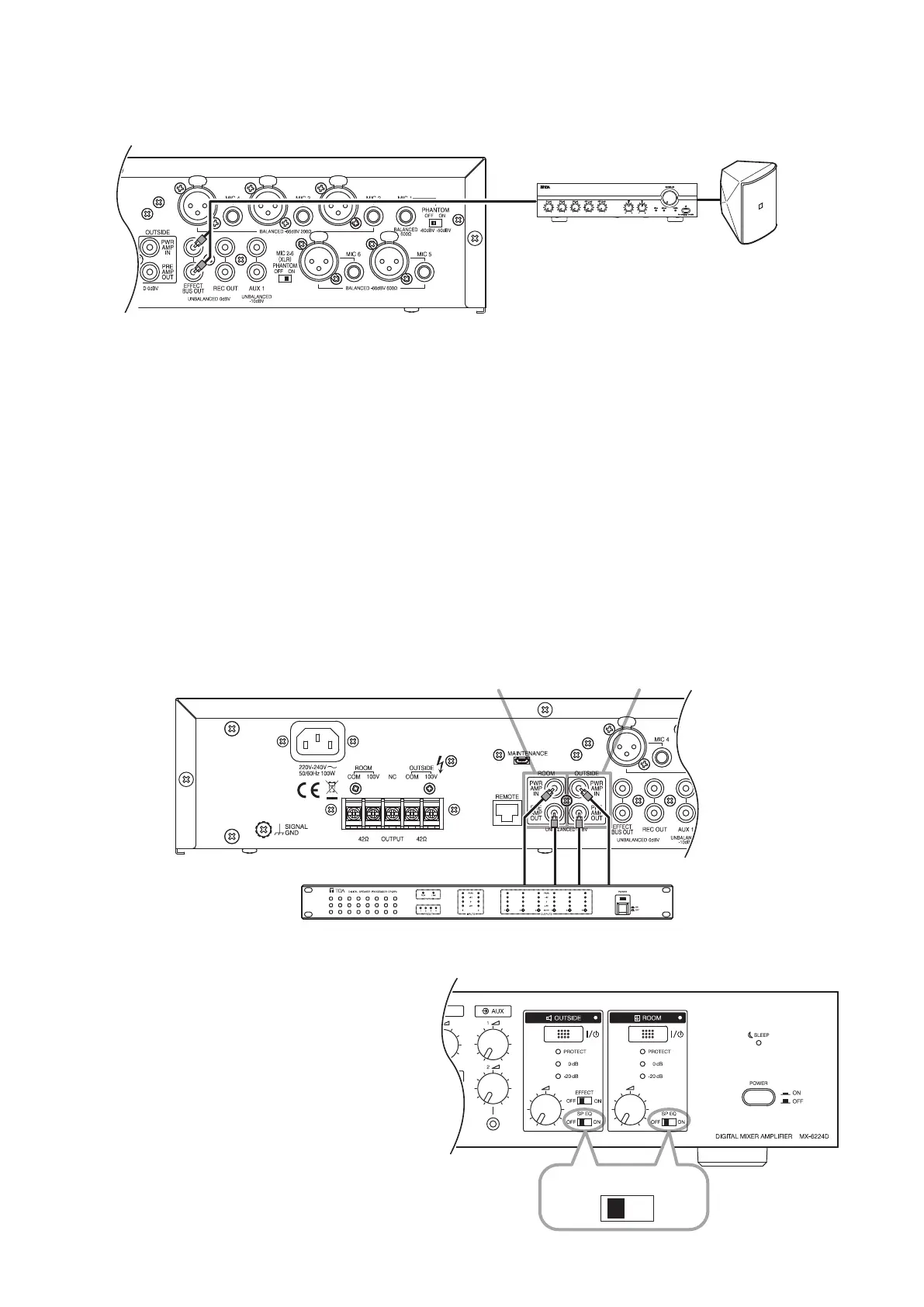
Ampliers and speakers for monitoring applications can be connected using the effect bus output jack.
F-1300B
Monitor speaker
A-2030
Mixer amplifier
Monitor speaker sound volume is not interlocked with the outside and room volume controls located on the
front panel, but is instead interlocked with the effect volume control. When using both the monitor speaker and
internal effector, adjust the effect volume control rst, then adjust the sound volume with the volume control of
the amplier for monitoring.
Tips
• Output from the effect bus output jack is not interlocked with the front panel-mounted outside and room
volume controls.
• For more information on using the amplier for monitoring, see the instruction manual enclosed with the
amplier.
9.5. External Speaker Processor Connections
TOA's DP-SP3 Digital Speaker Processor can be used as an external speaker processor without using the
unit's internal speaker equalizer function (see p. 21). The external speaker processor can also be used for
either the ROOM or OUTSIDE speakers.
For more information on use of the DP-SP3 processor, see the instruction manual enclosed with the DP-SP3.
DP-SP3 Digital speaker processor
InOut In Out
For ROOM zone For OUTSIDE zone
Note
Turn the Equalizer switch OFF for zones using the
DP-SP3 Digital Speaker Processor. If not turned
OFF, the effects produced by both the external
and internal effectors will be applied and optimum
sound quality adjustment cannot be achieved.
OFF
ON
SP EQ



 To Next Page