25
1
2
1
MX-6224D
Sleep indicator
2
RC-03
2
MX-6224D
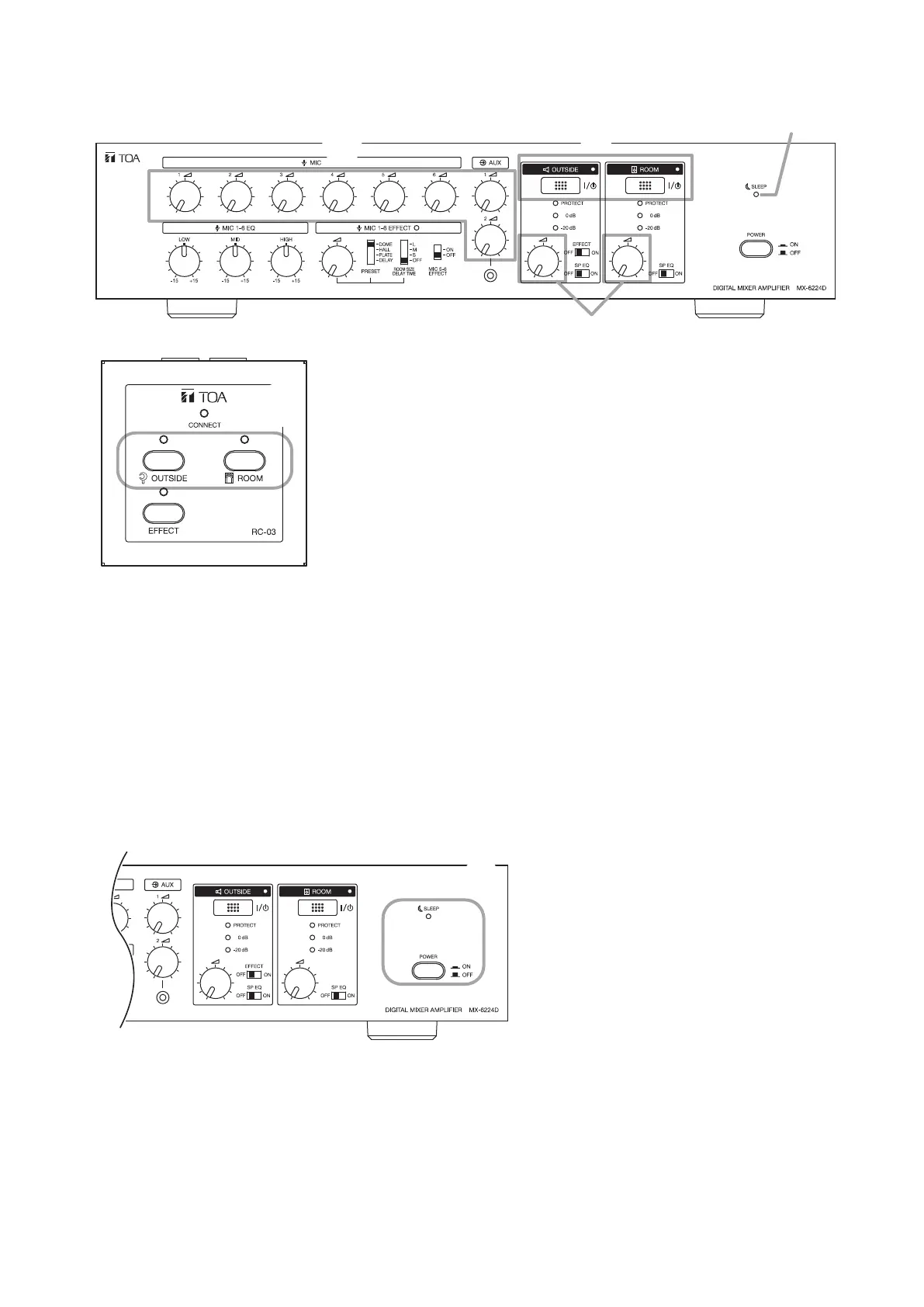
11.2.2. Setting the MX-6224D amplifier and the RC-03 Remote Controller (1 – 3 units) to Sleep mode
Step 1. Fully rotate all volume controls counterclockwise.
Step 2.
Set all Zone switches for the OUTSIDE and ROOM outputs of the amplier and Remote Controllers to OFF.
The Sleep indicator lights, placing both the amplier and connected controllers in Sleep mode. To
resume broadcasting, press the Zone switch for the desired broadcast zone(s) on either the amplier
or Remote Controller, and adjust the sound volume with the volume control.
11.3. Switching the AC Power OFF
When done using the amplier, follow the procedure below to switch OFF the AC main power:
Step 1. Place the unit in Sleep mode (see "Using Sleep Mode" on p. 24).
Step 2. Press the MX-6224D amplier’s Power switch.
The Sleep indicator extinguishes and the AC main power is switched OFF.



 To Next Page