19
10. SETTINGS
After connection completion, perform settings while sound is actually being broadcasting (see p. 22).
10.2. Effector Settings
The unit’s built-in effector function offers a range of settings.
The effector is enabled whenever the Effect Room Size/Delay Time Selection switch is set to any other position
than OFF. When enabled, the effector is applied to each input and output as follows:
10.1. Microphone Equalizer Settings
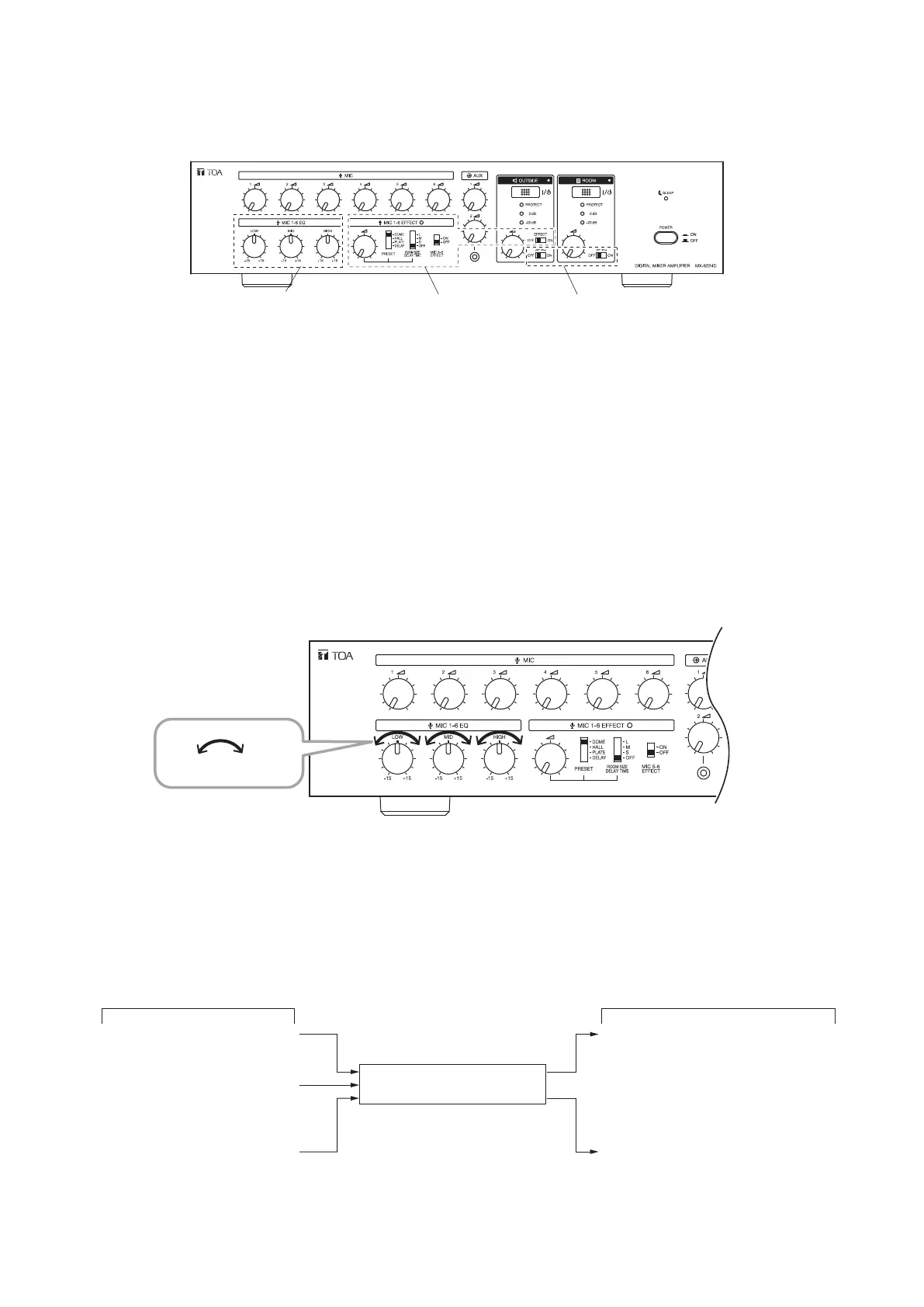
The equalizer settings of MIC 1 – 6 can be adjusted to low, middle and high frequency bands. Rotating the
Frequency Control knob of each band clockwise enhances the relevant band, while counterclockwise rotation
weakens the band.
Note
The equalizer settings of AUX 1 and 2 inputs cannot be adjusted.
Tip
Each frequency band's center frequency is as follows:
Low frequency band: ±15 dB, 80 Hz
Middle frequency band: ±15 dB, 2.5 kHz
High frequency band: ±15 dB, 12 kHz
MX-6224D
Microphone Equalizer
settings (see below)
Effector settings
(see below)
Speaker Equalizer settings
(see p. 21)
Input Output
Always enabled
Enabled or disabled
(selectable)
Cannot be enabled
Enabled or disabled
(selectable)
Always enabled
Mic 5, 6
Mic 1 − 4
AUX 1, 2 ROOM zone
OUTSIDE zone
MX-6224D
Note
The effector is not applicable to source signals input from AUX 1 and 2.
Weakens Enhances



 To Next Page