20
10.2.1. Effector types and settings
1 23
MX-6224D
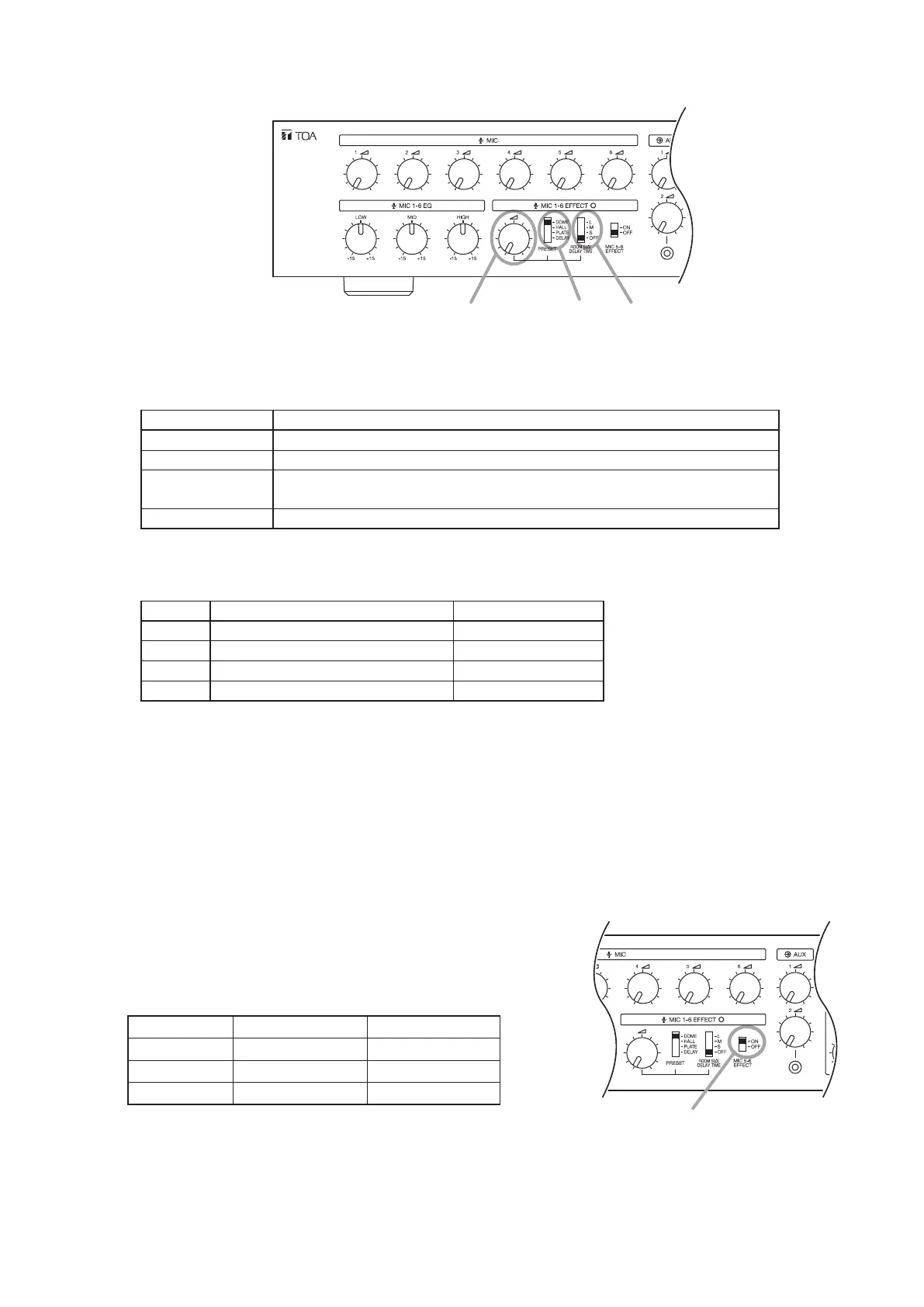
Step 1. Select the type of effect to be used with the Effect Preset Type Selection switch.
Refer to the following table for the types of effects that can be selected:
Effect Name Effect Description
DOME Creates an effect of stone walls with semi-domed ceilings.
HALL Creates an effect of wooden walls with carpeted oors.
PLATE Creates an effect of metallic reverberation as by a metal plate hung from
the ceiling, accompanied by an extended high frequency band.
DELAY Creates an effect of sound being repeatedly reected following a delay.
Step 2. Enable or disable (ON/OFF) the effector, and select the reverberation time and delay time conditions
using the Effect Room Size/Delay Time Selection Switch.
DOME, HALL or PLATE settings DELAY settings
L Long reverberation time Long delay time
M Medium reverberation time Medium delay time
S Short reverberation time Short delay time
OFF Effector disabled. Effector disabled.
Step 3. Adjust the effector's response strength.
To adjust, rotate the Effect Control Knob. The effect becomes more pronounced as the knob is rotated
clockwise, and weakens as the knob is rotated counterclockwise.
10.2.2. Effector settings for MIC 5 and 6 inputs
The effector can be enabled or disabled (ON/OFF) for Microphone 5 and 6 inputs (default setting: OFF).
Step: To apply the sound effect to these inputs, set their Effect switches
to the ON position.
MIC 5 − 6 effect switch
The following table shows the effector status of each input when
MIC 5 and 6 Effect switches are set to the ON or OFF position:
OFF ON
MIC 1–4 Effector enabled Effector enabled
MIC 5 and 6 Effector disabled Effector enabled
AUX 1 and 2 Effector disabled Effector disabled



 To Next Page