14
9.1.3. MIC 2 – 6 connections
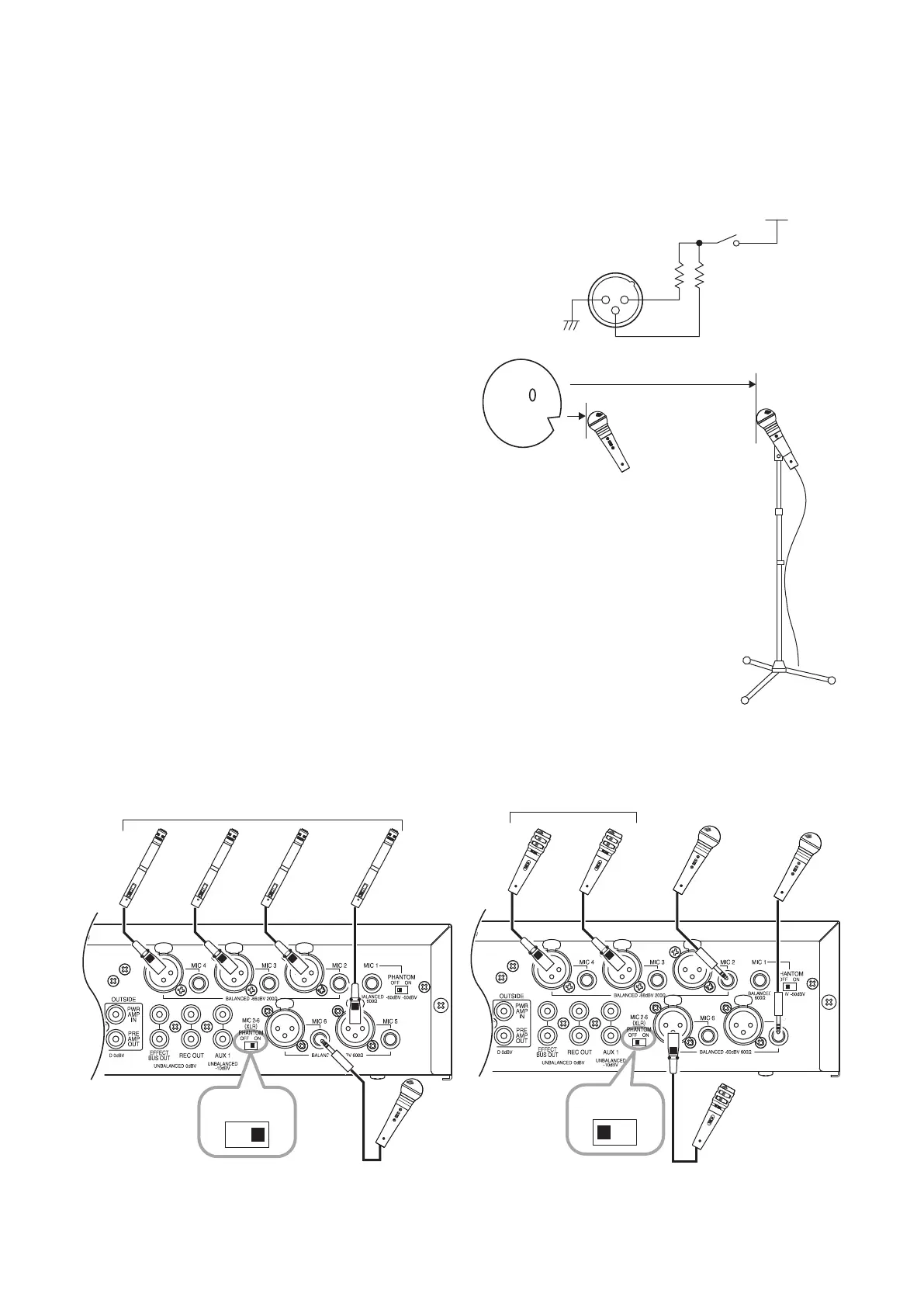
Microphones equipped with either an XLR connector or a phone plug can be used with microphone inputs 2 – 6.
• Balanced or unbalanced microphones can be connected to the phone jack.
• Switching ON the phantom power switch supplies power to all MIC 2 – 6 XLR connectors.
• No phantom power is supplied to the MIC 2 – 6 phone jacks.
Tip
When phantom power is used for the MIC 2 – 6 XLR connectors,
a 24 V voltage is applied to Pins 2 and 3 in each connector.
–
+
+
MIC 2 − 6
phantom switch
+24 V
phantom power
1 2
3
Microphone sensitivity is as follows:
MIC 2 – 4: −66 dB (high sensitivity)
MIC 5 – 6: −60 dB
For microphones connected to MIC 2 – 4, it is assumed
that the microphone will be mounted on a microphone
stand and used at a distance from the speaker's mouth.
For microphones connected to MIC 5 or 6, it is assumed
that the microphone will be used close to the speaker's
mouth.
MIC 5, 6
MIC 2 − 4
Note
Do not simultaneously connect microphones to the XLR connector and the phone jack of the same number.
Input signals to the microphone input may be attenuated, potentially disabling normal use of these connectors.
[When phantom power is used] [When phantom power is not used]
Electret condenser microphones
DM-1300
Dynamic microphone
OFF ON
Dynamic microphone
DM-1300 DM-1300
Dynamic microphones
OFF ON
Note
In this gure, since a microphone with a phone plug is
used for MIC 6 input, the phantom power is not supplied.



 To Next Page