Managing Power
InsufficientPower
28
P/N:1000737‐01
3. Plugthepoweradapterintoanavailableoutletforapproximatelyfivehourstofullychargethebatteries.(You
cannotoverchargethebatteries;thebatteriesstopchargingwhentheyarefull.)
TheBATLEDblinksasthebatteriescharge.
Insufficient Power
Ifthebatteriesbecomeful ly dischargedandanexternalpowersupplyisnotconnected,thereceiverwillshutdownand
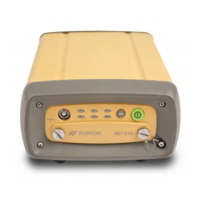
automaticallysaverecordedfiles.Toavoiddisruptions,checktheBATLEDonthedisplaypanelforthebatterychargestatus.See
“BatteryLED”onpage24formoreinformation.
Ifthereceivershutsdownduetoinsufficientpower,thereceiverandallcommunicationportsbecomede‐activated.
Torestorepowertoyourreceiverandtur nitbackon,dooneorallofthefollowing:
•
Rechargethe batteries.
•
Makesurethepower/serialcableiscorrectlyconnectedtothereceiver’ sport.
a. Alignthekeywayswhenconnectingthepower/serialcabletothereceiverport.
b. Turnthecablelockclockwiseuntilitclickstosecurethecableinplace.
c. Todisconnectthecable,turnthelockcounter‐clockwise,andthengentlyremovethecable.
Useagroundedwalloutletorgroundedsurgeprotectorwhilecharging.Thesocketshouldbelocatednearthe
equipmentandeasilyaccessible.


 To Next Page