36
CHART FUNCTIONS UNIQUE TO THE MC-4S
Executing "Aniseikonia simulation"
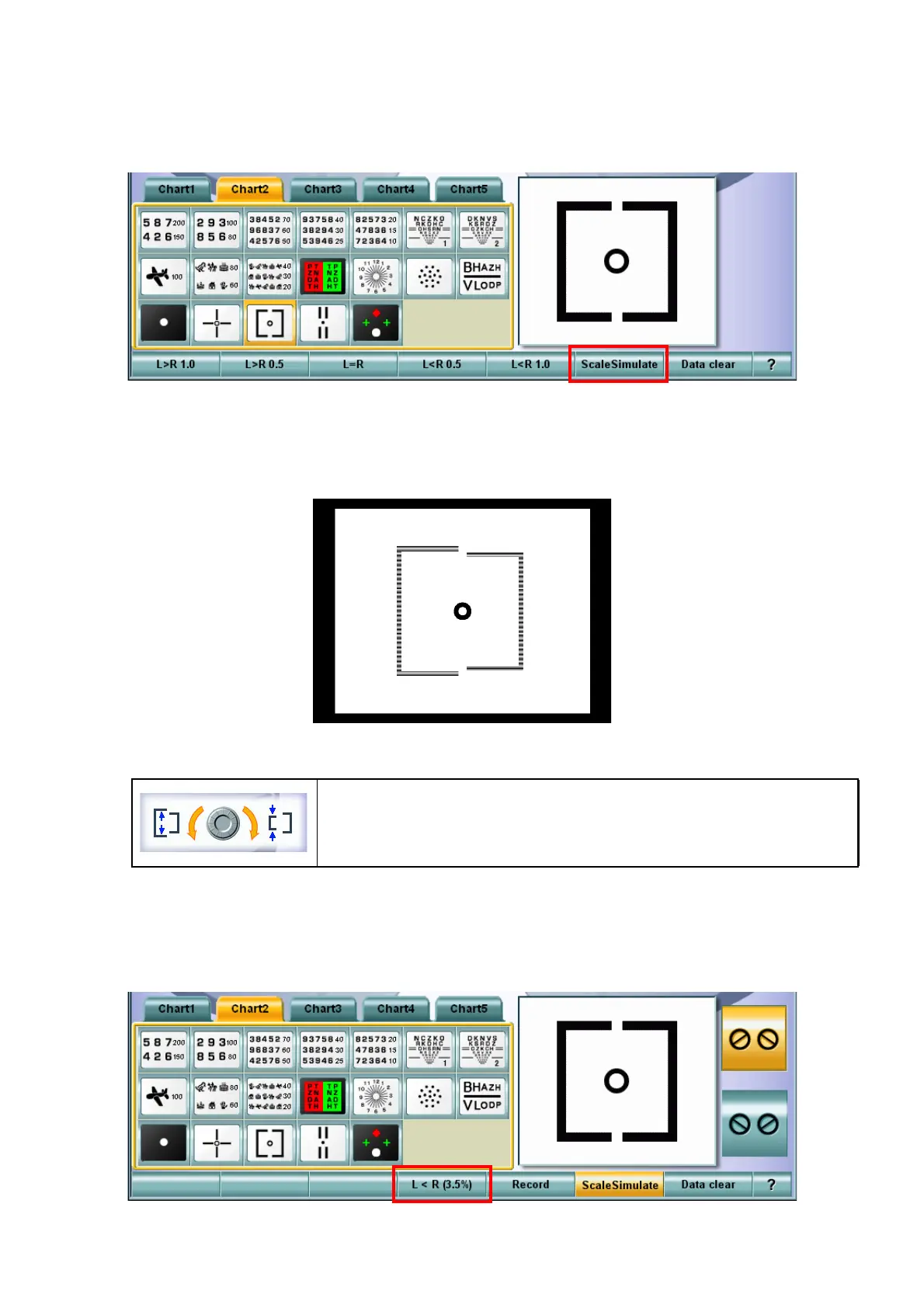
1 Select the chart applicable to "Aniseikonia simulation" from the chart page.
2 Touch the [Simulate] button among the function buttons at the bottom of the screen on the KB-50S.
3 The "Simulation" mode starts.
Turn the dial of the KB-50S during the "Simulation" mode, and the square size at the left side is
changed as shown below. Adjust the size so that the patient can see the right and left targets in
the same size.
4 Operate the dial according to "Dial Navigation".
The changeable size range is -10% to 10% with the size rate of the left square against the right
one.
The size during changing is displayed on the function button at the bottom of the screen on the
KB-50S.
Turn the dial clockwise, and the left target size is decreased by 0.5%
step.
Turn the dial counterclockwise, and the left target size is increased by
0.5% step.



 To Next Page