49
CHART FUNCTIONS UNIQUE TO THE MC-4S
Registration to the chart page of the KB-50S
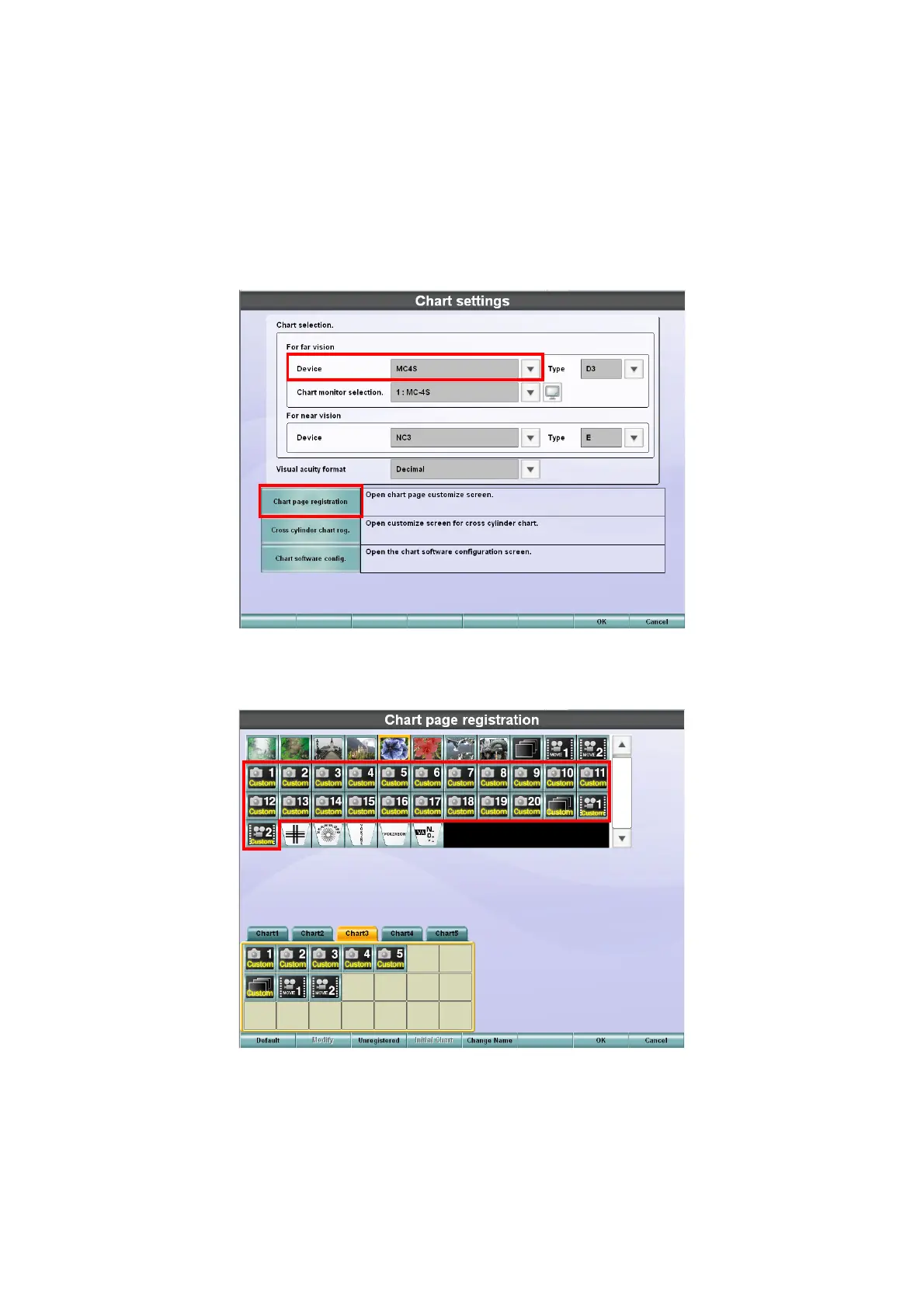
To display the user customizable contents on the MC-4S, it is necessary to add the icons concerned to
the chart page of the KB-50S.
1 Press the [Shift] key and [Menu] key of the KB-50S at the same time to display the "Settings"
screen.
2 On the "Settings" screen, touch the [Chart settings] button.
3 The "Chart settings" screen is displayed.
Make sure that "MC4S" is set for "Device" and then touch the [Chart page registration] button.
4 The "Chart page registration" screen is displayed.



 To Next Page