50
CHART FUNCTIONS UNIQUE TO THE MC-4S
Drag the user customizable contents icons from the chart icon list at the top of the screen and
drop them into the chart page to register them.
5 Perform the registration to set the polarized lens onto the measuring head of the CV-5000 auto-
matically when a still image is displayed in order to register the 3D still image.
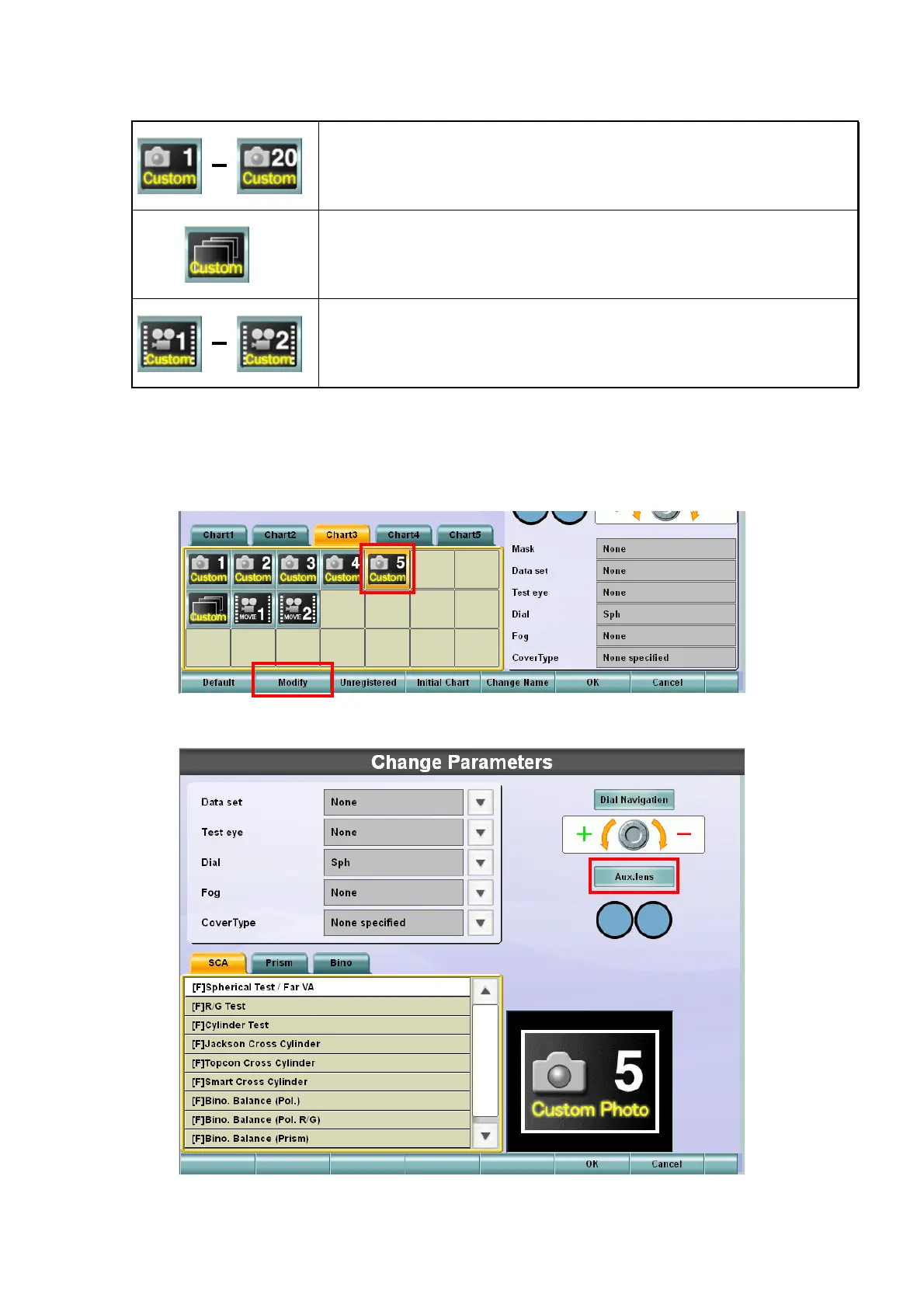
Select the icon to be registered as the 3D still image from the chart page and touch the [Modify]
button.
6 The "Change Parameters" screen is displayed.
These are the icons for 2D/3D still images.
The number in the icon corresponds to the filename.
This is the icon for slideshow.
These are the icons for movies.
The number in the icon corresponds to the filename.



 To Next Page