11
NOMENCLATURE
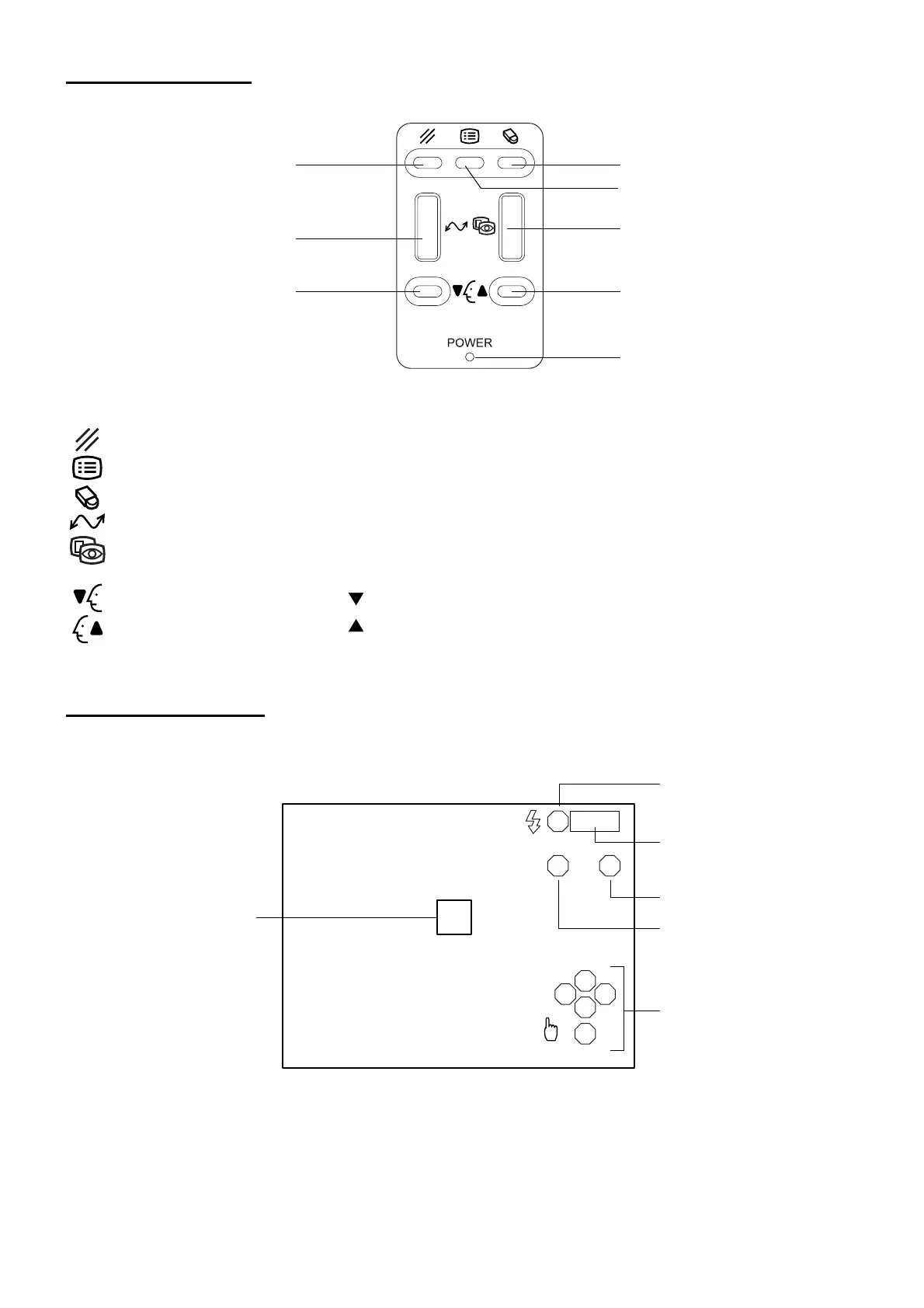
CONTROL PANEL
Delete switch : Deletes the image being displayed.
Menu switch : Displays the menu.
Clear switch : Deletes all the images in the memory.
Image transfer switch : Transfers the image data through USB.
Image selector switch : Switches the display from the image display to the eye observation display
and vice versa.
Chinrest down switch : Moves ( ) the chinrest down.
Chinrest up switch : Moves ( ) the chinrest up.
MONITOR SCREEN
Eye observation display
Delete switch
Image transfer switch
Chinrest down switch
Clear switch
Menu switch
Image selector switch
Chinrest up switch
Power LED
R
LA
S
T N
C
I
0001
Flash level
Image capturing mode
Photography serial number
Eye to be photographed
Photography area selector
Alignment frame



 To Next Page