19
PREPARATONS BEFORE USE
DEFAULT SETTING
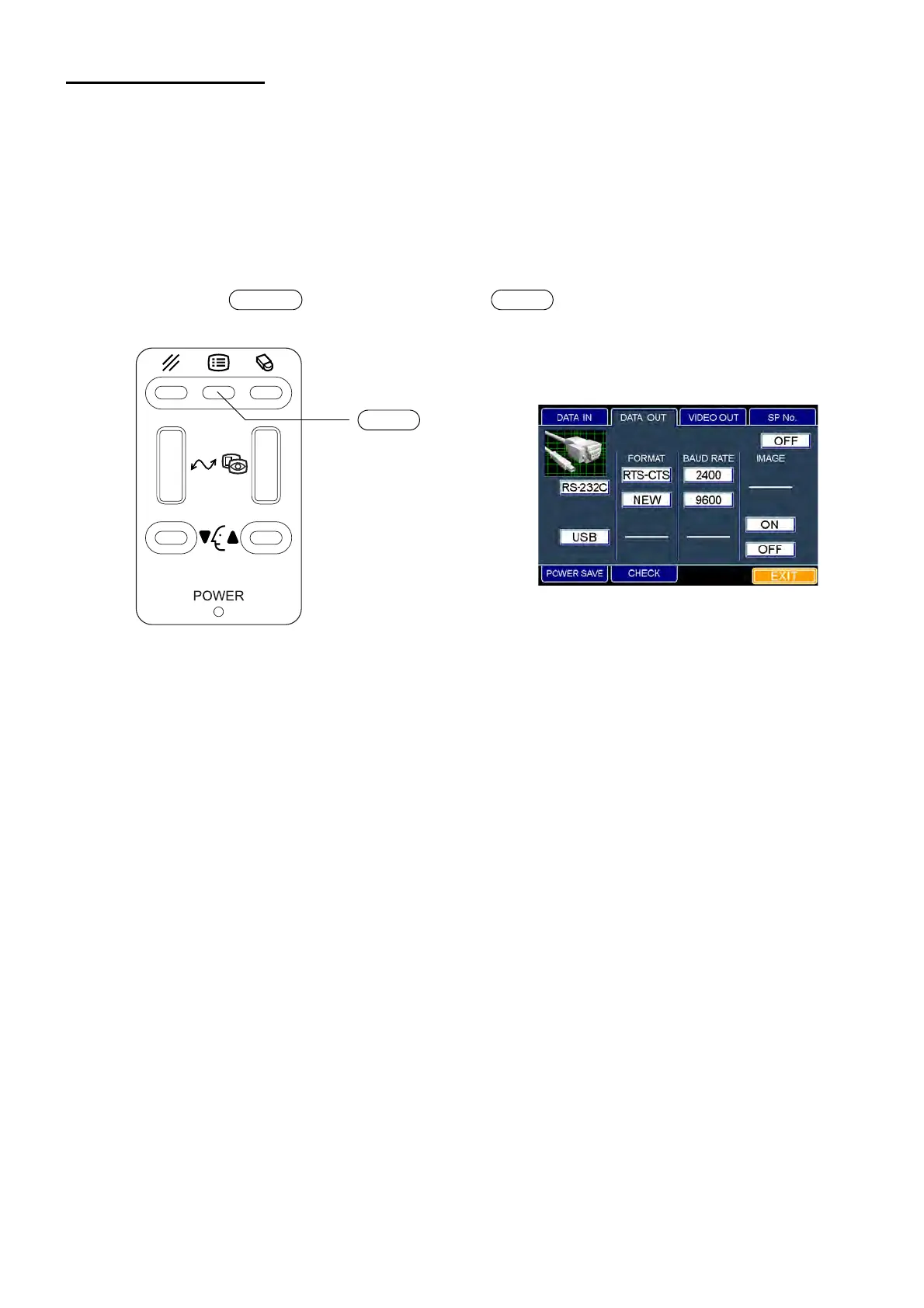
In default setting, it is possible to set the DATA input/output, the power saving time and the video OUT
output, and to check the operation.
Preparation for "default setting"
1 Make sure that the power cord is connected properly.
Refer to "CONNECTING THE POWER CORD" on P.16.
2 Turn on the switch by pressing the switch on the control panel.
Keep pressing the switches until the buzzer sounds. The "POWER" lamp is lit and the "DATA
OUT" dialog box is displayed.
Returning to the eye observation display
1 Move the mouse to fit the mouse pointer to the "EXIT" icon and click it.
2 The title display appears and then the eye observation display appears.
POWER MENU
MENU switch
"DATA OUT" dialog box



 To Next Page