20
PREPARATONS BEFORE USE
Setting the DATA output
You can set the data output method through the data terminal.
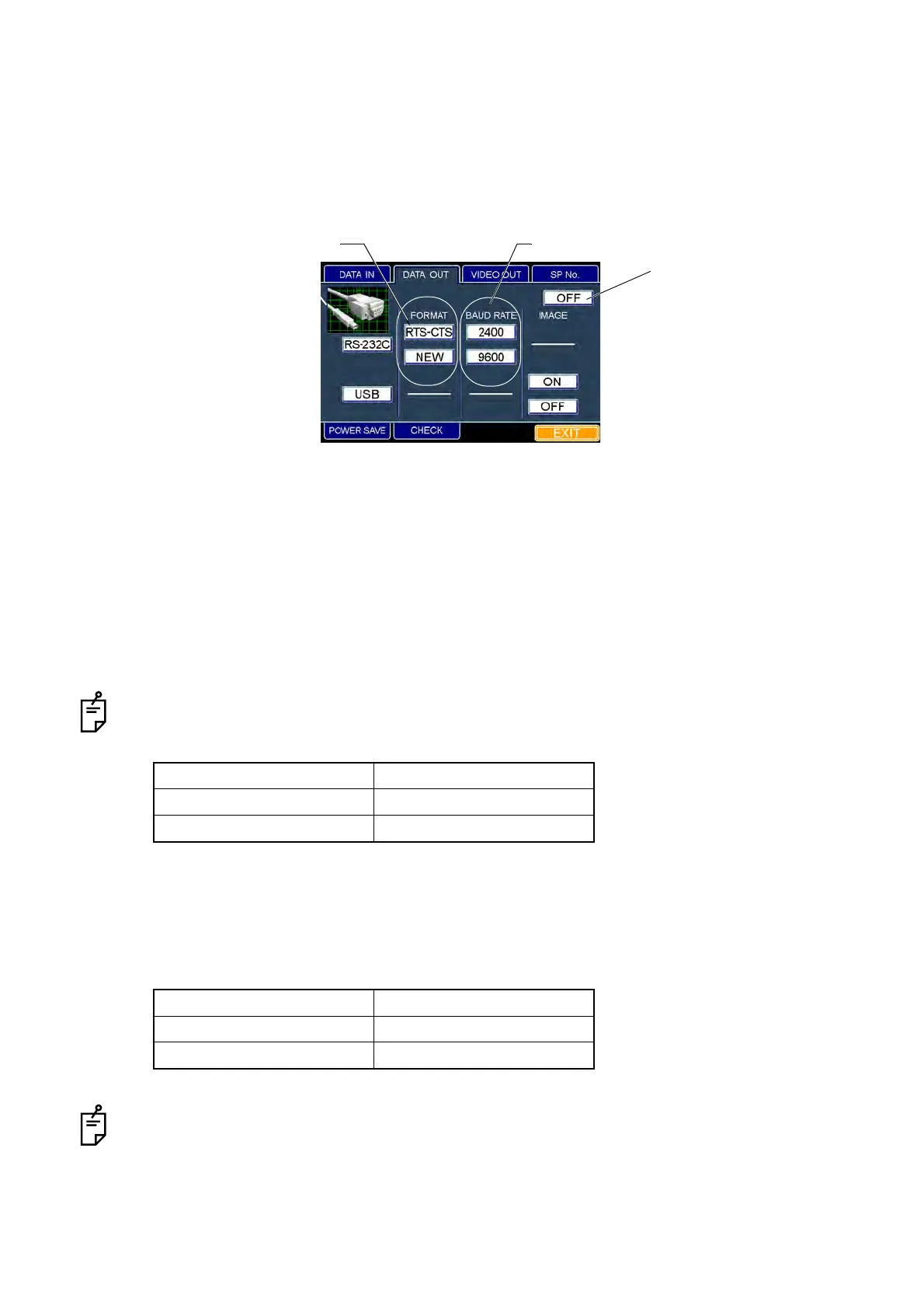
The set icon is outlined in yellow. "OFF" (No output) is set when shipped.
1 Fit the mouse pointer to the "DATA OUT" tab in the upper section and click it.
2 The "DATA OUT" dialog box appears.
3 When you want to set the data output, fit the mouse pointer to the "RS-232C" or "USB" icon and
click it.
When you do not want to output the data to outside, fit the mouse pointer to the "OFF" icon
and click it.
4 When you want to set the output format of data, fit the mouse pointer to the "RTS-CTS" or "NEW"
icon of the "FORMAT" column and click it.
It is not possible to set the output format when "USB" or "OFF" is selected on the "DATA OUT" dia-
log box.
Relation between the output format and transmission method
5 When you want to set the transfer speed of data, fit the mouse pointer to the "2400" or "9600"
icon of the "BAUD RATE" column and click it.
Relation between BAUD RATE and the communication speed
It is not possible to set this when "USB" or "OFF" is selected on the "DATA OUT" dialog box.
Output format Transmission method
RTS-CTS RTS-CTS control
NEW TOPCON NEW format
BAUD RATE Communication speed
2400 2400bps
9600 9600bps
"DATA OUT" dialog box
FORMAT BAUD RATE
Output to outside : OFF



 To Next Page