47
BASIC OPERATION
8 Press the switch on the control panel or click "EXIT" on the screen.
The eye observation display appears again and the instrument is ready for the next photograph.
When the corneal condition is poor, the endothelium observation display may not appear. In such
a case, it is possible to take a picture according to the procedure listed below.
1 Move the reflected image of the alignment dot into the alignment frame. Operate the instrument
so that the reflected image of the alignment dot is a circle.
2 Press the switch on the joystick.
The image switches to the endothelium observation display on the screen.
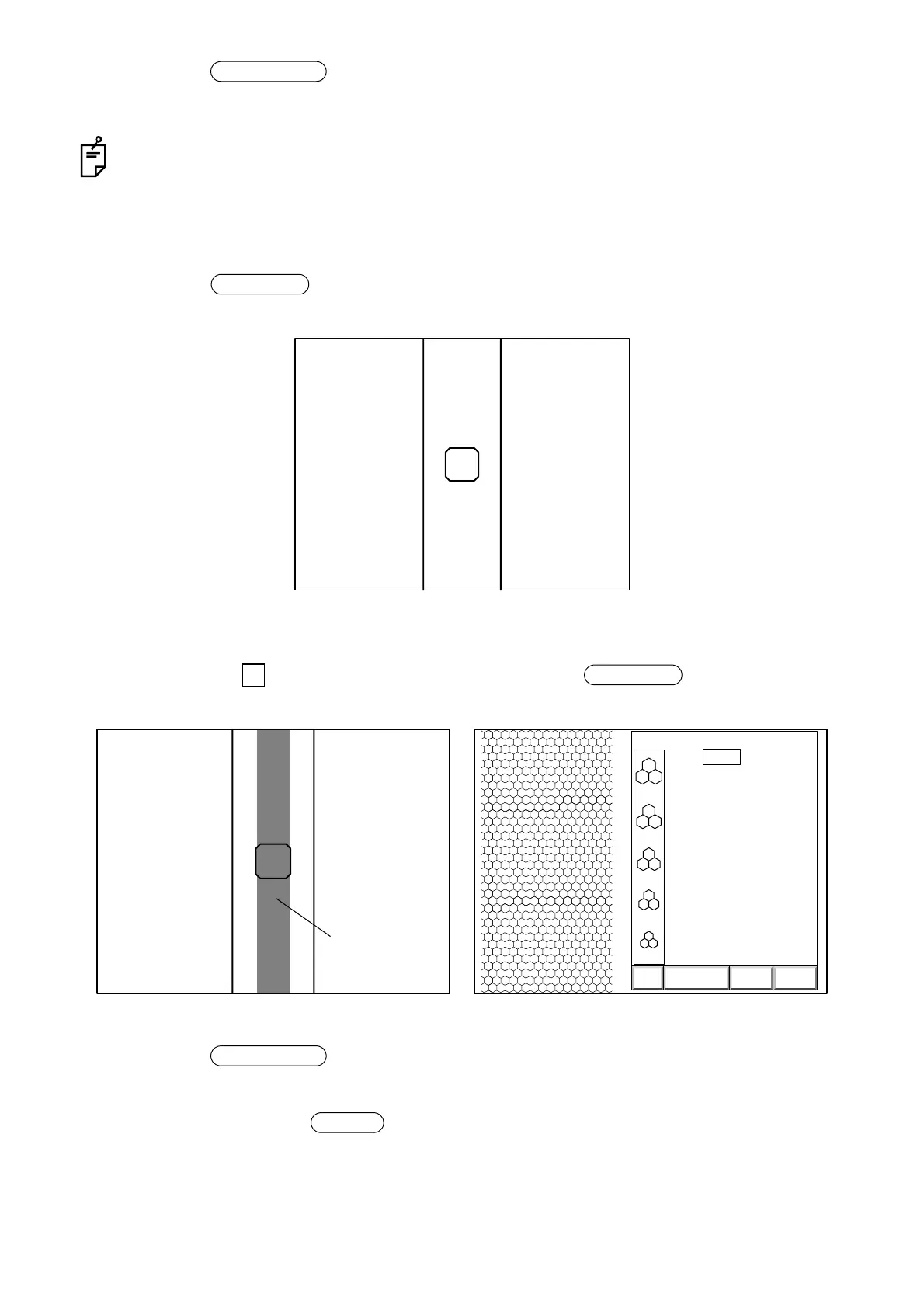
3 Move the instrument longitudinally so that the reflected endothelium image is positioned in the
center of the " " mark on the screen, and then press the switch on the joystick.
The image display appears.
4 Press the switch on the control panel or click "EXIT" on the screen.
The eye observation display appears again and the instrument is ready for the next photograph.
5 After using, turn off the switch on the power supply unit.
6 Remove the power plug from the outlet.
Image selector
Photography
Endothelium observation display
Photography
3000
2500
2000
1500
1000
T:
ANALYZE DATA EXIT
0001 05/08/05
0.540
13:38R
[
C
]
Reflected
Endothelium observation display just before photography Image
endothelium
image
Image selector
POWER



 To Next Page