EasyManua.ls Logo

Topcon SP-3000P - Operation by Analysis; Simplified Cell Analysis

Topcon SP-3000P
79 pages
Print Icon
To Next Page IconTo Next Page
To Previous Page IconTo Previous Page
Loading...
49
BASIC OPERATION
Selecting the image of the right or left eye
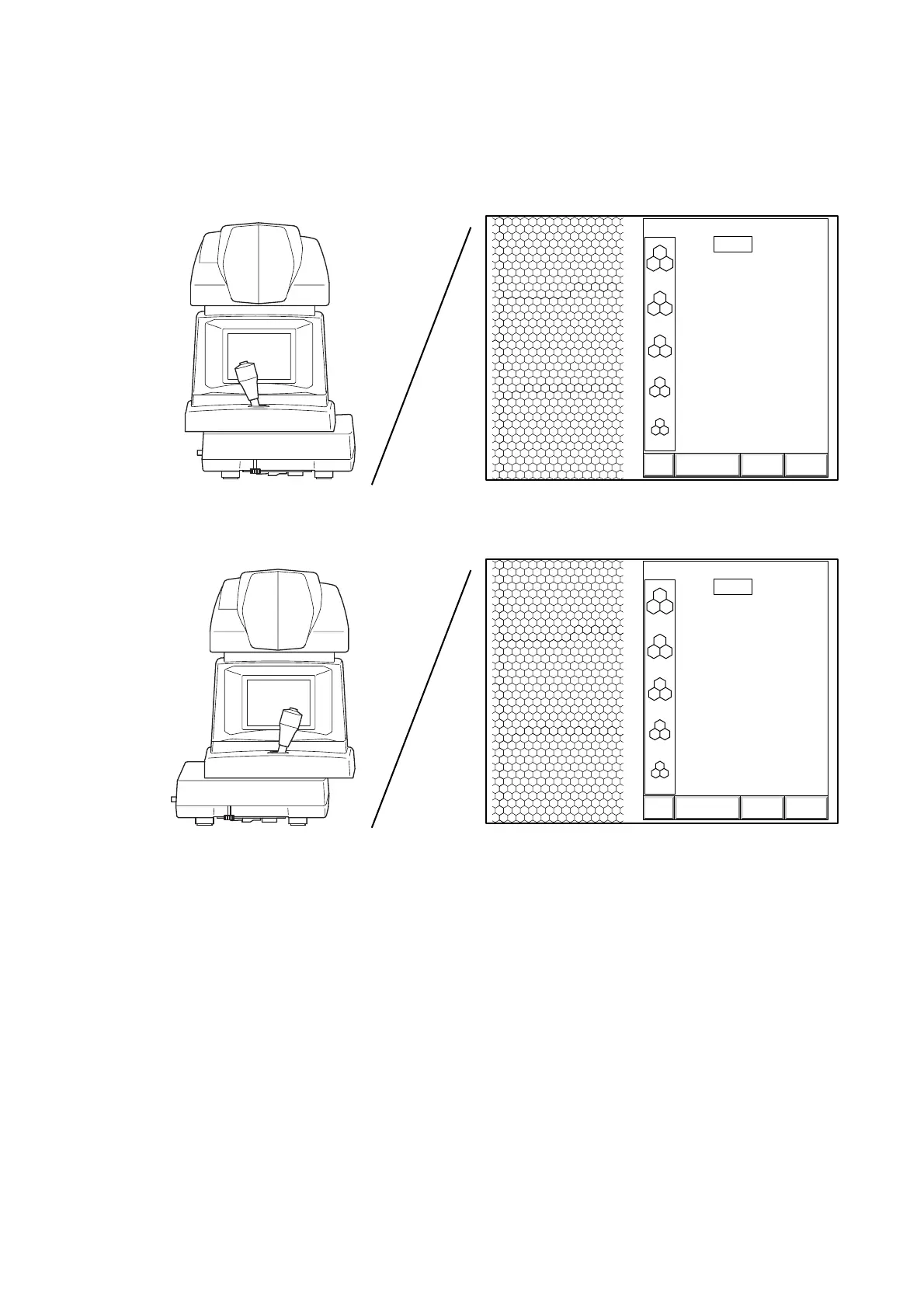
1 Move the instrument laterally to select the image of the right or left eye.
The image stored in the memory is displayed and the photographed eye display is changed to "L"
or "R".
3000
2500
2000
1500
1000
T:
ANALYZE DATA EXIT
0001 05/08/05
0.540
13:38R
[
C
]
3000
2500
2000
1500
1000
T:
ANALYZE DATA EXIT
0001 05/08/05
0.540
13:38L
[
C
]
Instrument position where the display
changes to the right eye
Image for the right eye
Instrument position where the display
changes to the left eye
Image for the left eye

Table of Contents

Related product manuals