Shenzhen Topwisdom Technology Co., Ltd
36
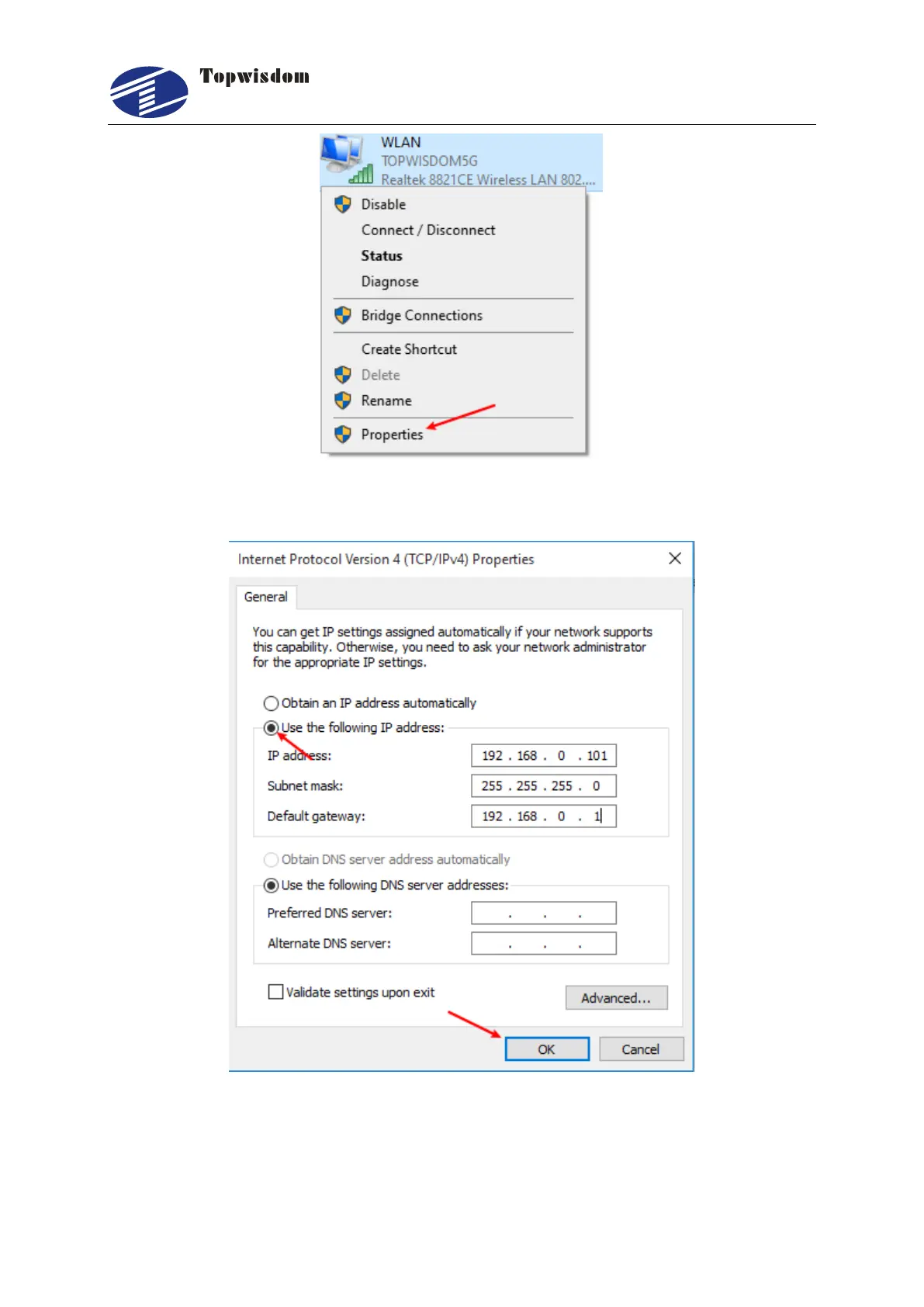
4). Then double-click "Internet Protocol Version 4 (TCP/IPV4)" to change "Automatically
obtain IP address" to "Use the following IP address" and click "OK".
5). When the changes are complete, select Wireless Network Connection and right-click to
select the Connect/Disconnect option



 To Next Page