Shenzhen Topwisdom Technology Co., Ltd
18
3.2.3 Input Interface
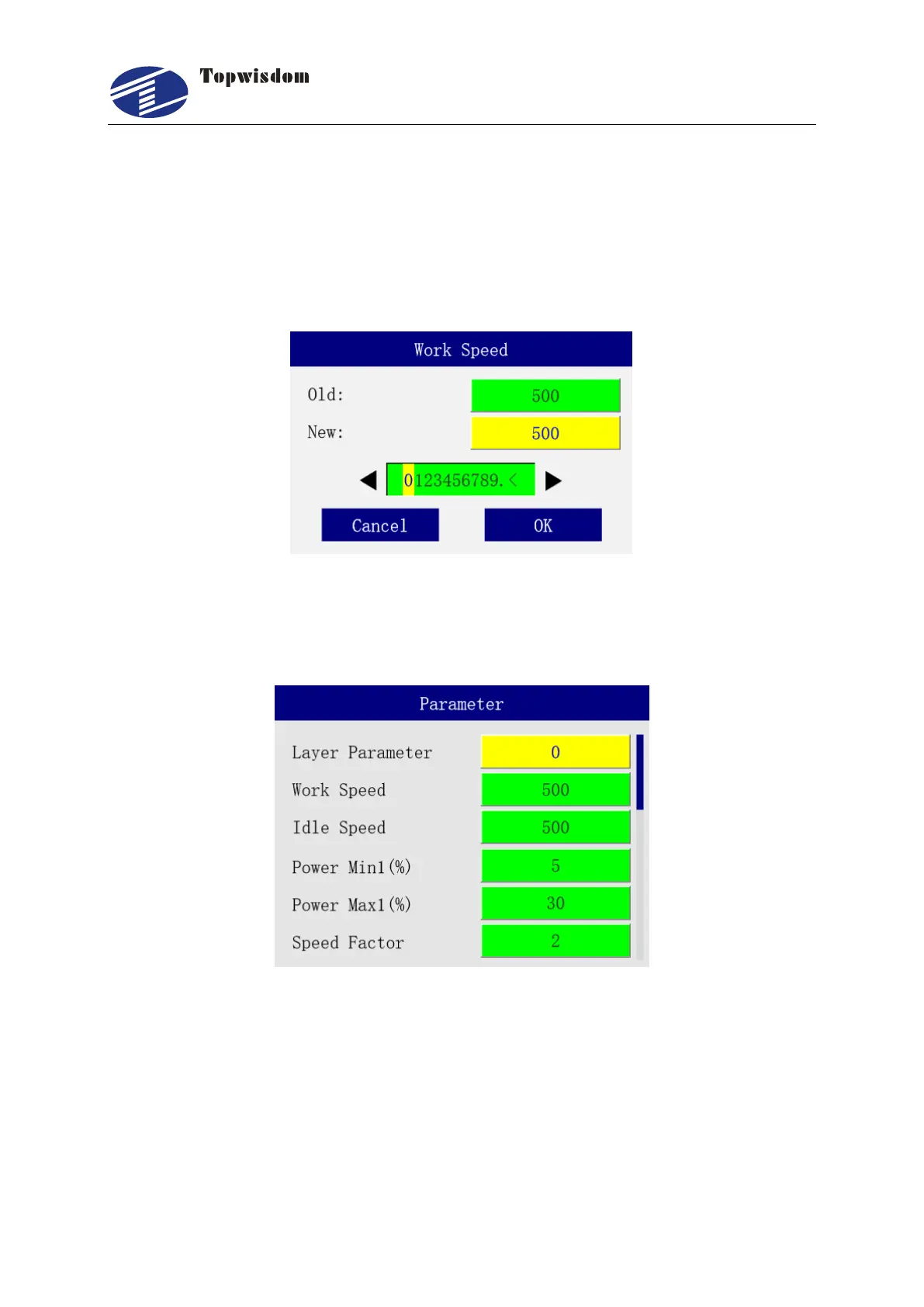
When it need to enter a number, select the parameter, and press "Enter" key, it shows the
input dialog, show as follow. Press "Right/Left" to select a number, press "Select" key to
select, press "Enter" to confirm the operation, press "ESC" to quit and return to the
original interface.
3.2.4 Layer Parameter Settings
After initialization, press the "Enter" key, select Layer Parameter, show as:



 To Next Page