16
range
The range parameter makes it possible to add pitch variation to the notes within the chosen scale. Range
increases the amount of variation applied from one of the eight phrases.
The two modier buttons in RED lets you change the rate of the phrases.
• The upper button multiplies the rate by 2
• The lower button divides the rate by 2.
When both buttons are lit, the phrase is played back at normal speed.
The range parameter often comes handy when you have selected a musical scale.
Random range affects the amount of melodic movement. When multiple notes have been inserted in
the( PITCH ) menu, the individual notes will be modulated in different ways.
Press ( RANDOM ) + turn ( RANGE )
phrase
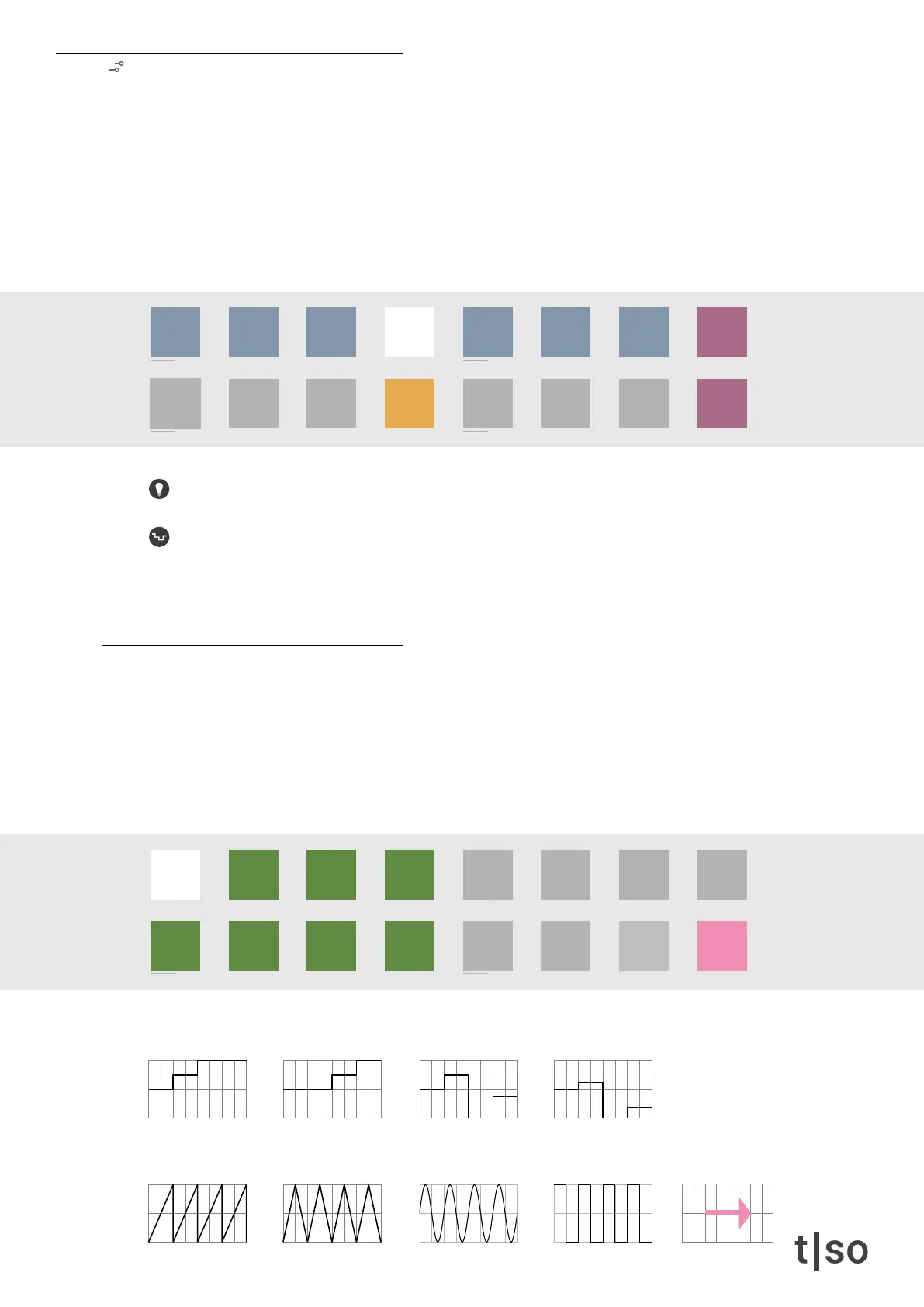
The phrase knob provides eight shapes from the lower row of the [ VALUE ] buttons.
• The rst row of [ VALUE ] buttons holds four different cadences. They are great for chord progressions.
• The second row of [ VALUE ] buttons holds four different classic LFO waveforms. They are great for
melodic patterns.
• The last phrase on [ VALUE ] button 16 enables pitch variations from the CV input.
/1 /2 /4
/3
/8
/6
/16 /32 /64
/12 /24 /48
chrom
major
minor
penta
hira
iwato
tetra
user
/1 /2 /4
/3
/8
/6
/16 /32 /64
/12 /24 /48
chrom
major
minor
penta
hira
iwato
tetra
user
[ VALUE 16 ]
CV input
[ VALUE 12 ]
Pulse
[ VALUE 10 ]
Triangle
[ VALUE 9 ]
Saw
[ VALUE 11 ]
Sine
[ VALUE 4 ]
Cadence four
[ VALUE 2 ]
Cadence two
[ VALUE 1 ]
Cadence one
[ VALUE 3 ]
Cadence three



 To Next Page