26
SETUP SECTION
The setup section offers setup related adjustments. Additional MIDI, CV, and WIFI settings are available with the
T-1 Cong software.Make sure to visit: torsoelectronics.com/resources
Link to tutorial video: torsoelectronics.com/tutorials/t1/setup-section
length
The Length parameter can reduce the length of the current track and create loops. The length of the loop can be
set from 1/64th of a bar to innite.
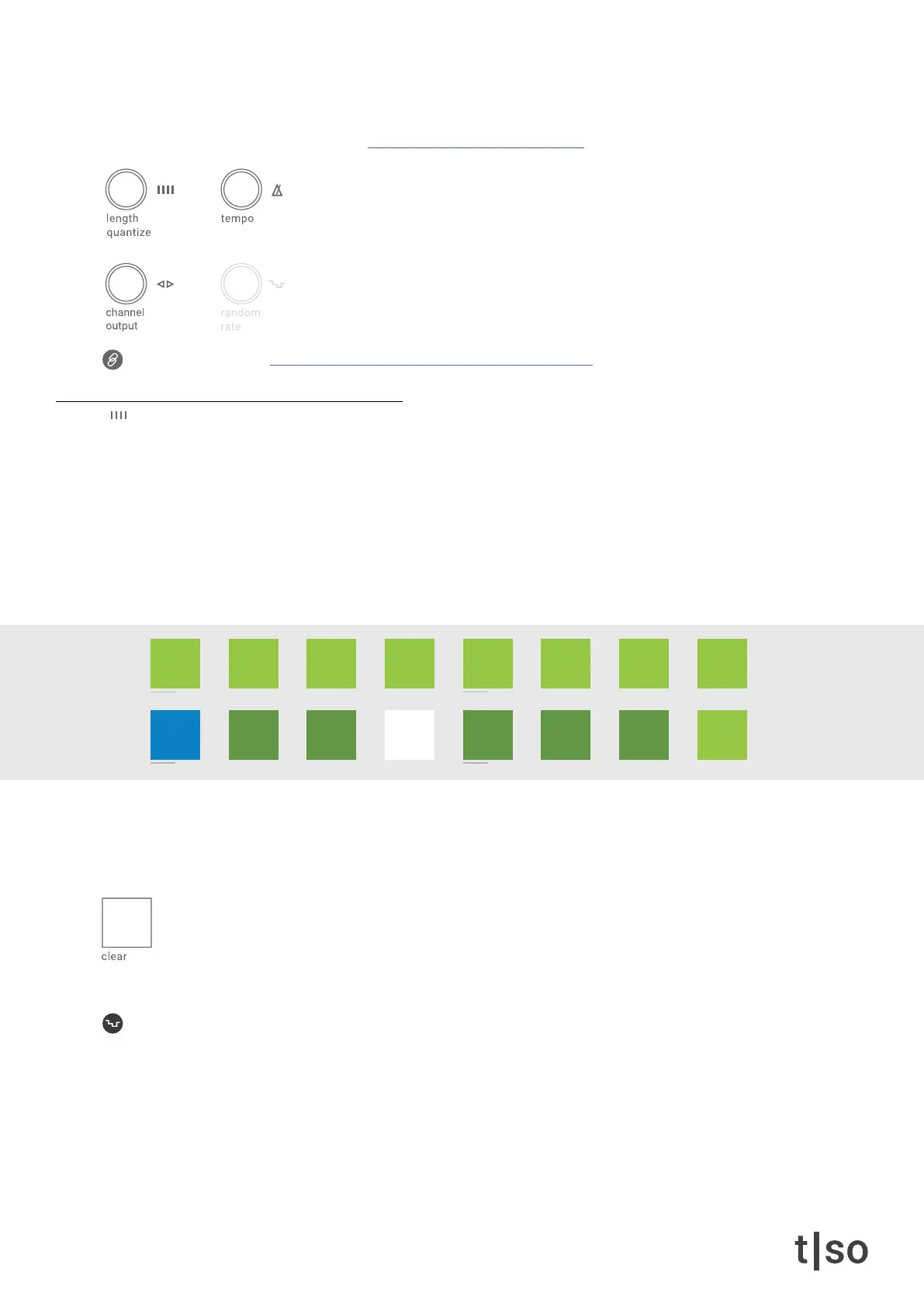
• [ VALUE 1-8 ] represent 1 - 8 bar length and [ VALUE 16 ] represents 16 bar length.
• [ VALUE 10-15 ] represent 1/2bar - 1/4bar - 1/8bar - 1/16bar - 1/32bar - 1/64bar.
• The WHITE light indicates the currently selected setting.
By default, the track length is set to innite, indicated with BLUE.
When the [ CLEAR ] button is pressed a new start point is set. This lets you “freeze” and “glitch” different sections
of the current track. Changing length while the [ CLEAR ] button is held sets a start point every time a new length
value is selected.
Random affects the length of the current track.The random modulation on length is not affected by the
( RANDOM ) knob.
Press ( RANDOM ) + turn ( LENGTH )
1/8
1
inf
2
1/2
3
1/4
4 5
1/16
6
1/32
7
1/64
8
16
/1 /2 /4
/3
/8
/6
/16 /32 /64
/12 /24 /48
chrom
major
minor
penta
hira
iwato
tetra
user



 To Next Page