8
banks
The bank menu allows for selecting, saving, and reloading banks. T-1 does not automatically save it’s state, so
this is the only way to save the state of patterns. T-1 will reset to the saved banks upon restarting the unit.
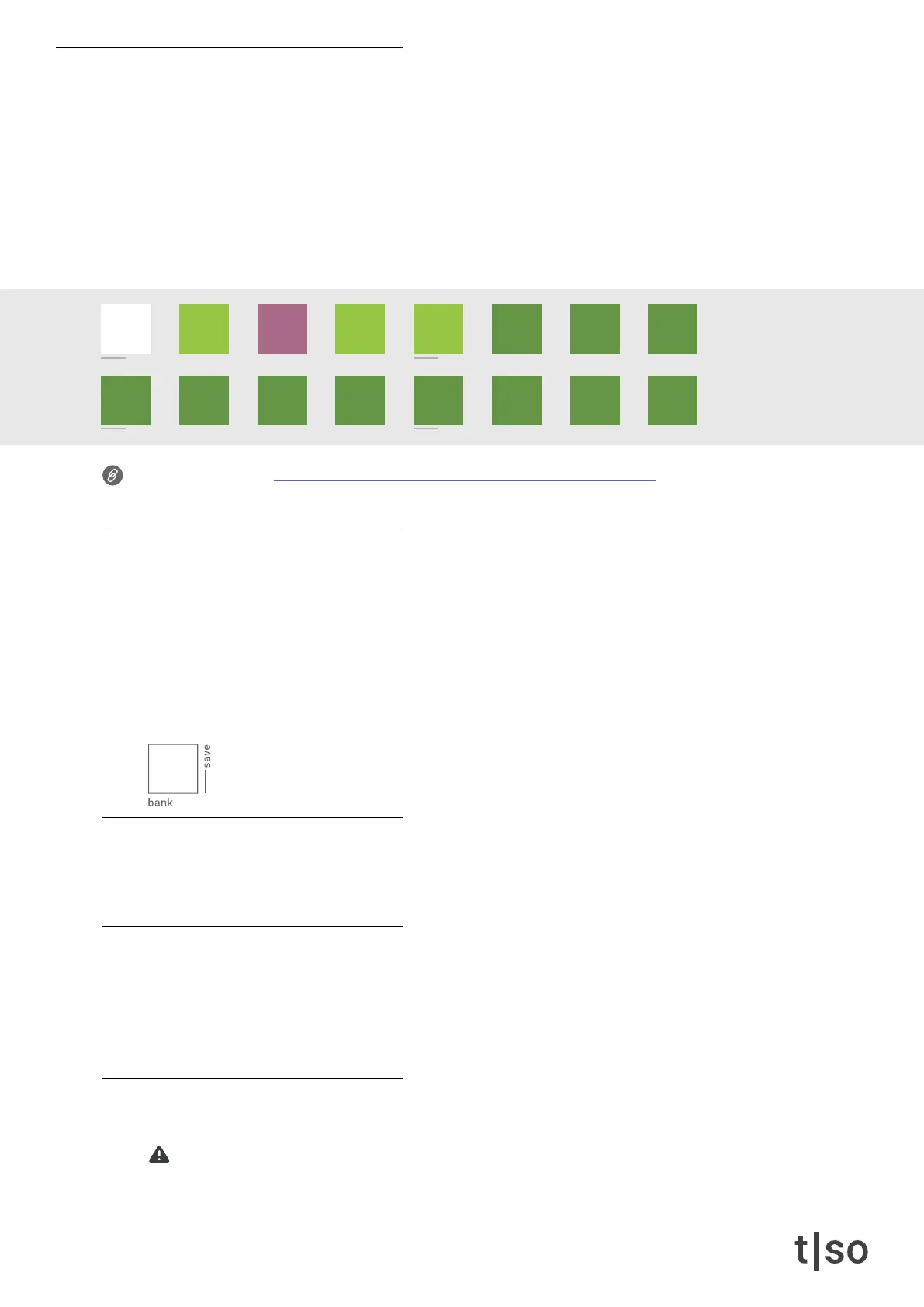
While holding the [ BANK ] button, the [ VALUE ] buttons represents 16 bank slots.
• WHITE indicates the selected bank.
• RED indicates that a bank has been altered but not saved.
• GREEN indicates saved banks.
• DARK GREEN indicates empty banks.
Link to tutorial video: torsoelectronics.com/t-1-tutorials/tracks-patterns-banks
change bank
Play a pattern from another bank by:
1. Hold [ BANK ] and press a [ VALUE ] button to select the bank.
2. As the pattern menu appears, press one of the [ VALUE ] buttons to select a pattern located in the
chosen bank.
If no pattern is selected T-1 will stay in the previous bank. If the playback is stopped, selecting a pattern
from another bank will immediately make the pattern active for editing.
save bank
To save the current state of a bank press and hold [ BANK ] + [ CTRL ] and press the appropriate [ VALUE ]
button to save the desired bank.
reload bank
Making changes in a bank lets you reload the bank and return to the last saved state.
Press and hold both [ BANK ] and the appropriate [ VALUE ] button for 1 second.
A ashing GREEN light on the [ VALUE ] button indicates that the banks have been reloaded.
Hold [ BANK ] + hold [ VALUE ]
clear bank
Press and hold [ BANK ] + [ CLEAR ] in combination with the desired [ VALUE ] buttons.
Clearing a bank will erase it from ash and can not be undone!
/1 /2 /4
/3
/8
/6
/16 /32 /64
/12 /24 /48
chrom
major
minor
penta
hira
iwato
tetra
user



 To Next Page