24
sequence variation
Turning the ( RANDOM ) knob increases the amount of change in the modulation sequence. The amount is indi-
cated in [ RED ] on the [ VALUE ] buttons.
When the ( RANDOM ) knob is all the way down, the random sequence is xed and plays in a loop. As the ( RAN-
DOM ) knob is turned clockwise, the sequence starts to change gradually. When the ( RANDOM ) knob is turned
all the way up, the sequence is completely random at every step.
Modulate the range parameter, press ( RANDOM ) + turn ( RANGE ), to generate a melodic phrase. Slightly
turn up ( RANDOM ) to create innite variations of the phrase. Turn down ( RANDOM ) to lock the phrase in a
loop.
A new modulation sequence is generated when a ( KNOB ) is cleared [ CLEAR ] + ( KNOB ). Additionally, all
modulation sequences in a track can be refreshed by pressing [ CLEAR ] + ( RANDOM ). This is a destructive
action.
rate
The random sequence can be played at different rates. At lower rates, the modulation sequence will be less dense
and take longer to loop.
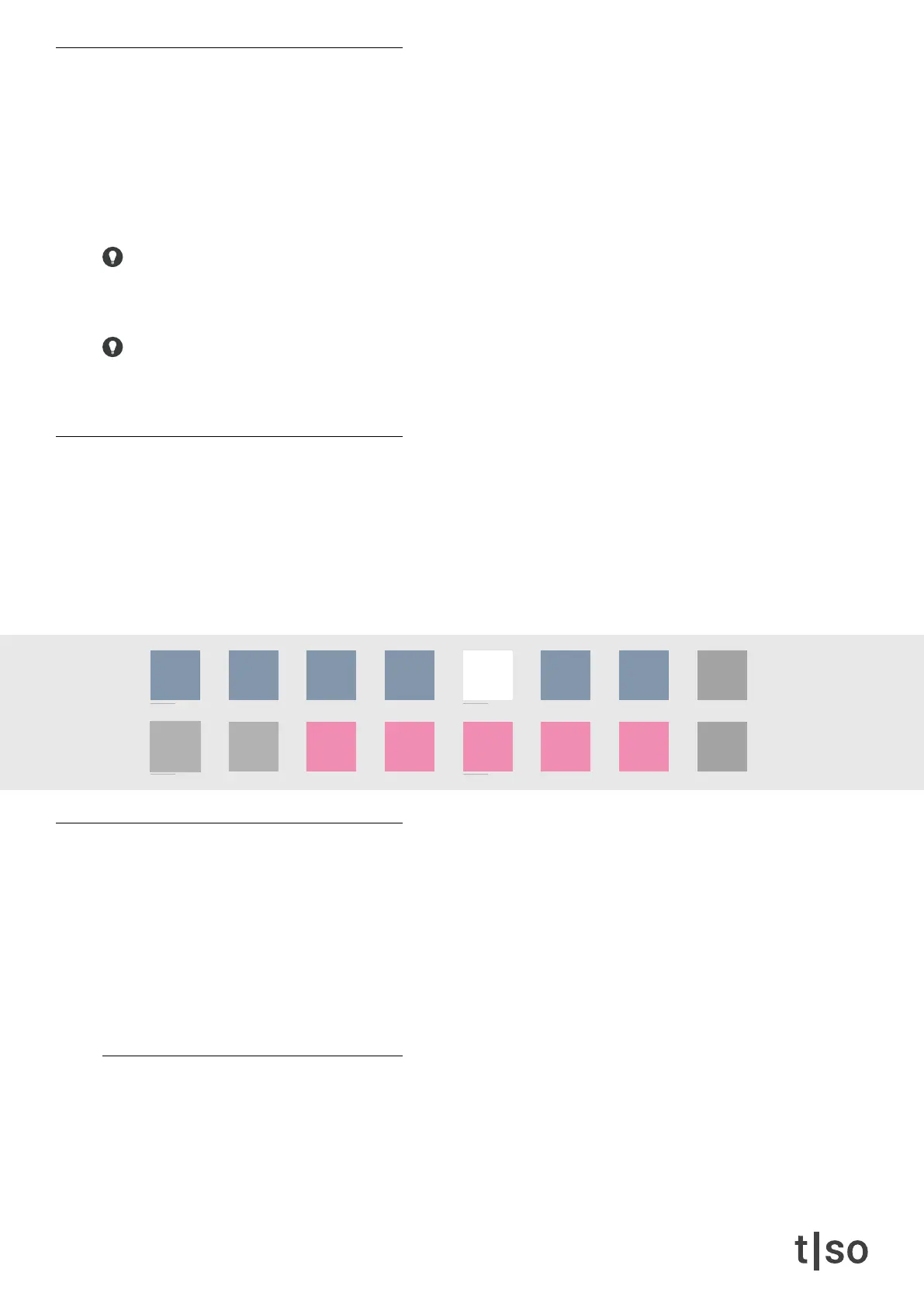
• The rst row of buttons [ VALUE 1-7 ] represents quadruplets: 1/1, 1/2, 1/4, 1/8, 1/16, 1/32, 1/64
• The second row of buttons [ VALUE 11-15 ] represents triplets: 1/3, 1/6, 1/12, 1/24, 1/48
• The button in WHITE represents the selected division.
modulation rates
When adding randomness to parameters on the T-1, the modulation changes in two different ways:
• Cycles controlled: The modulation changes at each cycle. The length of a cycle is determined by ( STEPS )
and ( DIVISION )
• Rate controlled: The modulation changes each step. The time division of a step is determined by ( RATE )
Each parameter is hard-wired to be either cycles- or rate controlled. Below is a list of modulation rates of all pa-
rameters.
Cycles controlled
• ( STEPS )
• ( PULSES )
• ( CYCLES )
• ( DIVISION )
/1 /2 /4
/3
/8
/6
/16 /32 /64
/12 /24 /48
chrom
major
minor
penta
hira
iwato
tetra
user



 To Next Page