21
pitch
Turning ( PITCH ) transposes all notes in the active track by the same amount within the selected scale.
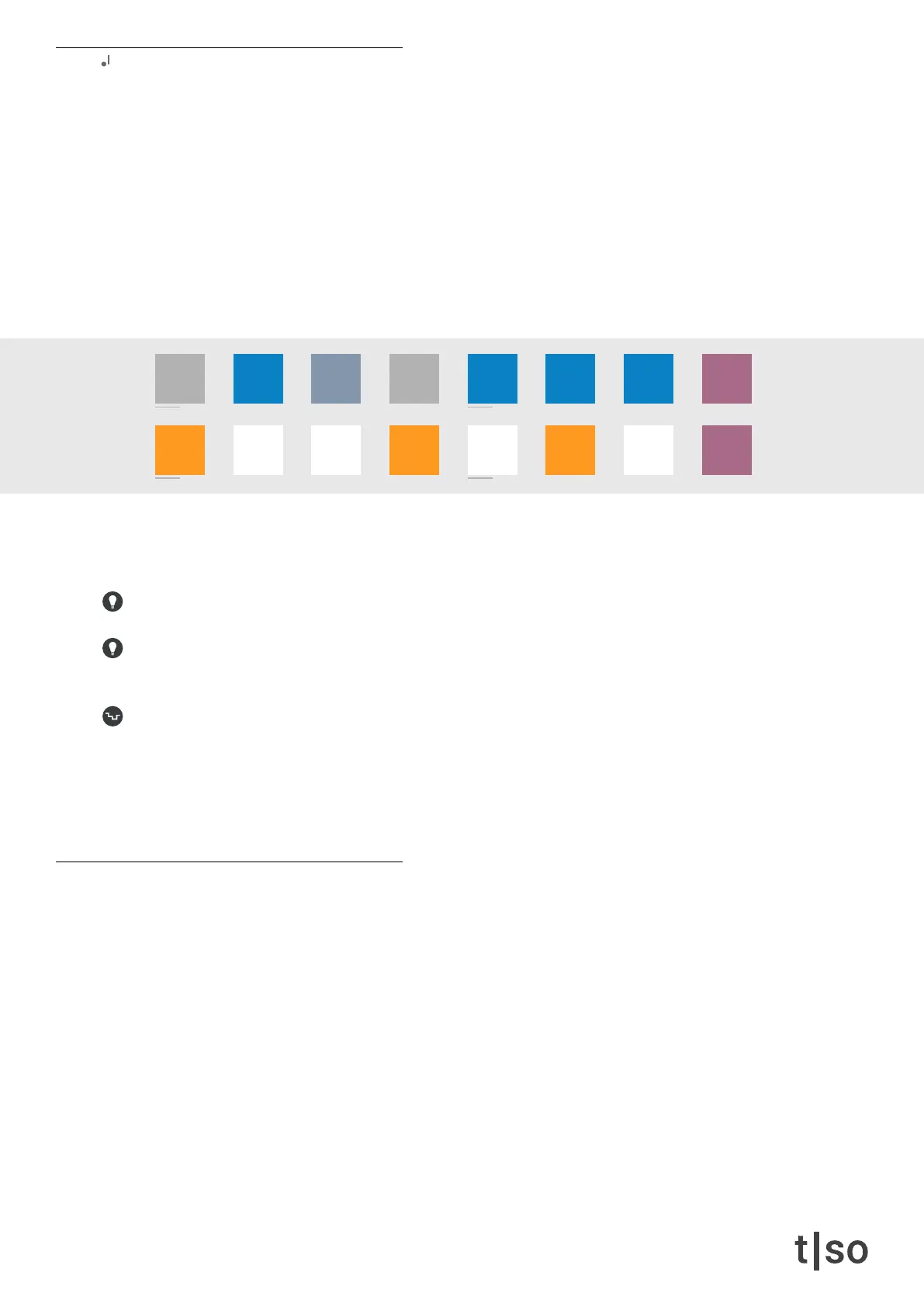
When the knob is pressed, the keyboard menu is active, and the [ VALUE ] buttons will turn into a chromatic key-
board. Here you can insert multiple notes or remove notes by pressing the appropriate [ VALUE ] buttons.
• [ ORANGE ] represents the inserted pitches.
• [ WHITE ] represents white keys on the piano: C - D - E - F - G - A - B
• [ BLUE ] represents blacks keys on the piano: C# - D# - F# - G# - A#
• [ DARK BLUE ] represents pitches that are outside the currently selected scale.
• [ DARK RED ] modier buttons scroll the viewed octave up and down.
Pitches that are outside the selected scale cannot be selected. The current octave is visualized by the
modier buttons as a gradient between BLUE (low octave) and DARK RED (high octave). The middle oc-
tave (C3-B3) is highlighted with a RED color.
Placing notes in combination with [ CLEAR ] removes all other inserted notes [ CLEAR ] + [ VALUE ]
In combination with [ CTRL ], the modier buttons let you transpose all the inserted notes, a full octave.[
CLEAR ] + [ VALUE 8,16 ]
Random transposes the inserted notes by the beginning of each cycle. This is a handy way of making chord
progressions.Changing the number of cycles, lets you choose the amount of randomly generated chords or me-
lodic progressions. Changing division and/or number of steps for each cycle, lets you choose how often a chord
progression will happen.
Press ( RANDOM ) + turn ( PITCH )
harmony
Harmony is a chord algorithm, that lets you move the inserted pitches one chord tone at a time, to create rich and
harmonically pleasing chord progressions.
/1 /2 /4
/3
/8
/6
/16 /32 /64
/12 /24 /48
chrom
major
minor
penta
hira
iwato
tetra
user



 To Next Page