170
5.USING THE EDITING FUNCTIONS
5
14. IMAGE DIRECTION
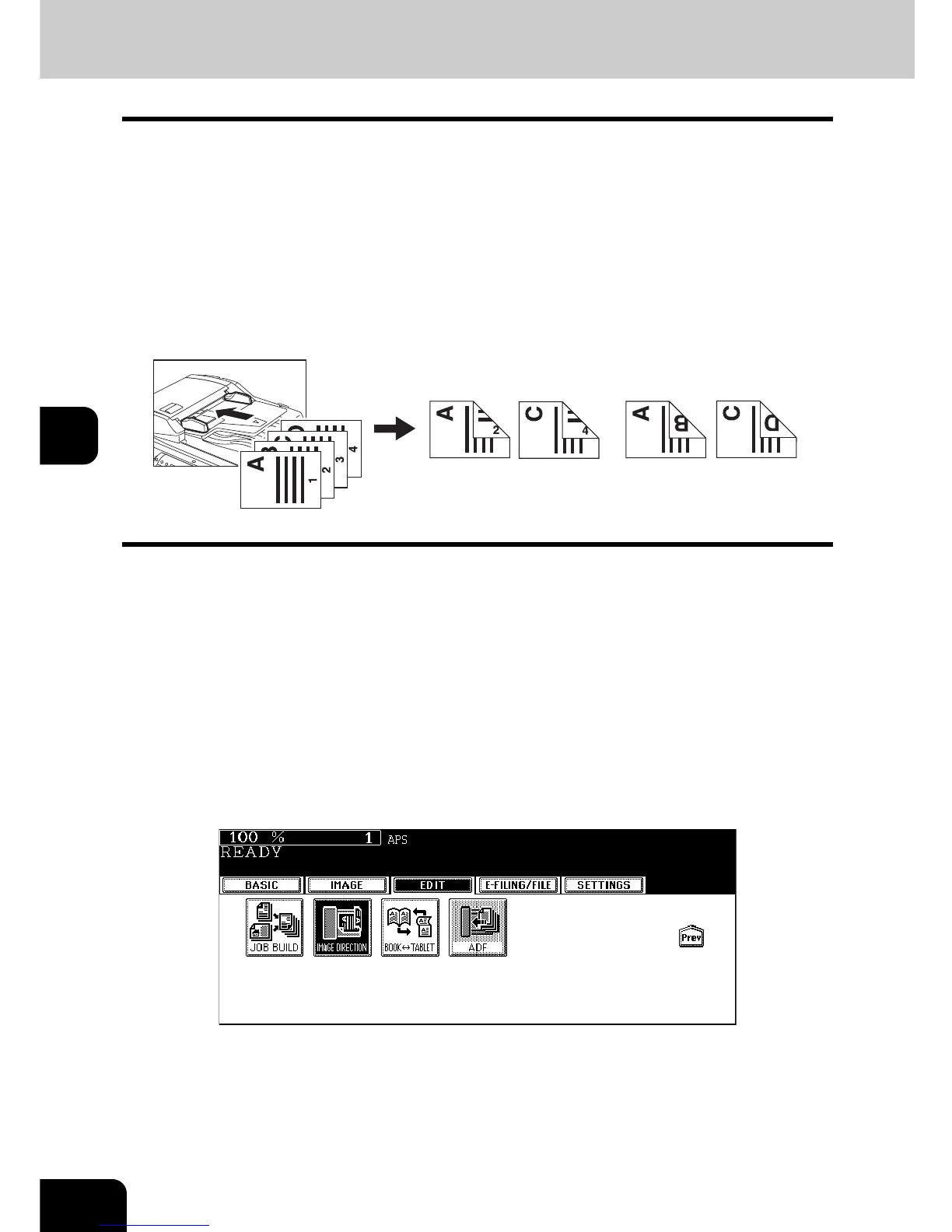
This function allows you to adjust the direction to ‘open to left’ when a lengthwise A3, A4, A5, B4, B5 origi-
nals, etc. is copied under the mode of 1-Sided Originals to 2-Sided Copies (or 2-Sided Originals to 1-Sided
Copies).
• This function is not necessary for copying in the direction of ‘open to top’.
When a 2-sided ‘open to left’ (Book) portrait A3, A4, A5, B4, B5 originals, etc. is copied using this function
with [2-Sided Originals to 1-Sided Copies], copies can be adjusted to the same direction.
[IMAGE DIRECTION]:
1. Set
2. No setting
1
Place paper in the drawer(s).
2
Place the original(s).
3
Perform the setting of [1 -> 2 DUPLEX] (or [2 -> 1 SPLIT]).
P.110 “5.Duplex Copying”
4
Press the [EDIT] button to enter the edit menu, and then press the
[IMAGE DIRECTION] button.
• The direction of the copy is adjusted by this operation.
• If the desired function button is not displayed, press the [Prev] or [Next] button to switch the menu.
1
2



 To Next Page
 Loading...







